AI-Powered File Management Automation for Google Drive with MCP

Last edited 206 days ago
This workflow contains community nodes that are only compatible with the self-hosted version of n8n.
📁 Google Drive MCP Workflow – AI-Powered File Management Automation 🚀
🧠 Overview
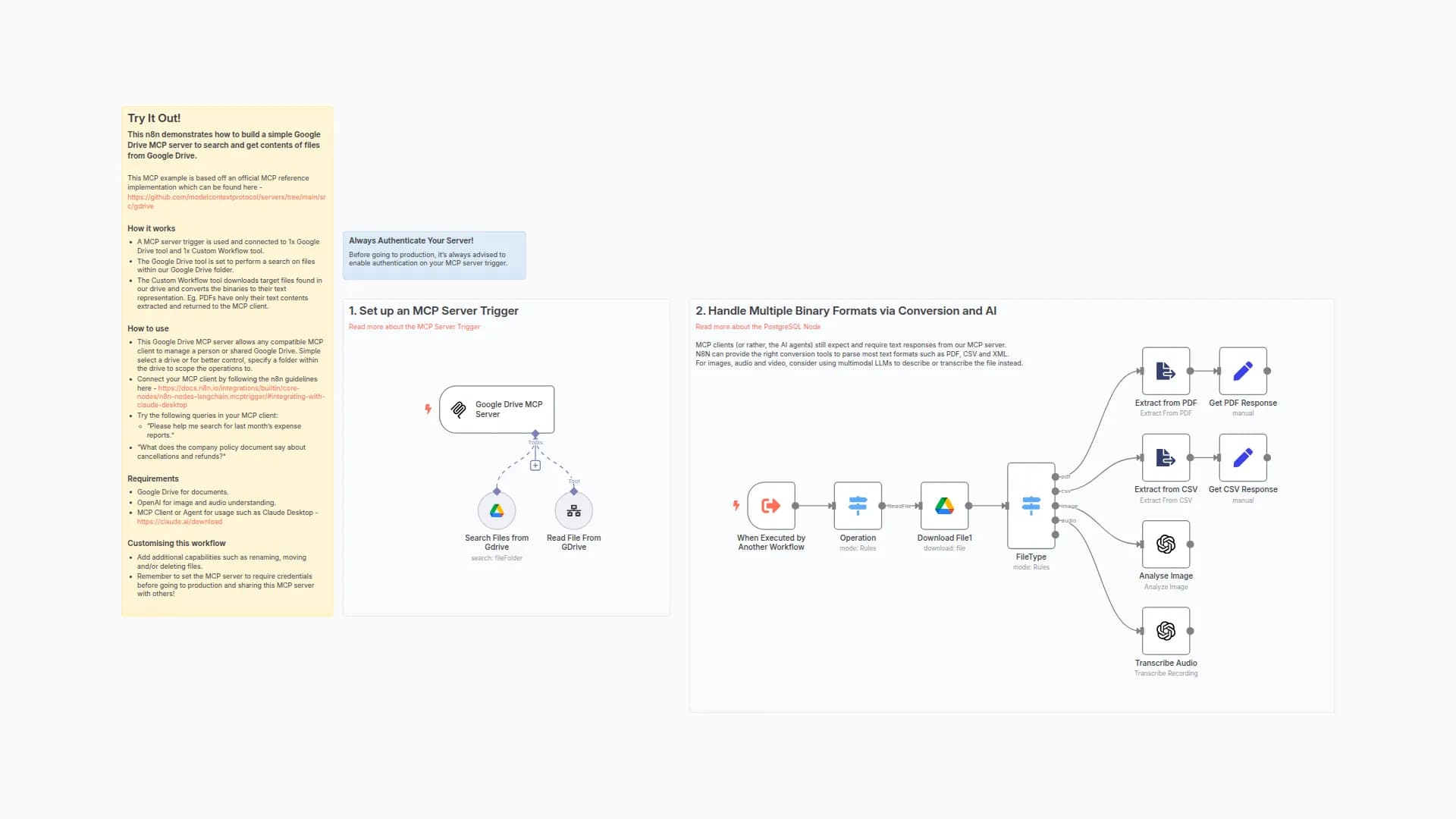
A secure and intelligent n8n workflow that connects with Google Drive via MCP (Model Control Protocol). Ideal for AI agent tasks, compliance-driven storage, and document automation.
🌟 Key Features
🔒 Built-In Safety
Backs up files before edits (timestamped)
Supports rollback using file history
Validates file size, type, and permissions
📁 Smart Organization
Automatically converts file types (PDF, DOCX, etc.)
Moves files to structured folders
Auto-archives old files based on age or rules
🔄 MCP Integration
Accepts standardized JSON via webhook
Real-time execution for AI agents
Fully customizable input (action, fileId, format, etc.)
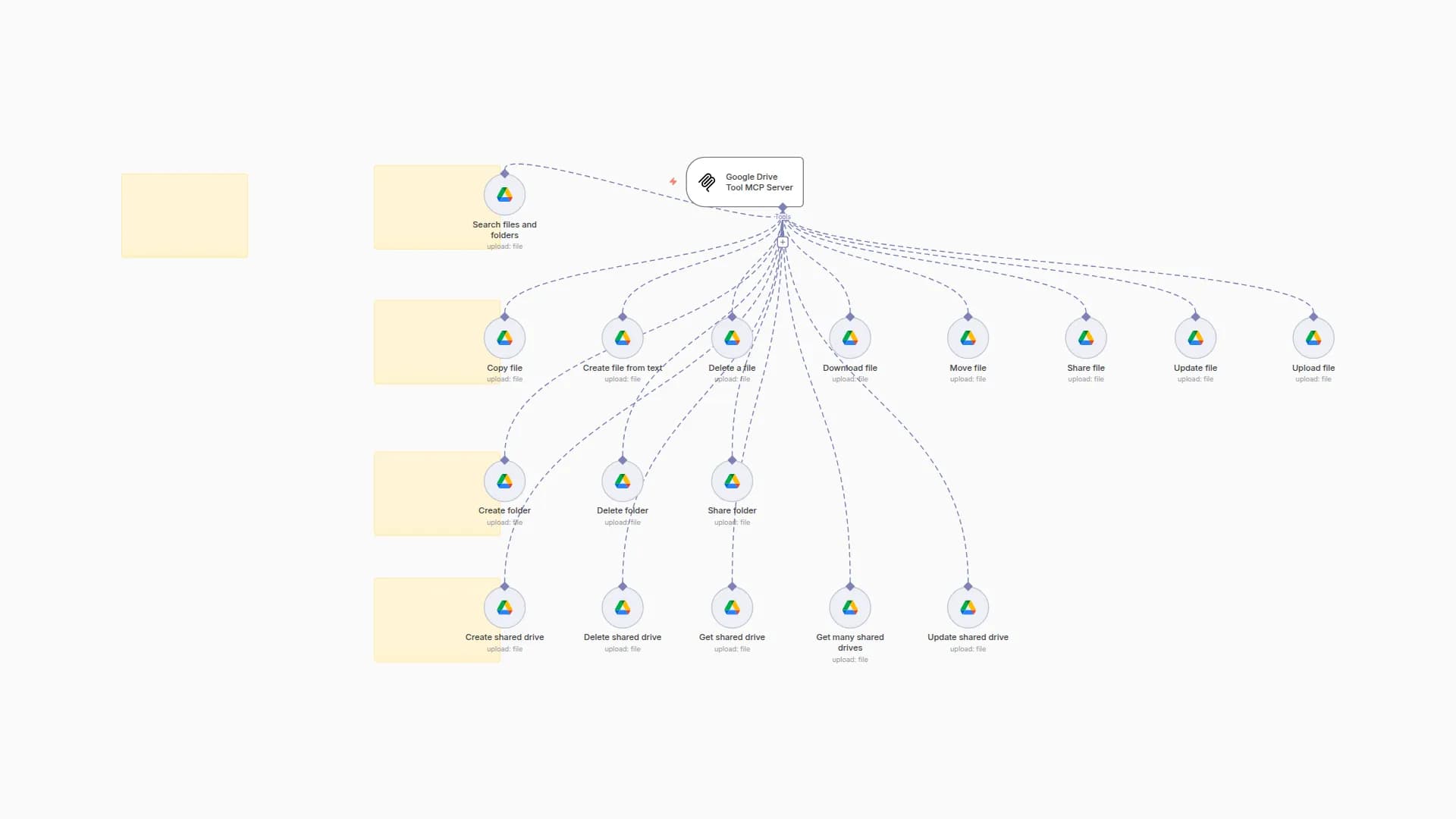
✅ AI Callable MCP Actions
These are the commands AI agents can perform via MCP:
Download a file (with optional format conversion)
Upload a new file to Google Drive
Copy a file for backup
Move a file to a specific folder
Archive old or inactive files
Organize documents into folders
Convert files to a new format (PDF, DOCX, etc.)
Retrieve and review file history for rollback
📝 Example Input
{
"action": "download",
"fileId": "abc123",
"folderPath": "/projects/clientA",
"convertFormat": "pdf"
}
🔐 Security & Performance
OAuth2 secured access to Google Drive API
No sensitive data stored in transit
Real-time audit logs and alerts
Batch-friendly with built-in rate limiting
📌 Ideal For
Businesses automating file management
AI Agents retrieving, sorting, converting, or archiving files
Compliance teams needing file versioning and backups
⚙️ Requirements
n8n + Google Drive API v3
MCP server + Webhook integration
Google OAuth2 Credentials
You may also like
New to n8n?
Need help building new n8n workflows? Process automation for you or your company will save you time and money, and it's completely free!


