Auto-Caption & Post Videos to Instagram & TikTok with Submagic, Postiz & OpenAI


Last edited 206 days ago
🎥 Auto-Caption & Autopost Videos to Instagram & TikTok
Description
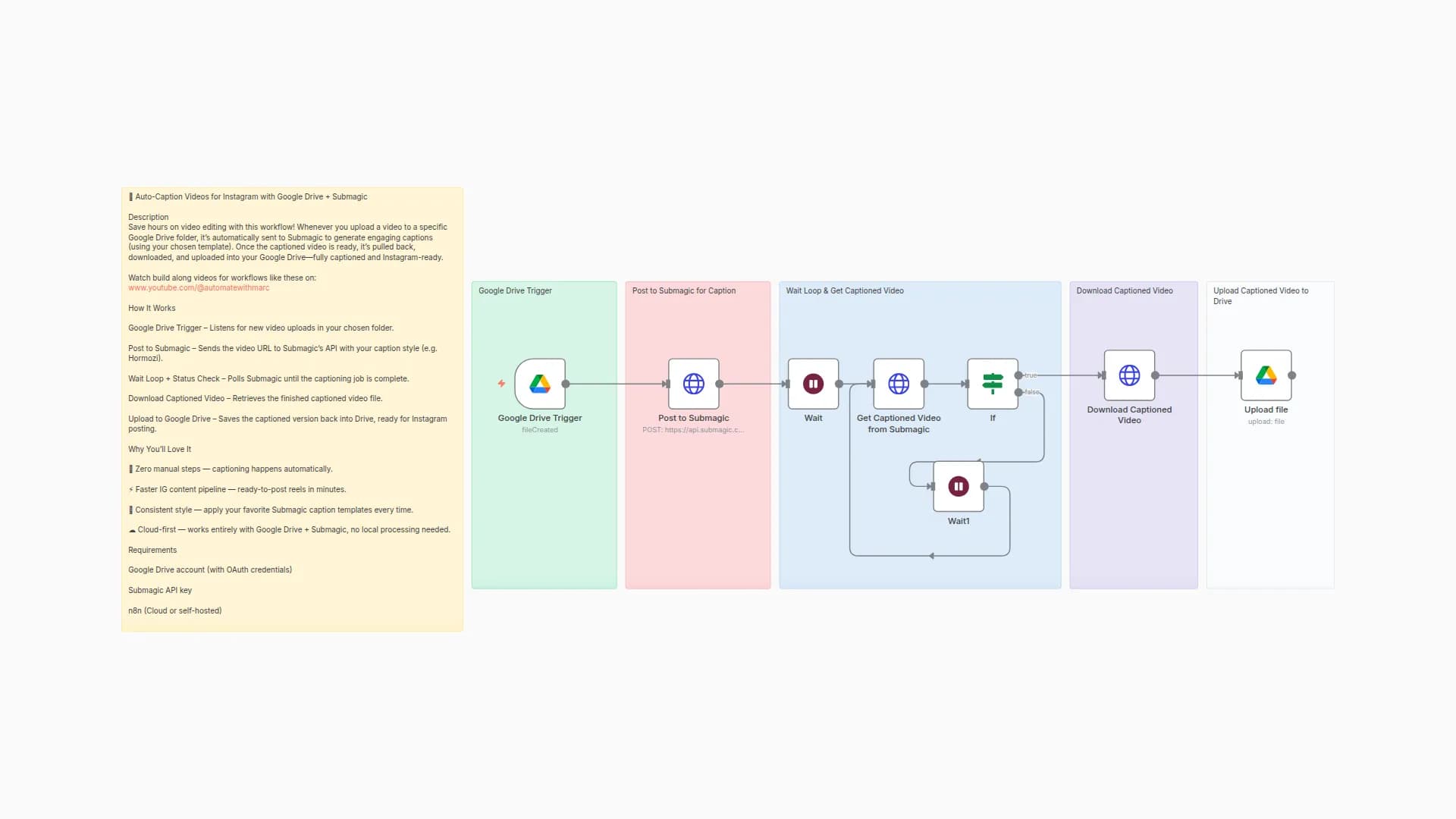
Automate your short-form content pipeline! This workflow takes any video uploaded to a specific Google Drive folder, generates engaging captions with Submagic, and then auto-posts the finished video (with AI-generated captions) directly to Instagram or TikTok via Postiz. Captions are further refined with OpenAI for brand-ready social text. Finally, each published video is logged into a Google Sheet for tracking.
👉 Watch step-by-step build of this workflow on: www.youtube.com/@automatewithmarc
How It Works
Google Drive Trigger – Detects new video uploads.
Submagic API – Adds styled captions automatically.
Wait + Poll – Monitors job status until the captioned video is ready.
Download Video – Retrieves the finished captioned video.
Upload to Postiz – Sends the file to Postiz for multi-platform posting.
Caption Agent (OpenAI) – Generates optimized Instagram/TikTok captions.
Post to Instagram/TikTok – Publishes the video with caption.
Update Log – Saves video details, captions, and status into Google Sheets.
Why You’ll Love It
⚡ Hands-off publishing — videos go from raw to posted automatically.
📝 AI captions + Submagic styling — engaging text and visual consistency.
📊 Content tracking — every post logged in Google Sheets.
🎯 Perfect for Reels & TikToks — optimized for fast workflows and social reach.
Requirements
- Google Drive account
- Submagic API key
- Postiz account (for IG/TikTok posting)
- OpenAI API key (for caption generation)
- Google Sheets account
You may also like

New to n8n?
Need help building new n8n workflows? Process automation for you or your company will save you time and money, and it's completely free!


