Auto-Generate Blog Posts with GPT, Leonardo AI, and Wordpress Publishing


Last edited 206 days ago
Trigger & Topic Extraction
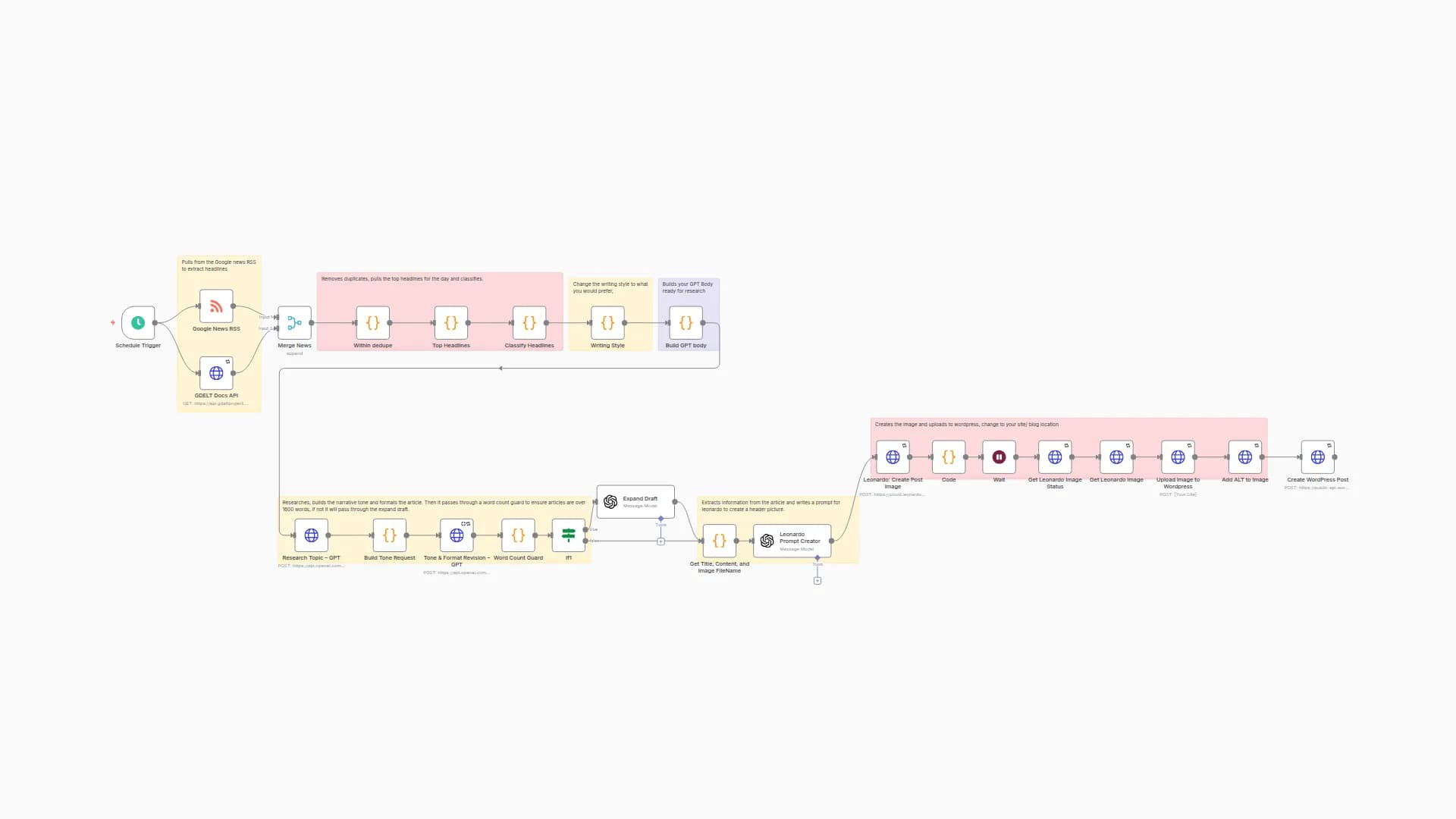
The workflow starts manually or from a chat/Telegram/webhook input.
A “topic extractor” node scans the incoming text and cleans it (handles /topic … commands).
If no topic is detected, it defaults to a sample news headline.
Style & Structure Setup
A style guide node defines the blog’s tone: practical, medium–low formality, clear sections, clean HTML only.
It also enforces do’s (citations, links, actionable steps) and don’ts (no clickbait, no low-quality sources).
Research & Drafting
A GPT node generates a 1,700–1,800 word article following the style guide.
Sections include: What happened, Why it matters, Opportunities/risks, Action plan, FAQ.
The draft is then polished for clarity and flow.
Quality Control
A word count guard checks that the article is at least 1,600 words.
If too short, a GPT “expand draft” node deepens the Why it matters, Risks, and Action plan sections.
Image Creation
The final article’s title and content are used to generate an editorial-style image prompt.
Leonardo AI creates a cinematic, text-free featured image suitable for Google News/Discover.
The image is uploaded to WordPress, with proper ALT text generated by GPT.
Publishing to WordPress
The final post (title, content, featured image) is automatically published.
Sources are extracted from the article, compiled into a “Sources” section with clickable links.
Posts are categorized and published immediately.
You may also like
New to n8n?
Need help building new n8n workflows? Process automation for you or your company will save you time and money, and it's completely free!


