Automated Instagram Reels Posting from Airtable Content Calendar


Last edited 205 days ago
A guide to understand, operate, and extend the workflow.
1) What this workflow does (and why it’s useful)
Goal: Turn a simple Airtable sheet into a content calendar that automatically publishes Instagram Reels via the Instagram Graph API, on a schedule you control in n8n.
Why this matters:
- Your team plans everything in Airtable (user-friendly, collaborative).
- n8n posts for you at the right time, every time.
- You keep full control (no third-party SaaS lock-in, no manual uploads).
- Later, you can reuse the same queue to post YouTube Shorts / TikTok (omnichannel).
Core flow (one row = one post):
- Cron starts the workflow at a set time.
- Airtable – Search grabs due rows:
status = "To Post" AND scheduled_at <= NOW() AND platform = "IG". - Split Out processes each row individually.
- Set (Map fields) normalizes Airtable fields →
video_url,caption,recordId. - IG: Create Media Container registers your video as REEL.
- Wait 90s lets IG process the video.
- IG: Publish Reel publishes the container.
- Airtable – Update marks the row as Posted, stores
ig_media_id, and timestamp.
2) Architecture at a glance
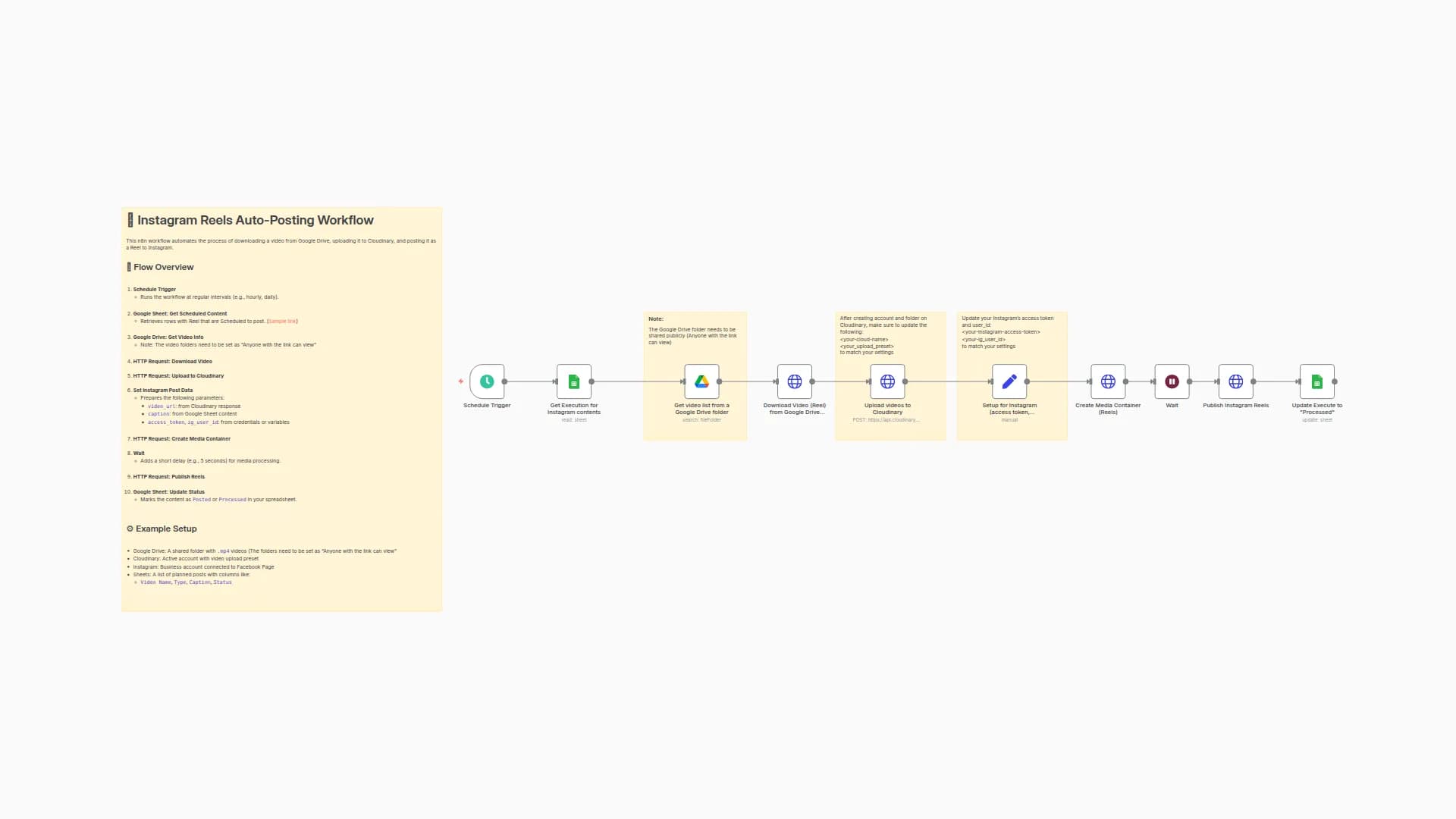
[Cron]
  → [Airtable: Search records]
    → [Split Out: records]
      → [Set: Map fields]
        → [IG: Create Media Container]
          → [Wait 90s]
            → [IG: Publish Reel]
              → [Airtable: Update record]
Sticky Notes inside the workflow explain each step (they’re rendered from parameters.content with Markdown).
3) Airtable schema (recommended)
Create a table (e.g., Posts) with these fields:
Field
Type
Purpose
video_url
URL or Text
Directly accessible (public) URL to your MP4
caption
Long text
Final caption (hashtags, line breaks, emojis)
platform
Single select
Set IG for this workflow
status
Single select
To Post → will be picked up; Posted later
scheduled_at
Date/Time (UTC)
When to post
ig_media_id
Text (optional)
Filled by n8n after publishing
posted_at
Date/Time
Filled by n8n after publishing
Filter used in the Airtable “Search records” node:
AND({status}='To Post', {scheduled_at}<=NOW(), {platform}='IG')
Tip: If you localize/rename fields, update the filter accordingly.
4) Prerequisites & credentials
- Instagram Business/Creator account connected to a Facebook Page.
- IG User ID for the connected account.
- Long-lived IG Access Token with permissions to create and publish content.
- n8n environment variables (Settings → Environments):
IG_API_VERSION(e.g.,v21.0)IG_USER_IDIG_ACCESS_TOKEN
- Airtable credential in n8n using a Personal Access Token (as in your example).
- A publicly accessible
video_url(e.g., S3/GCS signed URL, public CDN, Drive/Dropbox direct link). The API pulls from your URL; it cannot fetch files behind logins.
5) Node-by-node deep dive (what each node expects/returns)
A) Cron Trigger
- What it does: Starts the workflow on a schedule (daily at 09:00 in the template).
- How to use: Adjust hours/minutes to your cadence (hourly, twice a day, etc.).
B) Airtable: Search records
- Operation:
search - Base/Table: Select from dropdowns (matches your account).
- Options → filterByFormula:
AND({status}='To Post', {scheduled_at}<=NOW(), {platform}='IG') - Return: An array under
records[]. Eachrecordhasidandfields.
C) Split Out: records
- What it does: Turns the
records[]array into individual items. - Why: Downstream steps can then act on each post separately.
D) Set: Map fields
- What it does: Normalizes data to predictable keys and keeps the
recordId. - Outputs:
recordId={{$json.id}}video_url={{$json.fields.video_url}}caption={{$json.fields.caption}}scheduled_at={{$json.fields.scheduled_at}}
E) IG: Create Media Container (REELS)
- Endpoint:
POST https://graph.facebook.com/{v}/{ig-user-id}/media - Body params:
video_url={{$json.video_url}}caption={{$json.caption}}media_type=REELSshare_to_feed=true(optional)access_token=${IG_ACCESS_TOKEN}
- Return: JSON with container id under
id(this is yourcreation_idfor publishing).
F) Wait 90s
- Why: IG needs time to process the video behind
video_url. - Tip: If your videos are large or high bitrate, you may increase to
120–180s.
G) IG: Publish Reel
- Endpoint:
POST https://graph.facebook.com/{v}/{ig-user-id}/media_publish - Body params:
creation_id = {{$json.id}}(the container id from step E)access_token = ${IG_ACCESS_TOKEN}
- Return: JSON with
id= ig_media_id (the published media).
H) Airtable: Update record
- What it does: Writes results back to the same row.
- Fields updated (example):
status = "Posted"ig_media_id = {{$json.id}}posted_at = {{$now}}
6) First-run checklist (do this once)
- In both Airtable nodes, pick your Base and Table (via dropdown).
- Confirm filterByFormula matches your field names exactly.
- Add one test row in Airtable:
video_url= a public MP4 URLcaption= a small captionplatform=IGstatus=To Postscheduled_at= in the past (so it’s due now)
- Set Cron to run in the next minute (or click Execute Workflow manually).
- Confirm the flow:
- Airtable search → returns 1 record
- Container created → you get an
id - After 90s → Publish returns a
media id - Airtable updated → row becomes
Postedwithig_media_idandposted_at
7) Daily operations (how to use it day-to-day)
- Your team fills Airtable with upcoming posts.
- Keep
status = To Post, set accuratescheduled_atin UTC. - n8n’s Cron checks regularly and posts due items.
- After publishing, the row is marked Posted (so it won’t re-post).
Backfilling:
If you need to post a bunch of older content, set scheduled_at in the past for those rows and let Cron pick them up. If needed, run the workflow manually.
You may also like

New to n8n?
Need help building new n8n workflows? Process automation for you or your company will save you time and money, and it's completely free!


