Automated Slack Channel Inactivity Audit & Report Generator for Workspace Cleanup


Last edited 206 days ago
Automated Slack Channel Audit Workflow with Chatbot and GPT-4.1
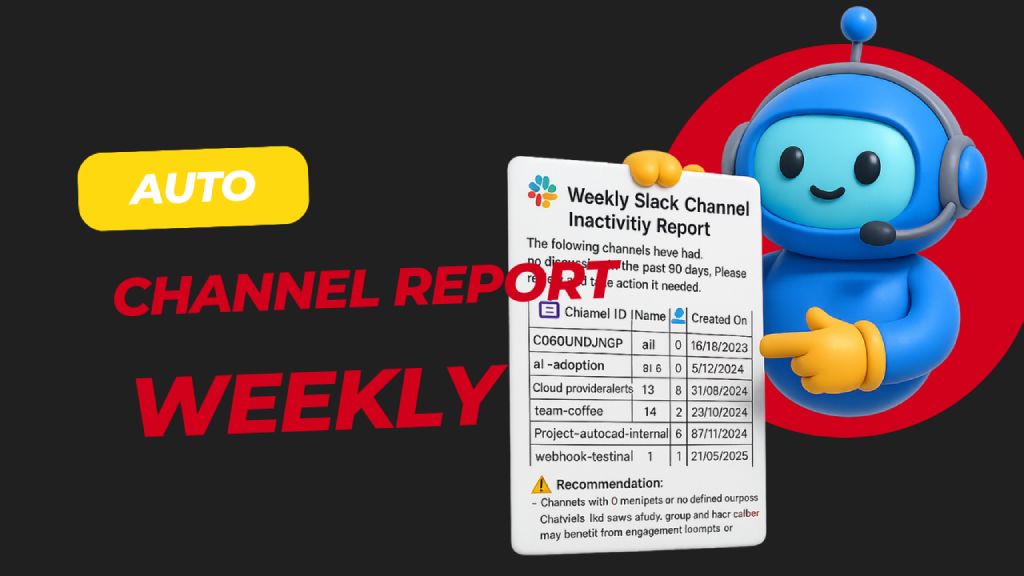
Automatically scans all public Slack channels weekly to detect those with no activity in the past 30 days, then generates and sends a detailed inactivity report to admins for review and action. Helps keep your Slack workspace clean, relevant, and clutter-free.
🧑💼 Who’s it for
This workflow is built for:
- Slack Workspace Admins
- IT or Ops Managers
- HR/Compliance Teams
…who want to maintain a clean and active Slack workspace by regularly reviewing inactive channels.
⚙️ How it works / What it does
This automated n8n workflow:
- Runs weekly via a scheduled trigger.
- Fetches all public Slack channels in the workspace.
- Checks message history of each channel for activity.
- Filters channels that have had no discussion in the past 30 days.
- Generates a Slack-friendly report with key metadata (name, member count, purpose, etc.).
- Sends the report to a Slack channel for admin review and possible action (e.g., archive, engage, repurpose).
🛠️ How to set up
-
Configure your Slack App
- Go to https://api.slack.com/apps → Create App
- Add the following OAuth scopes to your Bot Token:
channels:read→ to get list of public channelschannels:history→ to fetch message historyusers:read→ to personalize report (optional)chat:write→ to post the report to a Slack channel
-
Install the app in your workspace
- Copy the Bot User OAuth Token
- Add it to your n8n Slack credentials under "Slack API"
-
Customize the schedule in the "Weekly Schedule Trigger" node to control report frequency.
-
Connect your Slack workspace to the workflow using your credentials.
✅ Requirements
- n8n (self-hosted or cloud)
- Slack App with:
channels:readchannels:historychat:write
- Active channels and member data
- A designated Slack channel to receive the report
🔧 How to customize the workflow
Component
Customization Options
⏱️ Schedule Trigger
Change to daily, monthly, etc.
📅 Inactivity Threshold
Modify Filter channel with last discussion 30 days ago to 60/90 days
📊 Report Formatting
Tweak the Consume slack report node to change formatting or summary
💬 Output Channel
Change target channel in Send Channel Inactivity Report
🚫 Auto-archiving
Add logic to archive channels with 0 members or activity (using Slack API)
📝 Slack Permissions Reference
Action
Slack Scope Required
Get all public channels
channels:read
Get message history of a channel
channels:history
Post message to Slack
chat:write
Get user info (optional)
users:read
You may also like
New to n8n?
Need help building new n8n workflows? Process automation for you or your company will save you time and money, and it's completely free!


