Book Appointments with Voice Using VAPI & Cal.com


Last edited 205 days ago
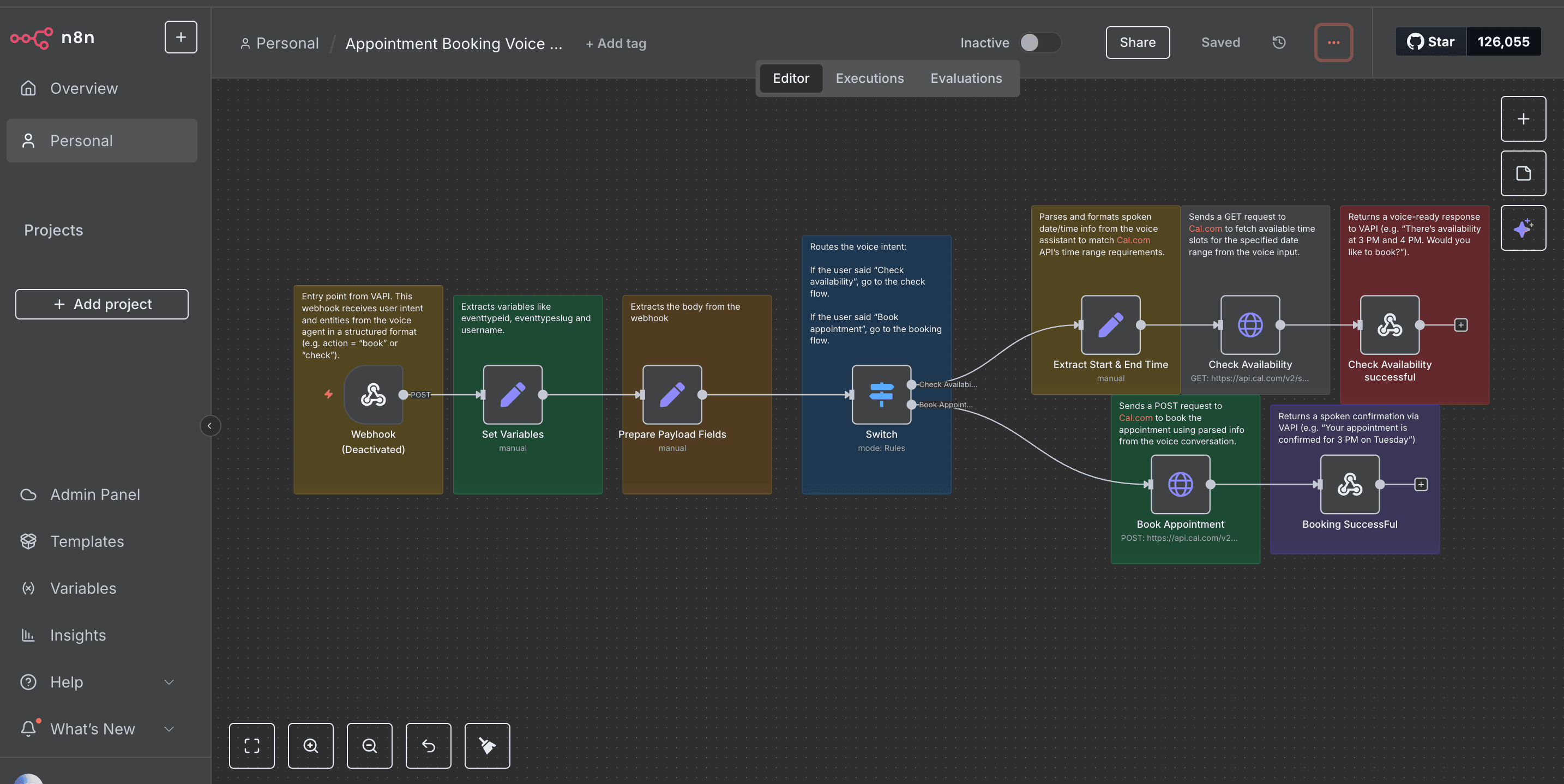
This template uses VAPI and Cal.com to book appointments through a voice conversation. It detects whether the user wants to check availability or book an appointment, then responds naturally with real-time scheduling options.
Who is this for?
This workflow is perfect for:
Voice assistant developers
AI receptionists and smart concierge tools
Service providers (salons, clinics, coaches) needing hands-free scheduling
Anyone building voice-based customer experiences
What does it do?
This workflow turns a natural voice conversation into a working appointment system.
It starts with a Webhook connected to your VAPI voice agent.
The Set node extracts user intent (like “check availability” or “book now”).
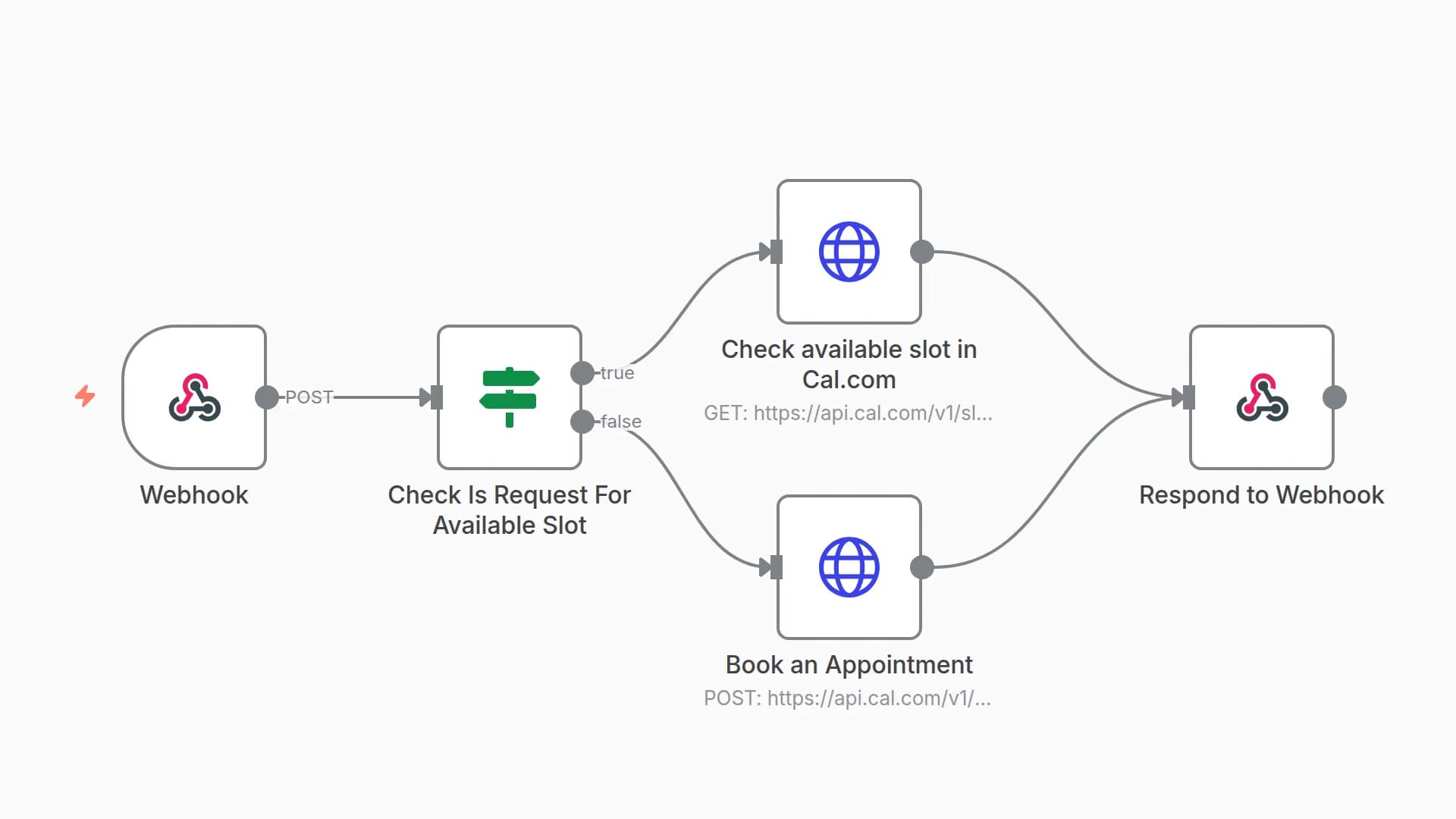
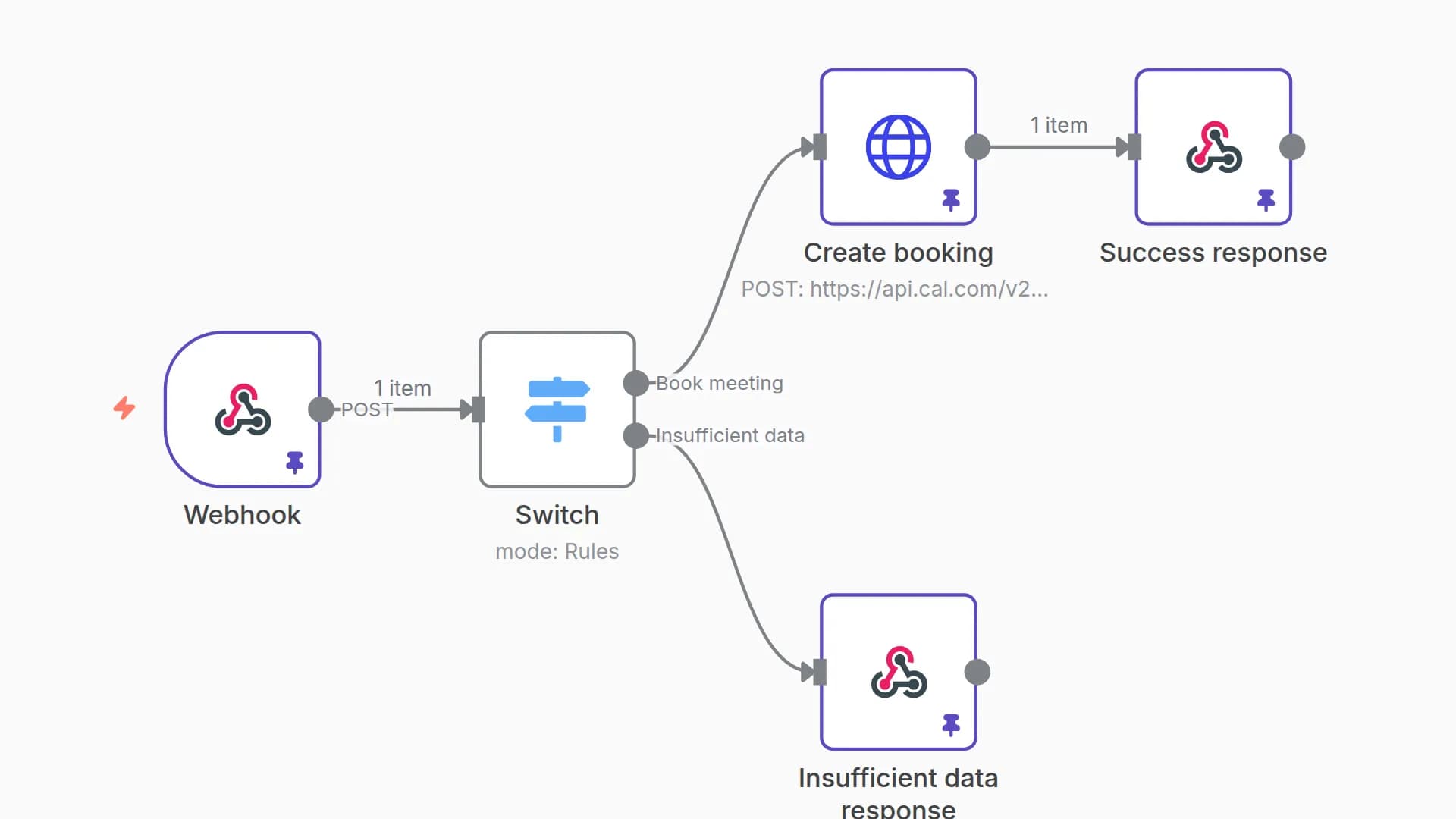
A Switch node branches logic based on the intent.
If the user wants to check availability, the workflow fetches available times from Cal.com.
If the user wants to book, it creates a new event using Cal.com's API.
The final result is sent back to VAPI as a conversational voice response.
How to use it
Import this workflow into your n8n instance.
Set up a Webhook node and connect it to your VAPI voice agent.
Add your Cal.com API token as a credential (use HTTP Header Auth).
Deploy and test using VAPI’s simulator or real phone input.
(Optional) Customize the OpenAI prompt if you're using it to process or moderate inputs.
Requirements
A working VAPI agent
A Cal.com account with API access
n8n (cloud or self-hosted)
An understanding of how to configure webhook and API credentials in n8n
Customization Ideas
Swap out Cal.com with another booking API (like Calendly)
Add a Google Sheets or Supabase node to log appointments
Use OpenAI to summarize or sanitize voice inputs before proceeding
Build multi-turn conversations in VAPI for more complex bookings
You may also like
New to n8n?
Need help building new n8n workflows? Process automation for you or your company will save you time and money, and it's completely free!


