Build a WhatsApp Assistant with Memory, Google Suite & Multi-AI Research and Imaging


Created by
neIniyavan JCLast edited 206 days ago
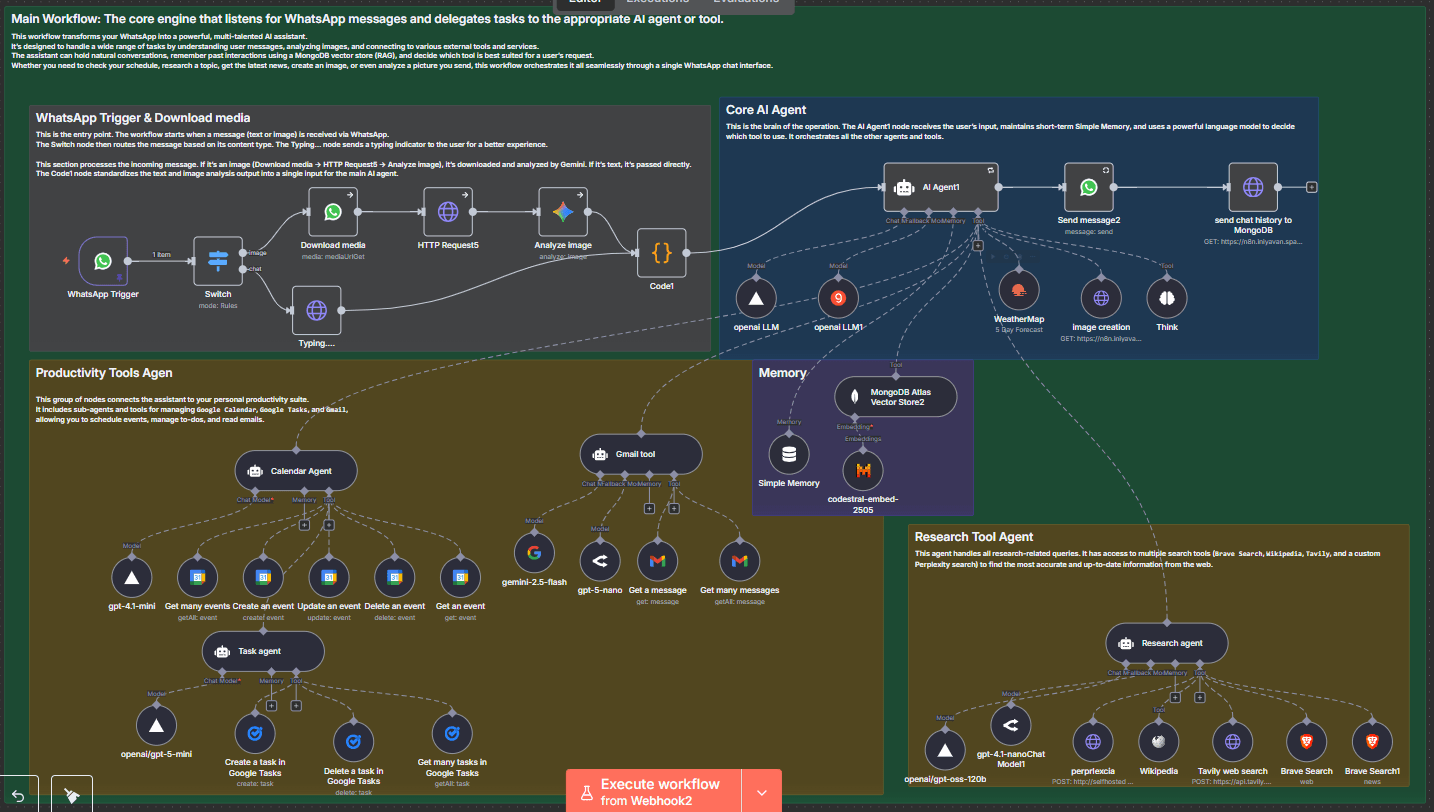 The "WhatsApp Productivity Assistant with Memory and AI Imaging" is a comprehensive n8n workflow that transforms your WhatsApp into a powerful, multi-talented AI assistant. It's designed to handle a wide range of tasks by understanding user messages, analyzing images, and connecting to various external tools and services. The assistant can hold natural conversations, remember past interactions using a MongoDB vector store (RAG), and decide which tool is best suited for a user's request. Whether you need to check your schedule, research a topic, get the latest news, create an image, or even analyze a picture you send, this workflow orchestrates it all seamlessly through a single WhatsApp chat interface.
The workflow is structured into several interconnected components:
- WhatsApp Trigger & Incoming Message Processing: This is the entry point, starting when a message (text or image) is received via WhatsApp. A
Route Message by Type (Image/Text)node then intelligently routes the message based on its content type. ATyping....node sends a typing indicator to the user for a better experience. If an image is received, it's downloaded, processed via an HTTP Request, and analyzed by theAnalyze imagenode. TheCode1node then standardizes both text and image analysis output into a single, unified input for the main AI agent. - Core AI Agent: This is the brain of the operation. The
AI Agent1node receives the user's input, maintains short-term conversational memory usingSimple Memory, and uses a powerful language model (gpt-oss-120b2orgpt-oss-120b1) to decide which tool or sub-agent to use. It orchestrates all the other agents and tools. - Productivity Tools Agent: This group of nodes connects the assistant to your personal productivity suite. It includes sub-agents and tools for managing
Google Calendar,Google Tasks, andGmail, allowing you to schedule events, manage to-dos, and read emails. It leverages a language model (gpt-4.1-miniorgemini-2.5-flash) for understanding and executing commands within these tools. - Research Tool Agent: This agent handles all research-related queries. It has access to multiple search tools (
Brave Web Search,Brave News Search,Wikipedia,Tavily, and a customperprlexciasearch) to find the most accurate and up-to-date information from the web. It uses a language model (gpt-oss-120borgpt-4.1-nanoChat Model1) for reasoning. - Long-Term Memory Webhook:
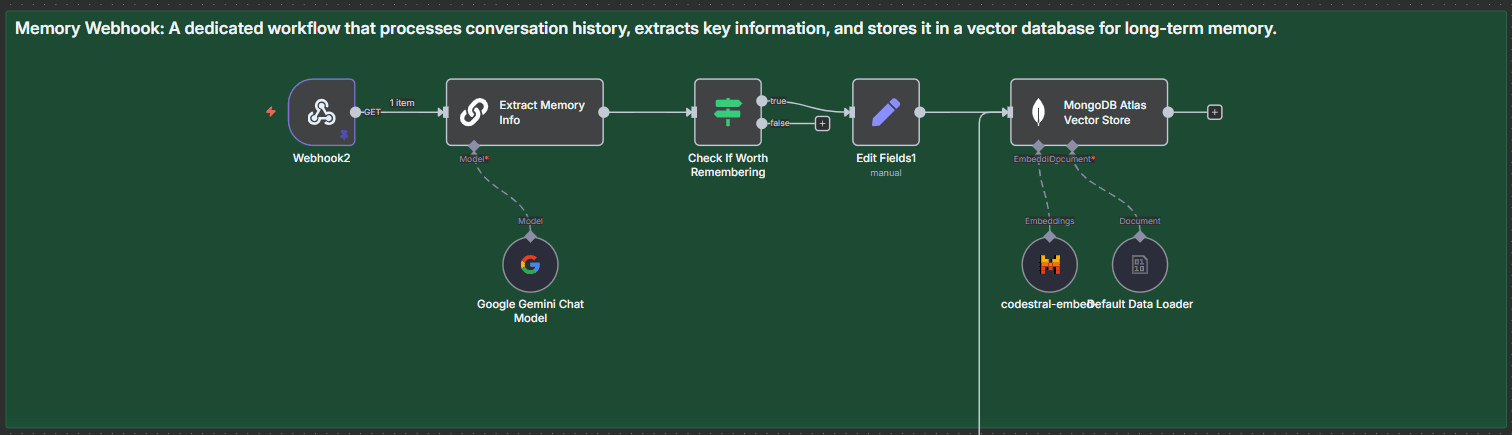 A dedicated sub-workflow (
Webhook2) that processes conversation history, extracts key information usingExtract Memory Info, and stores it in aMongoDB Atlas Vector Storefor long-term memory. This allows the AI agent to remember past preferences and facts. - Image Generation Webhook:
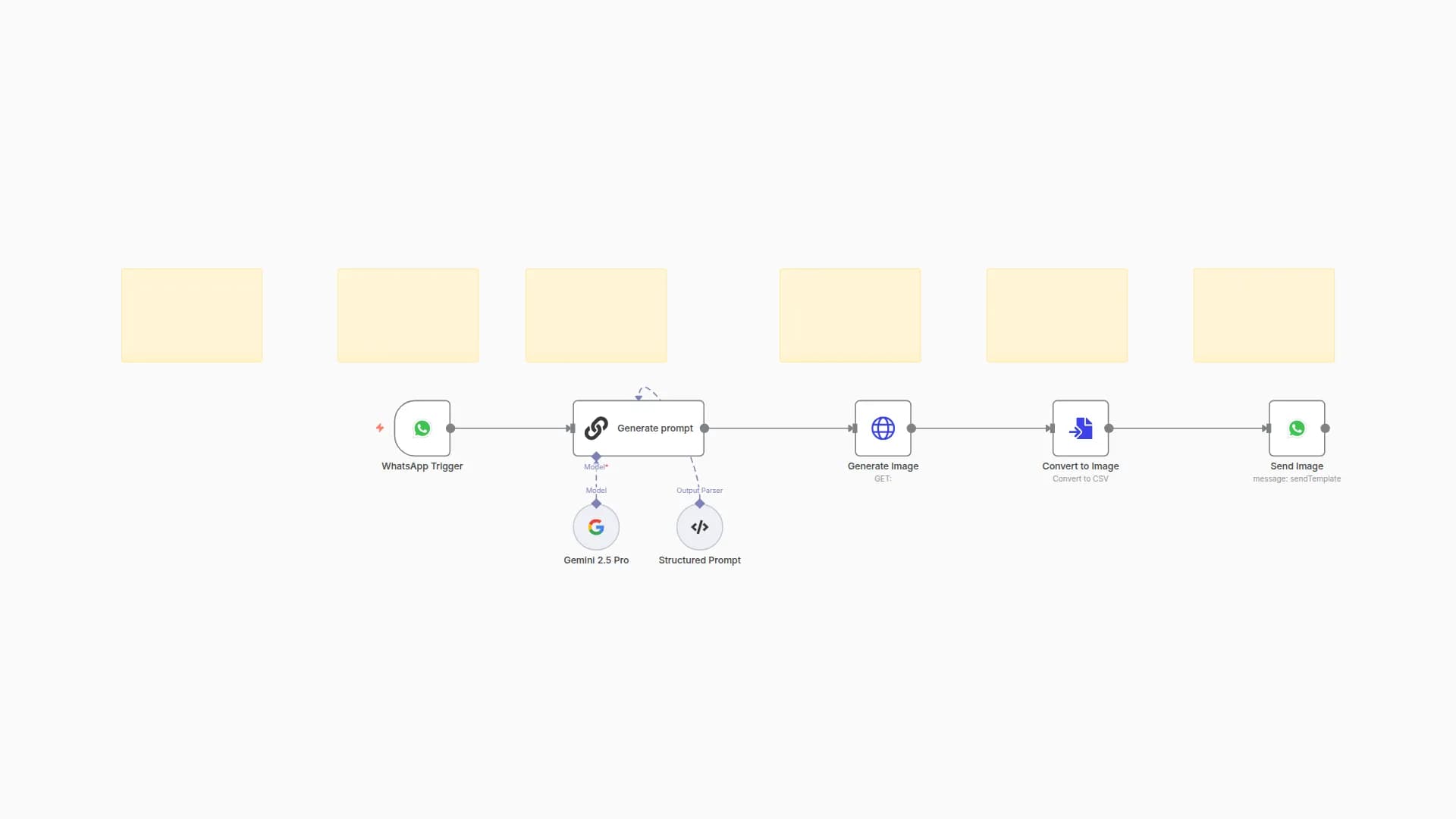
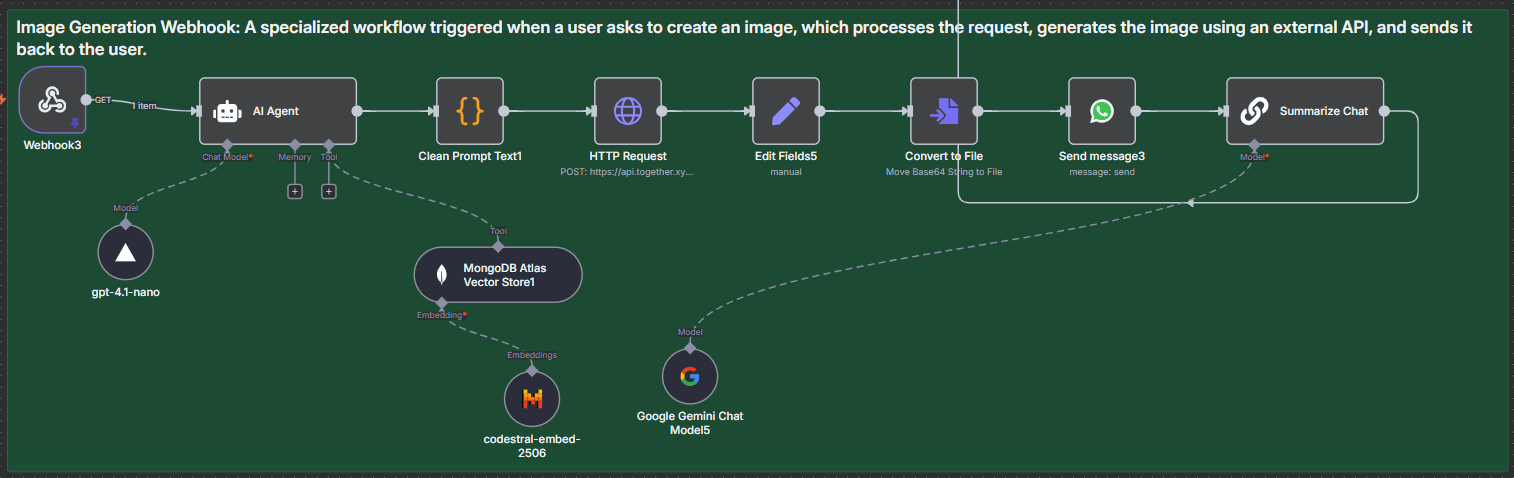 A specialized sub-workflow (
Webhook3) triggered when a user asks to create an image. It uses a dedicatedAI AgentwithMongoDB Atlas Vector Store1for contextual image prompt generation,Clean Prompt Text1to refine the prompt, anHTTP Requestto an external image generation API (e.g., Together.xyz), and then converts and sends the generated image back to the user via WhatsApp.
Use Cases
- Personal Assistant: Schedule appointments, create tasks, read recent emails, and manage your daily agenda directly from WhatsApp.
- Information Retrieval: Ask any factual, news, or research-based question and get real-time answers from various web sources.
- Creative Content Generation: Request the AI to generate images based on your descriptions for logos, artwork, or social media content.
- Smart Communication: Engage in natural, contextual conversations with an AI that remembers past interactions.
- Image Analysis: Send an image and ask the AI to describe its contents or answer questions about it.
Pre-conditions
Before importing and running this template, you will need:
- Self-hosted n8n Instance: This template requires a self-hosted n8n instance as it uses webhooks that need public accessibility.
- WhatsApp Business Account: A Meta Developer Account configured for WhatsApp Business Platform API access.
- MongoDB Atlas Account: A MongoDB Atlas cluster with a database and collection set up for the vector store.
- Google Cloud Project: Configured with API access for Google Calendar, Google Tasks, and Gmail.
- API Keys/Accounts for:
- OpenWeatherMap: For weather forecasts.
- Groq, OpenRouter, or Vercel AI Gateway: For various Language Models (e.g.,
gpt-oss-120b,gpt-5-nano,gpt-4o-mini). - Mistral Cloud: For embedding models (e.g.,
codestral-embed-2505). - Brave Search: For web and news searches.
- Tavily API: For structured search results.
- Together.xyz or similar Image Generation API: For creating images.
- Perplexity API (or self-hosted instance): For the
perprlexciatool (the current URLhttp://self hoseted perplexcia/api/searchimplies a self-hosted or custom endpoint).
- Publicly Accessible URLs: Your n8n instance and any custom webhook endpoints (like
perprlexcia) must be publicly accessible.
Requirements (n8n Credentials)
You will need to set up the following credentials within your n8n instance:
- WhatsApp OAuth account: For the
WhatsApp Triggernode. - WhatsApp account: For
Send message2,Send message3,Download media, andTyping....nodes. - Google Palm Api account: For
Analyze image,Google Gemini Chat Model,gemini-2.5-flash, andGoogle Gemini Chat Model5nodes. - OpenWeatherMap account: For the
Get Weather Forecastnode. - Groq account: For
gpt-oss-120bnode. - Google Calendar OAuth2Api account: For the Google Calendar tools.
- MongoDB account: For
MongoDB Atlas Vector Storenodes. - OpenRouter account: For
gpt-5-nanoandgpt-4.1-nanoChat Model1nodes. - Gmail account : For
Get many messagesandGet a messagenodes (ensure correct Gmail OAuth2 setup for each). - Google Tasks account: For the Google Tasks tools.
- Bearer Auth account: For
HTTP Request5(used in media download). - Brave Search account: For
Brave Web SearchandBrave News Searchnodes. - Vercel Ai Gateway Api account: For
gpt-4.1-mini,gpt-oss-120b,gpt-oss-120b2, andgpt-4.1-nanonodes. - HTTP Header Auth account: For
Tavily web search(create a new one named "Tavily API Key" withAuthorization: Bearer YOUR_TAVILY_API_KEY) andHTTP Request(for Together.xyz, e.g., "Together.xyz API Key"). - Mistral Cloud account: For
codestral-embed-2505,codestral-embed-, andcodestral-embed-2506nodes.
You may also like
New to n8n?
Need help building new n8n workflows? Process automation for you or your company will save you time and money, and it's completely free!


