Build Targeted Prospect Lists: Find & Enrich Leads with Surfe to HubSpot


Last edited 206 days ago
🚀 Build Hyper-Targeted Prospecting Lists with Surfe & HubSpot
This template automatically discovers companies that match your Ideal Customer Profile (ICP), finds the right people inside those companies and enriches them — ready to drop straight into HubSpot. Launch the workflow, sit back, and get a clean list of validated prospects in minutes.
1. ❓ What Problem Does This Solve?
Sourcing prospects that truly fit your ICP is slow and repetitive. You jump between databases, copy domains, hunt down decision-makers, and then still have to enrich emails and phone numbers one by one.
This workflow replaces all that manual effort:
- It queries Surfe’s database for companies that match your exact industry, size, revenue and geography filters.
- It pulls the best-fit people inside each company and enriches them in bulk.
- It keeps only records with both a direct email and mobile phone, then syncs them to HubSpot automatically.
No spreadsheets, no copy-paste — just a fresh, qualified prospect list ready for outreach.
2. 🧰 Prerequisites
You’ll need:
-
A self-hosted or cloud instance of n8n
-
A Surfe API Key
-
A HubSpot Private App Token with contact read/write scopes
-
A Gmail account (OAuth2) for the completion notification
-
The workflow JSON file linked above
3. 📌 Search ICP Companies Configuration — Fine-Tune Your Targeting
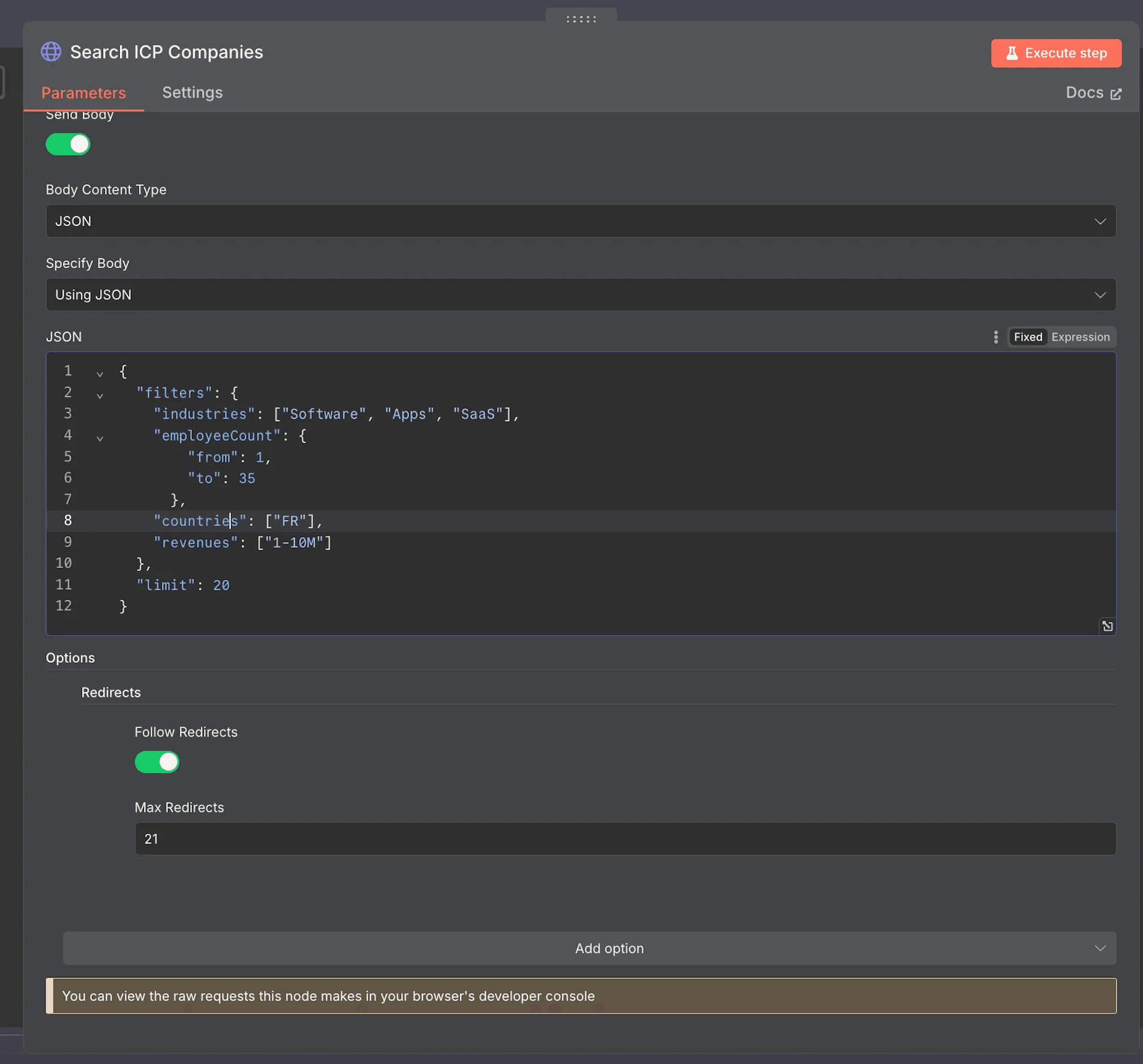
3.1 Editing the JSON
Every targeting rule lives inside the “🔍 Search ICP Companies” HTTP node.
Open the node Search ICP Companies → *Parameters* tab → *JSON Body* to edit the filters.
Filter
JSON path
What it does
Example
industries
filters.industries
Narrow to specific verticals (case-sensitive strings)
["Software","Apps","SaaS"]
employeeCount.from / to
filters.employeeCount
from / to
1 / 35
countries
filters.countries
2-letter ISO codes
["FR","DE"]
revenues
filters.revenues
Annual revenue brackets
["1-10M"]
limit
limit
Companies per run
20
3.2 Where to find allowed values
Surfe exposes an “🗂 Get Filters” endpoint that returns every accepted value for:
industriesemployeeCountsrevenuescountries(always ISO-2 codes)
You can hit it with a simple GET /v1/people/search/filters request or browse the interactive docs here:
https://developers.surfe.com/public-008-people-filters developers.surfe.com
For company-level searches, the same enumerations apply.
4. ⚙️ Setup Instructions
4.1 🔐 Create Your Credentials in n8n
4.1.1 🚀 Surfe API
- In your Surfe dashboard → Use Surfe Api → copy your API key
- Go to n8n → Credentials → Create Credential
- Choose Credential Type:
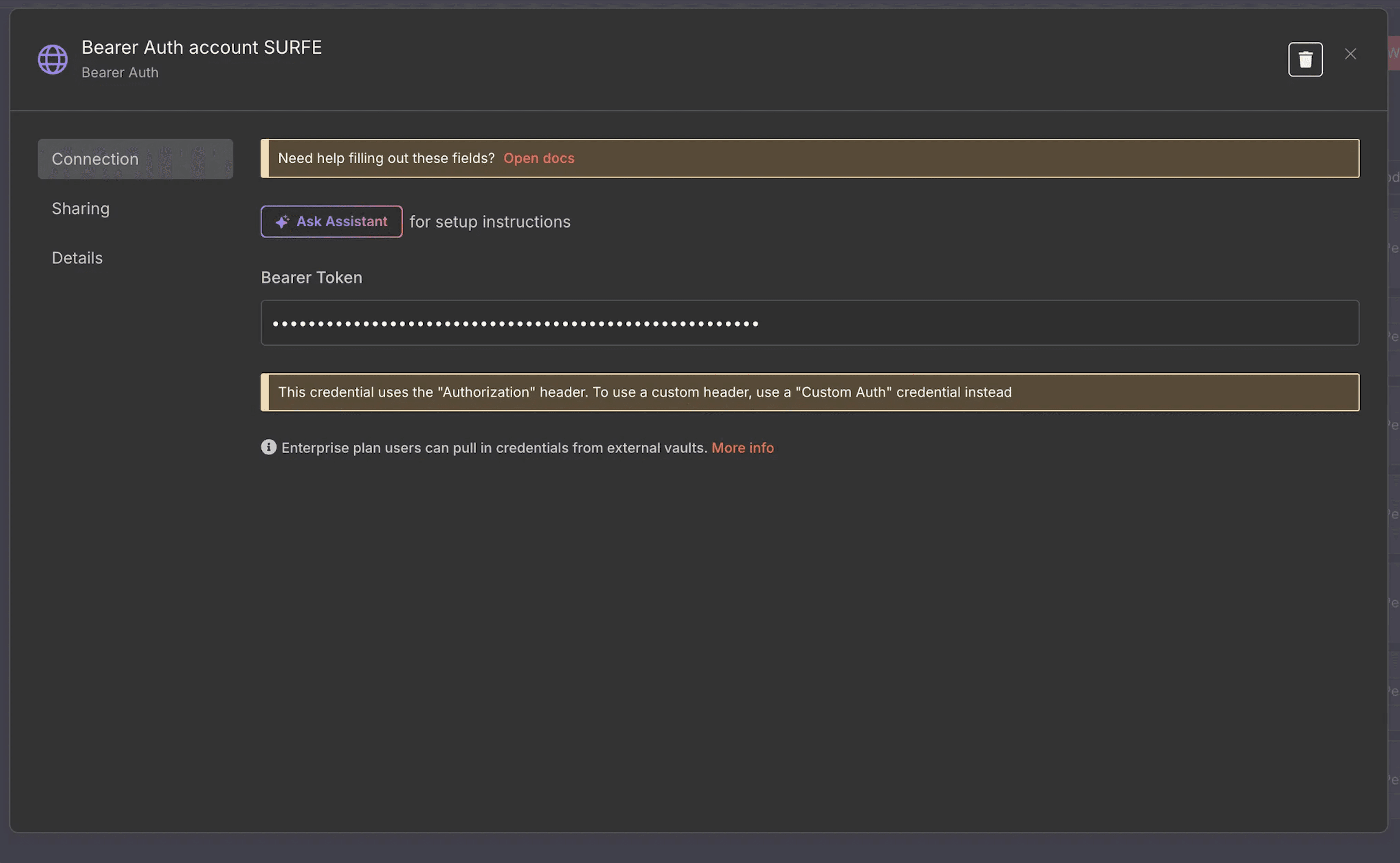
Bearer Auth - Name it something like
SURFE API Key - Paste your API key into the
Bearer Token - Save
- Choose Credential Type:
4.1.2 📧 Gmail OAuth2 API
- Go to n8n → Credentials
- Create new credentials:
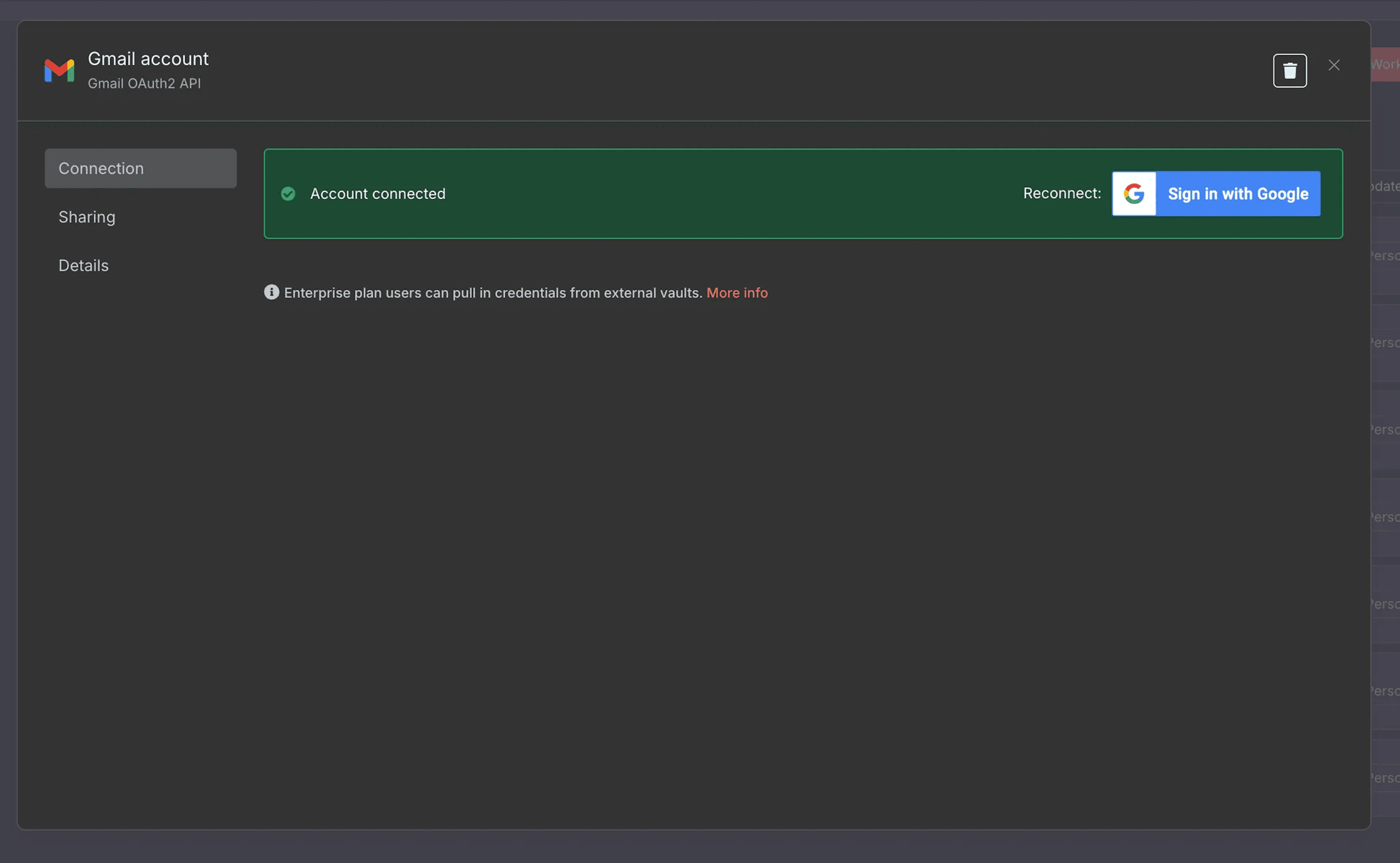
- Type:
Gmail OAuth2 API
- Type:
- A pop-up window will appear where you can log in with your Google account that is linked to Gmail
- Make sure you grant email send permissions when prompted
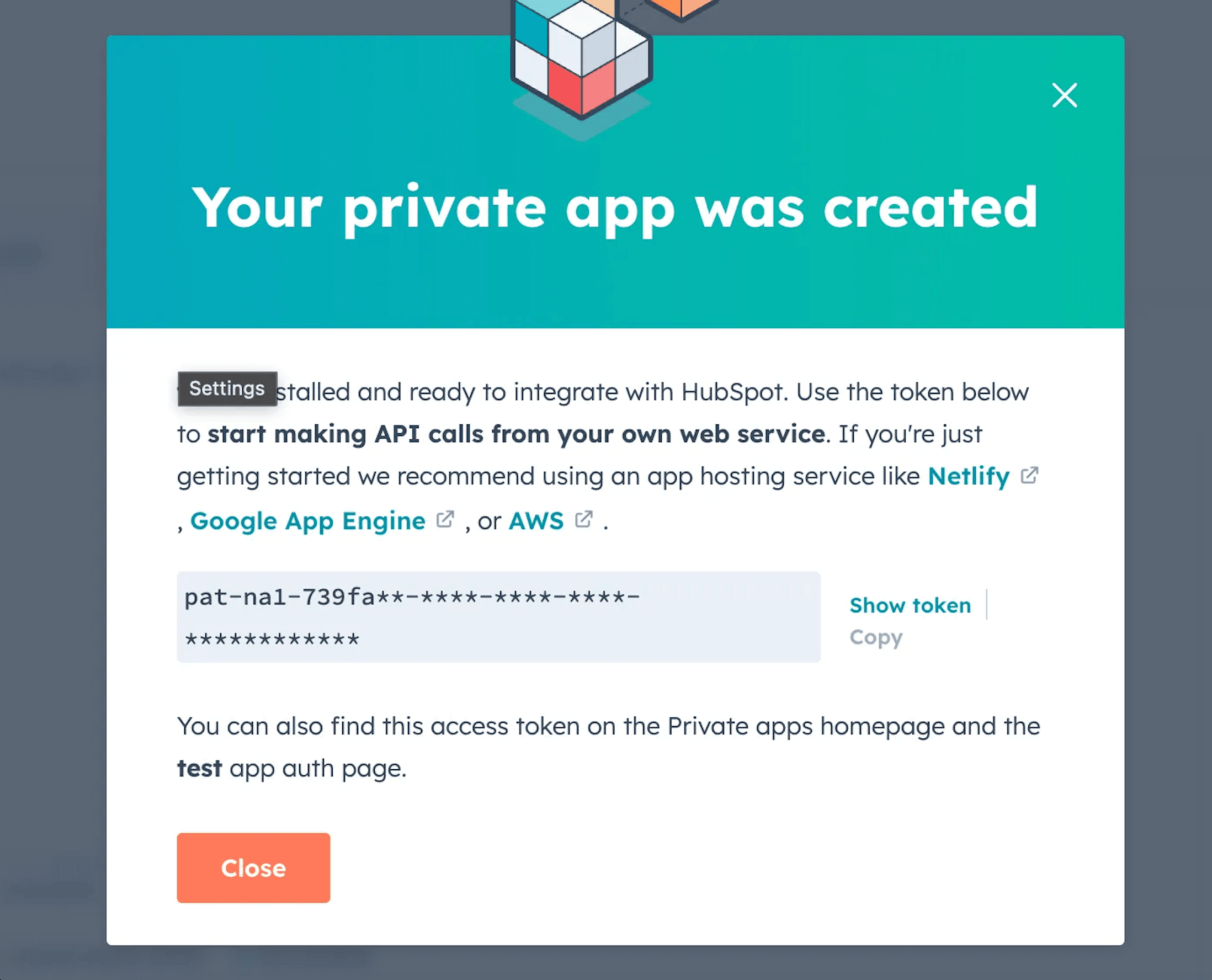
4.1.3 🎯 HubSpot
🔓 Private App Token
- Go to HubSpot → Settings → Integrations → Private Apps
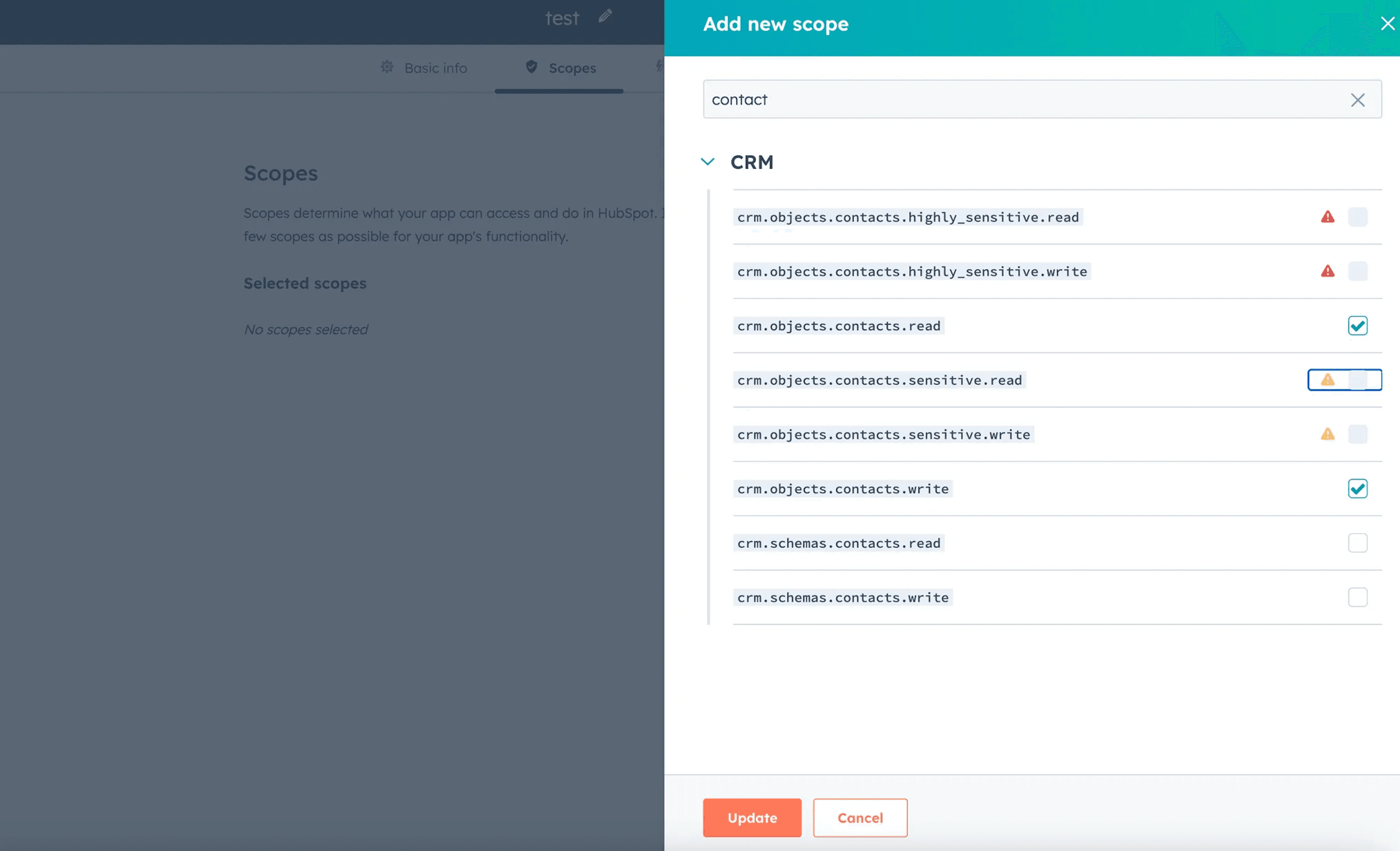
- Create an app with scopes:
crm.objects.contacts.readcrm.objects.contacts.writecrm.schemas.contacts.read
- Save the App token
- Create an app with scopes:
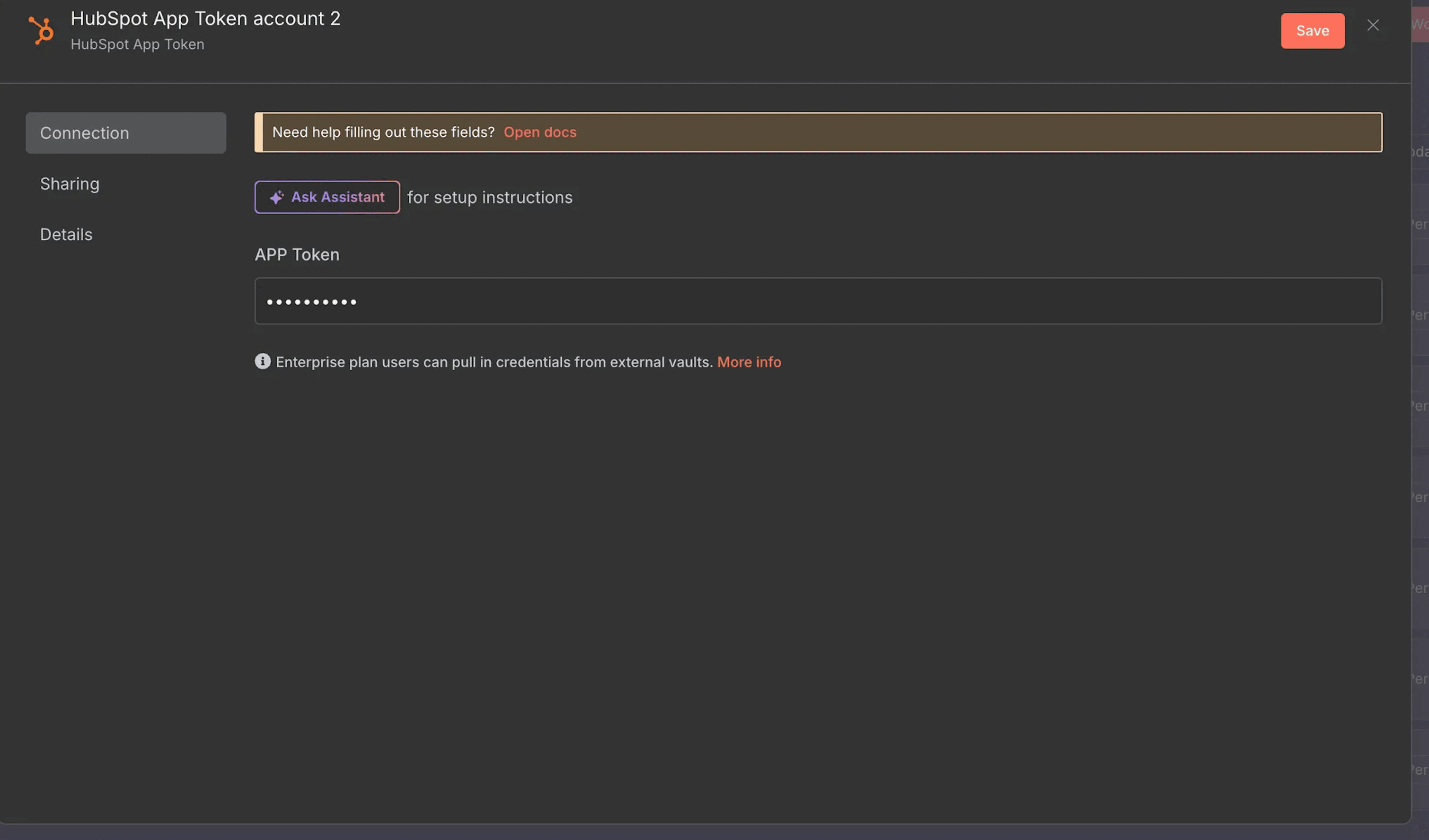
- Go to n8n → Credentials → Create Credential → HubSpot App Token
- Paste your App Token
✅ You are now all set for the credentials
4.2 📥 Import and Configure the N8N Workflow
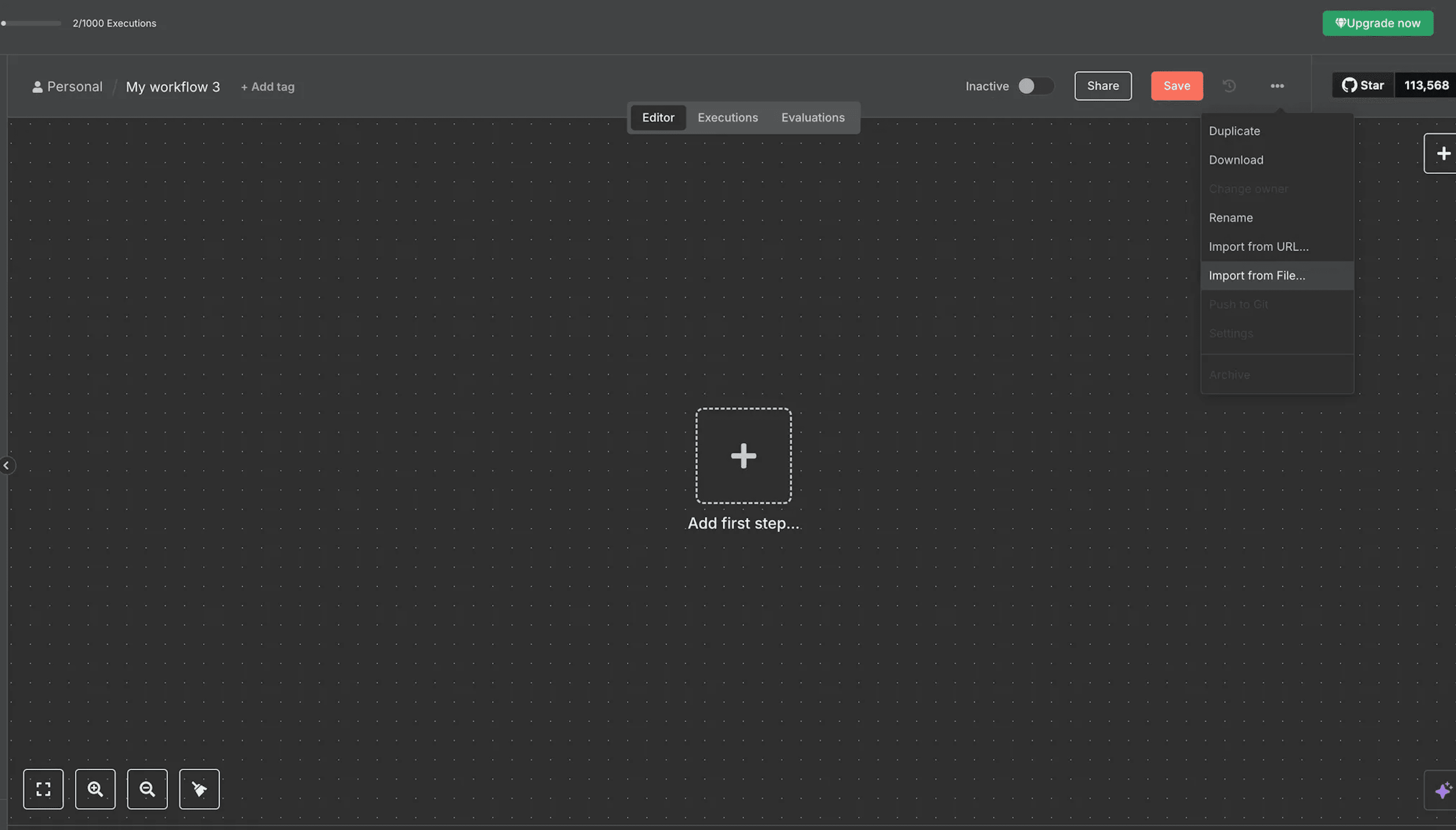
- Import the provided JSON workflow into N8N
- Create a New Blank Workflow
- click the
…on the top left - Import from File
4.2.1 🔗 Link Nodes to Your Credentials
In the workflow, link your newly created credentials to each node of this list :
Surfe HTTP nodes:- Authentication → Generic Credential Type
- Generic Auth Type → Bearer Auth
- Bearer Auth → Select the credentials you created before
Gmail Node Credentials to connect with→Gmail accountHubspot Node→Credentials to connect with→Gmail account
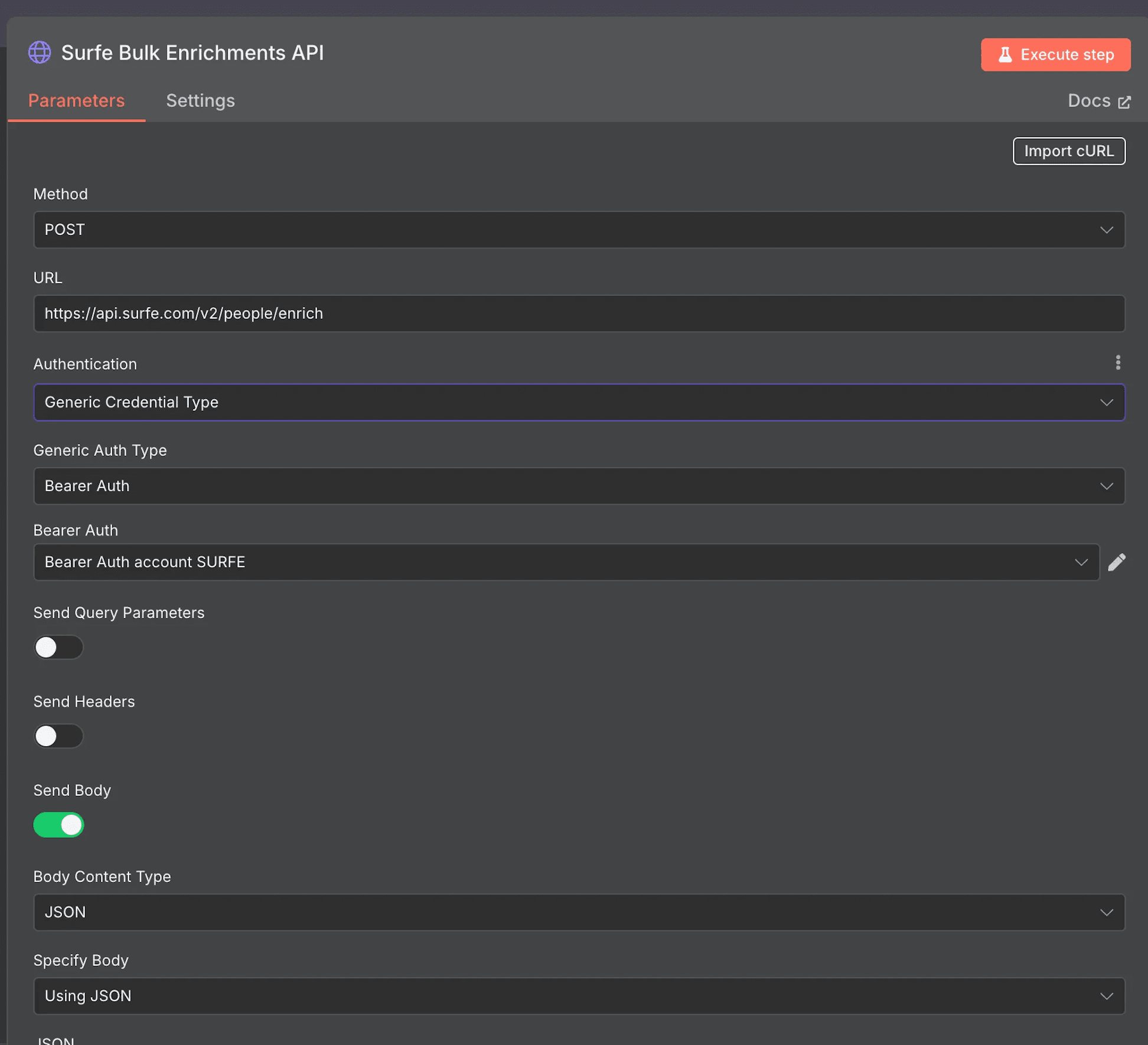
Surfe HTTP nodes
Surfe HTTP nodes
- HubSpot node →
Credentials to connect with→ select your HubSpot credentials in the list
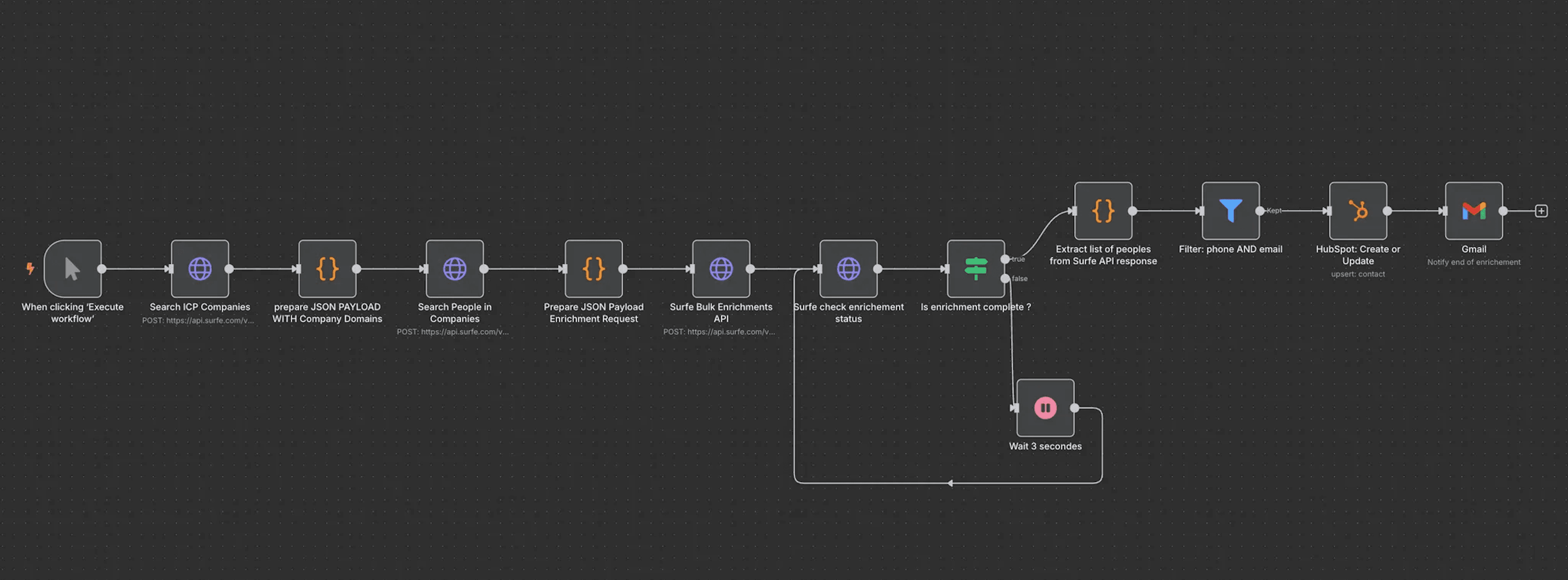
5. 🔄 How This N8N Workflow Works
- Manual Trigger – Click Execute Workflow (or schedule it) to start.
- Search ICP Companies – Surfe returns company domains that match your filter set.
- Prepare JSON Payload with Company Domains – Formats the domain list for the next call.
- Search People in Companies – Finds people inside each company.
- Prepare JSON Payload Enrichment Request – Builds the bulk-enrichment request.
- Surfe Bulk Enrichments API – Launches one enrichment job for the whole batch.
- Wait + Polling loop – Checks job status every 3 seconds until it’s
COMPLETED. - Extract List of People – Pulls the enriched contacts from Surfe’s response.
- Filter: phone AND email – Keeps only fully reachable prospects (email and mobile).
- HubSpot: Create or Update – Inserts/updates each contact in HubSpot.
- Gmail – Sends you a “Your ICP prospecting enrichment is done” email.
6. 🧩 Use Cases
- Weekly prospect list refresh – Generate 50 perfectly-matched prospects every Monday morning.
- Territory expansion – Spin up a list of SMB software CEOs in a new country in minutes.
- ABM prep – Build multi-stakeholder buying-group lists for target accounts.
- Campaign-specific lists – Quickly assemble contacts for a limited-time product launch.
7. 🛠 Customization Ideas
prepare
- 🎯 Refine filters for people – Add seniorities or other filters in the node
JSON PAYLOAD WITH Company Domains- use the surfe search people api doc https://developers.surfe.com/public-009-search-people-v2
- ♻️ Deduplicate – Check HubSpot first to skip existing contacts.
- 🟢 Slack alert – Replace Gmail with a Slack notification.
- 📊 Reporting – Append enriched contacts to a Google Sheet for analytics.
8. ✅ Summary
Fire off the workflow, and n8n will find ICP-fit companies, pull key people, enrich direct contact data and drop everything into HubSpot — all on autopilot.
Prospecting lists, done for you.
You may also like

New to n8n?
Need help building new n8n workflows? Process automation for you or your company will save you time and money, and it's completely free!


