Chat with Google Drive Documents using GPT, Pinecone, and RAG


Last edited 205 days ago
📌 Short Overview
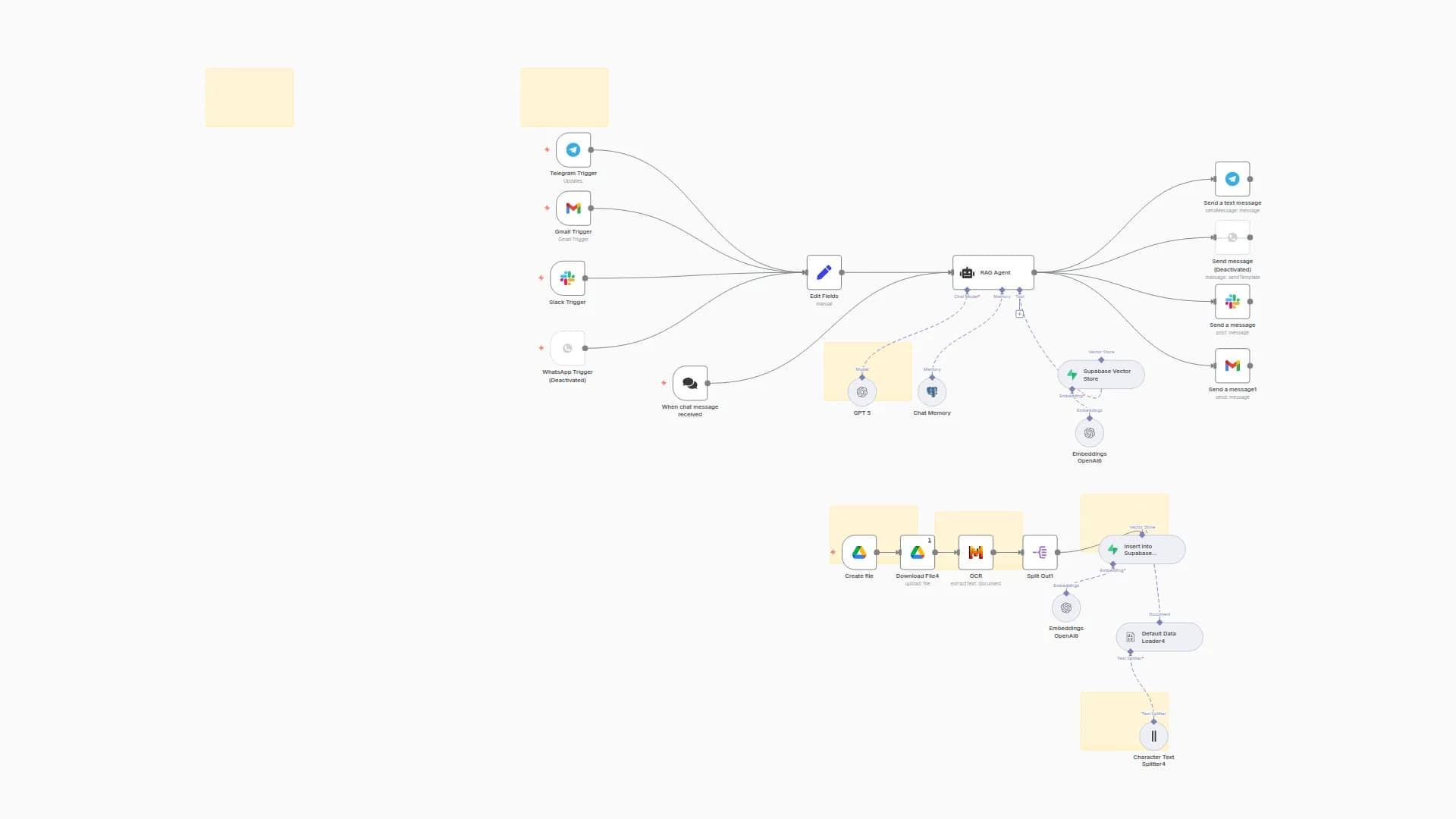
Automatically sync files from Google Drive into a searchable AI knowledge base with Pinecone, and answer user queries using GPT-4o with conversational memory.
⸻
🛠️ Workflow Usage Steps
1. Watch Google Drive for file changes
Trigger the workflow when a new file is uploaded or an existing file is updated in a specific Google Drive folder.
2. Download and process the file
Retrieve the file, split it into smaller text chunks with a Recursive Character Text Splitter, and generate vector embeddings using OpenAI.
3. Store embeddings in Pinecone
Save the embeddings in a Pinecone vector database to keep your knowledge base continuously updated and searchable.
4. Search context for chat queries
When a user asks a question, query Pinecone for relevant context, combine results with conversational memory, and process them with GPT-4o.
5. Respond with AI-powered answers
Provide a concise response (100–200 words) that blends knowledge from your documents with the conversation history.
⸻
✅ Use Cases
• Keep a live, AI-ready knowledge base from your Google Drive files.
• Enable team members to query company documents instantly.
• Build a personal assistant that stays up to date with your latest uploads.
⚙️ Setup Steps
- Google Drive
• Create a Google Cloud project.
• Enable the Google Drive API.
• Generate OAuth credentials and connect them in n8n. - OpenAI
• Sign up at OpenAI.
• Copy your API key from the dashboard.
• Add it to n8n under Credentials → OpenAI API. - Pinecone
• Create an account at Pinecone.
• Create a new index (e.g., docs-embeddings).
• Copy your API key and environment, then add them to n8n under Credentials → Pinecone API. - Workflow Configuration
• Import this workflow into your n8n instance.
• Select the Google Drive folder you want to monitor.
• Set the Pinecone index name in the workflow.
• Adjust chunk size / overlap in the text splitter if needed. - Test the Workflow
• Upload a new document to your Google Drive folder.
• Run the workflow to confirm embeddings are created and stored in Pinecone.
• Ask a sample query and verify the AI returns a context-aware answer.
You may also like


New to n8n?
Need help building new n8n workflows? Process automation for you or your company will save you time and money, and it's completely free!


