Collect & Summarize Multilingual News with NewsAPI, OpenAI & Google Sheets


Categories
Created by
suSupira Inc.Last edited 206 days ago
How it works
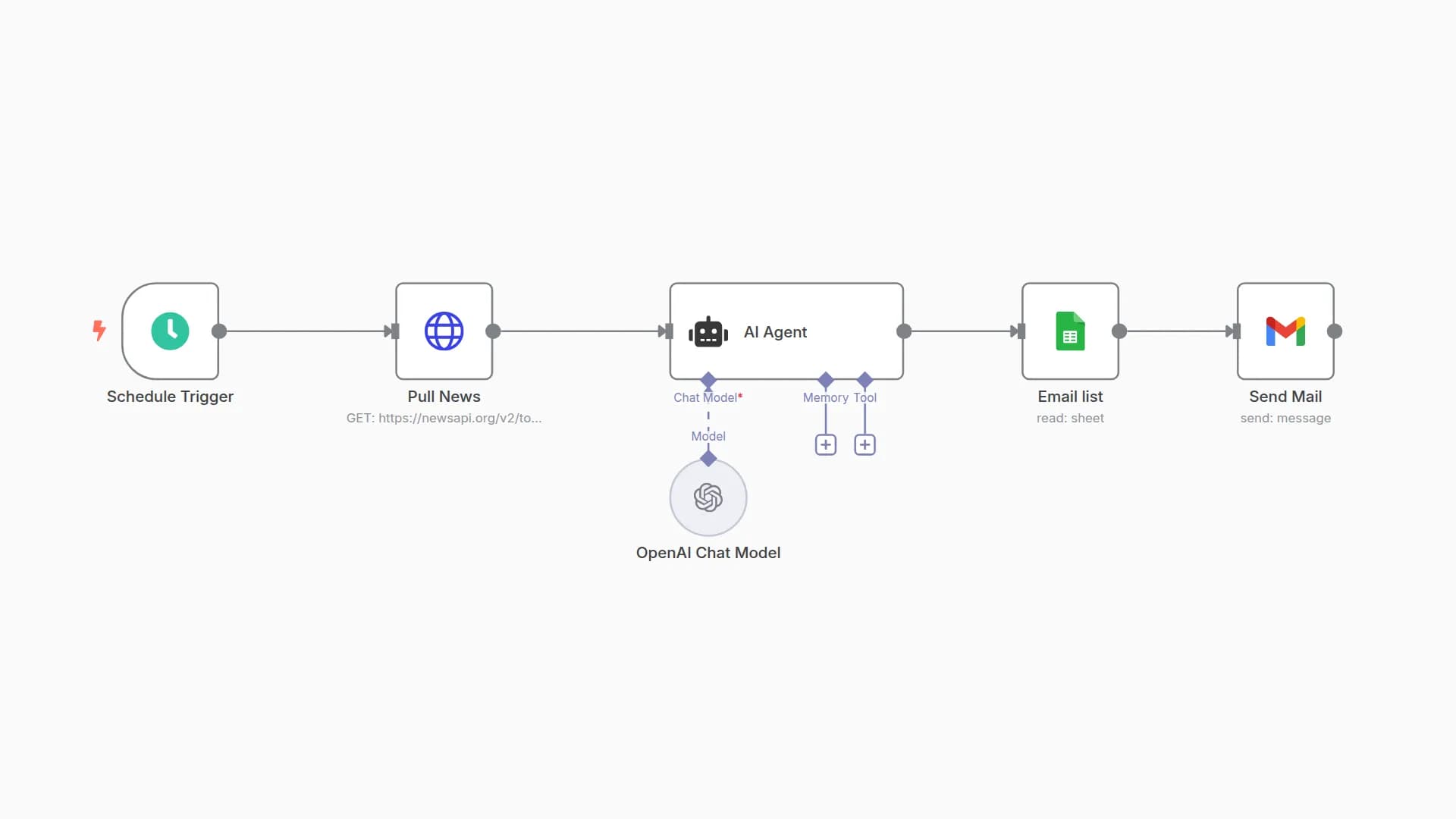
This workflow automatically collects the latest news articles from both English and Japanese sources using NewsAPI, summarizes them with OpenAI, and appends the results into a Google Sheet. The summaries are concise (about 50 characters) in Japanese, making it easy to review news highlights at a glance.
Set up steps
- Create a Google Sheet with two tabs:
- 01_Input (columns: Keyword, SearchRequired)
- 02_Output (columns: Date, Keyword, Summary, URL)
- Enter your own Google Sheet ID and tab names in the workflow.
- Add your NewsAPI key in the HTTP Request nodes.
- Connect your OpenAI account (or deactivate the summarization node if not needed).
- Run the workflow manually or use the daily schedule trigger at 13:00.
This template is ready to use with minimal changes. Sticky notes inside the workflow provide extra guidance.
You may also like

New to n8n?
Need help building new n8n workflows? Process automation for you or your company will save you time and money, and it's completely free!


