Daily Financial Markets Summaries with SerpAPI and OpenAI GPT


Last edited 206 days ago
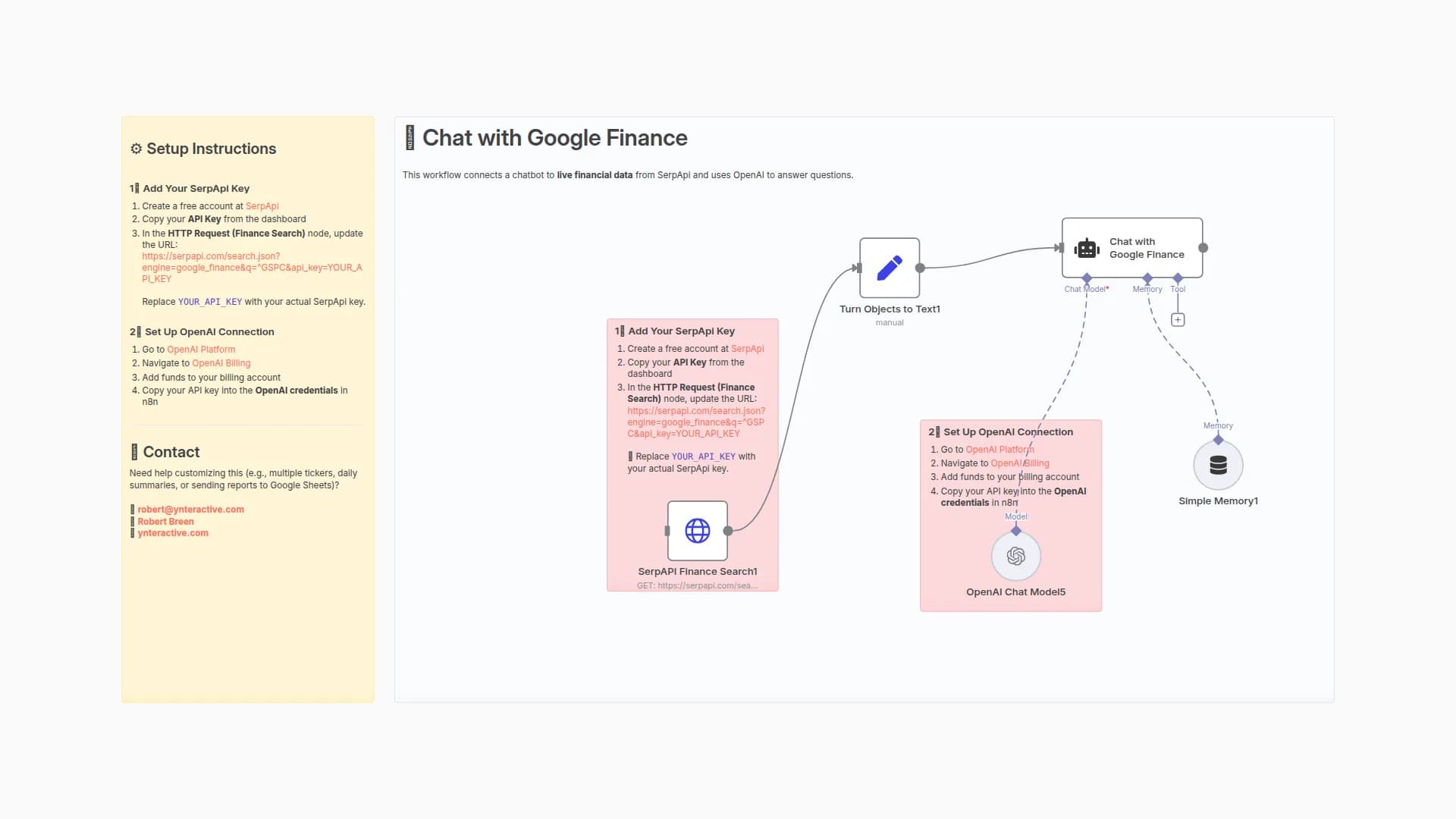
This workflow fetches live financial data from SerpApi and generates a daily market recap using OpenAI.
⚙️ Setup Instructions
1️⃣ Set Up SerpApi Connection
- Create a free account at SerpApi
- Copy your API Key from the SerpApi dashboard
- In n8n → Credentials → New → SerpApi
- Paste your API Key → Save
- In the workflow, select your SerpApi credential in the Finance Search node.
2️⃣ Set Up OpenAI Connection
- Go to OpenAI Platform
- Navigate to OpenAI Billing
- Add funds to your billing account
- Copy your API key into the OpenAI credentials in n8n
🧠 How it works
- SerpApi Finance Search → pulls market data (example: S&P 500, ticker
^GSPC) - OpenAI Model → summarizes into a daily report with a paragraph + key bullet points
📬 Contact
Need help customizing (e.g., pulling multiple tickers, exporting to Google Sheets, or sending Slack/Email updates)?
You may also like
New to n8n?
Need help building new n8n workflows? Process automation for you or your company will save you time and money, and it's completely free!


