Daily Tech News Curation with RSS, GPT-4o-Mini, and Gmail Delivery


Last edited 205 days ago
How it works
This workflow automatically curates and sends a daily AI/Tech news digest by aggregating articles from premium tech publications and using AI to select the most relevant and trending stories.
🔄 Automated News Pipeline
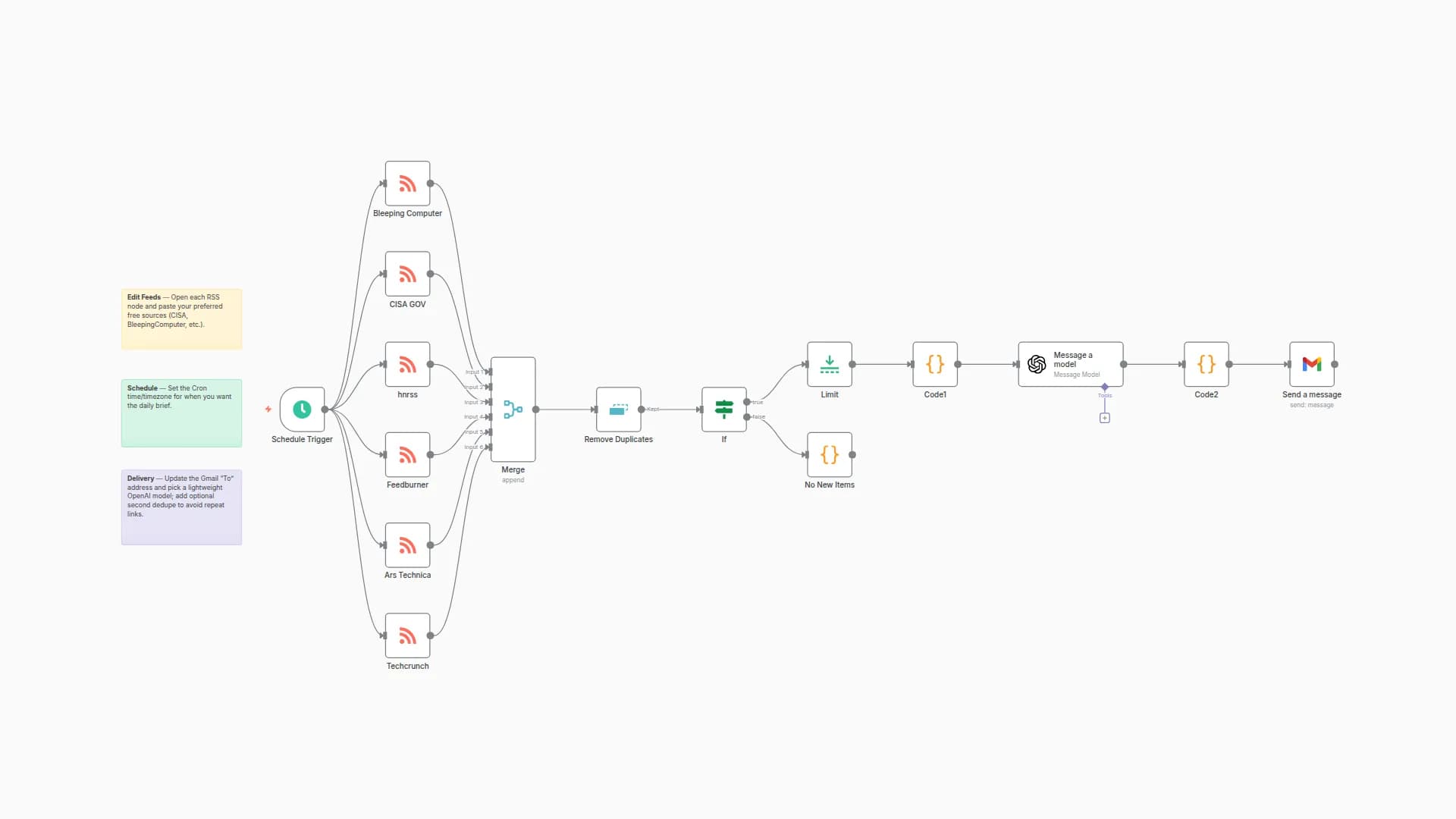
- RSS Feed Collection - Fetches articles from 14 premium tech news sources (TechCrunch, MIT Tech Review, The Verge, Wired, etc.)
- Smart Article Filtering - Limits articles per source to ensure diverse coverage and prevent single-source domination
- Data Standardization - Cleans and structures article data (title, summary, link, date) for AI processing
- AI-Powered Curation - Uses Google Vertex AI to analyze articles and select top 10 most relevant/trending stories
- Newsletter Generation - Creates professional HTML newsletter with summaries and direct links
- Email Delivery - Automatically sends formatted digest via Gmail
🎯 Key Features
- Premium Sources - Curates from 14 top-tier tech publications
- AI Quality Control - Intelligent article selection and summarization
- Balanced Coverage - Prevents source bias with smart filtering
- Professional Format - Clean HTML newsletter design
- Scheduled Automation - Daily delivery at customizable times
- Error Resilience - Continues processing even if some feeds fail
Setup Steps
1. 🔑 Required API Access
- Google Cloud Project with Vertex AI API enabled
- Google Service Account with AI Platform Developer role
- Gmail API enabled for email sending
2. ☁️ Google Cloud Setup
- Create or select a Google Cloud Project
- Enable the Vertex AI API
- Create a service account with these permissions:
- AI Platform Developer
- Service Account User
- Download the service account JSON key
- Enable Gmail API for the same project
3. 🔐 n8n Credentials Configuration
Add these credentials to your n8n instance:
Google Service Account (for Vertex AI):
- Upload your service account JSON key
- Name it descriptively (e.g., "Vertex AI Service Account")
Gmail OAuth2:
- Use your Google account credentials
- Authorize Gmail API access
- Required scopes: gmail.send
4. ⚙️ Workflow Configuration
- Import the workflow into your n8n instance
- Update node configurations:
- Google Vertex AI Model: Set your Google Cloud Project ID
- Send Newsletter Email: Update recipient email address
- Daily Newsletter Trigger: Adjust schedule time if needed
- Verify credentials are properly connected to respective nodes
5. 📰 RSS Sources Customization (Optional)
The workflow includes 14 premium tech news sources:
- TechCrunch (AI & Startups)
- The Verge (AI section)
- MIT Technology Review
- Wired (AI/Science)
- VentureBeat (AI)
- ZDNet (AI topics)
- AI Trends
- Nature (Machine Learning)
- Towards Data Science
- NY Times Technology
- The Guardian Technology
- BBC Technology
- Nikkei Asia Technology
To customize sources:
- Edit the "Configure RSS Sources" node
- Add/remove RSS feed URLs as needed
- Ensure feeds are active and properly formatted
6. 🚀 Testing & Deployment
- Manual Test: Execute the workflow manually to verify setup
- Check Email: Confirm newsletter arrives with proper formatting
- Verify AI Output: Ensure articles are relevant and well-summarized
- Schedule Activation: Enable the daily trigger for automated operation
💡 Customization Options
Newsletter Timing:
- Default: 8:00 AM UTC daily
- Modify "triggerAtHour" in the Schedule Trigger node
- Add multiple daily sends if desired
Content Focus:
- Adjust the AI prompt in "AI Tech News Curator" node
- Specify different topics (e.g., focus on startups, enterprise AI, etc.)
- Change output language or format
Email Recipients:
- Update single recipient in Gmail node
- Or modify to send to multiple addresses
- Integrate with mailing list services
Article Limits:
- Current: Max 5 articles per source
- Modify the filtering logic in "Filter & Balance Articles" node
- Adjust total article count in AI prompt
🔧 Troubleshooting
Common Issues:
- RSS Feed Failures: Individual feed failures won't stop the workflow
- AI Rate Limits: Vertex AI has generous limits, but monitor usage
- Gmail Sending: Ensure sender email is authorized in Gmail settings
- Missing Articles: Some RSS feeds may be inactive - check source URLs
Performance Tips:
- Monitor execution times during peak RSS activity
- Consider adding delays if hitting rate limits
- Archive old newsletters for reference
This workflow transforms daily news consumption from manual browsing to curated, AI-powered intelligence delivered automatically to your inbox.
You may also like

New to n8n?
Need help building new n8n workflows? Process automation for you or your company will save you time and money, and it's completely free!


