Extract Business Emails from Google Maps to Google Sheets for Lead Generation


Last edited 205 days ago
How it Works
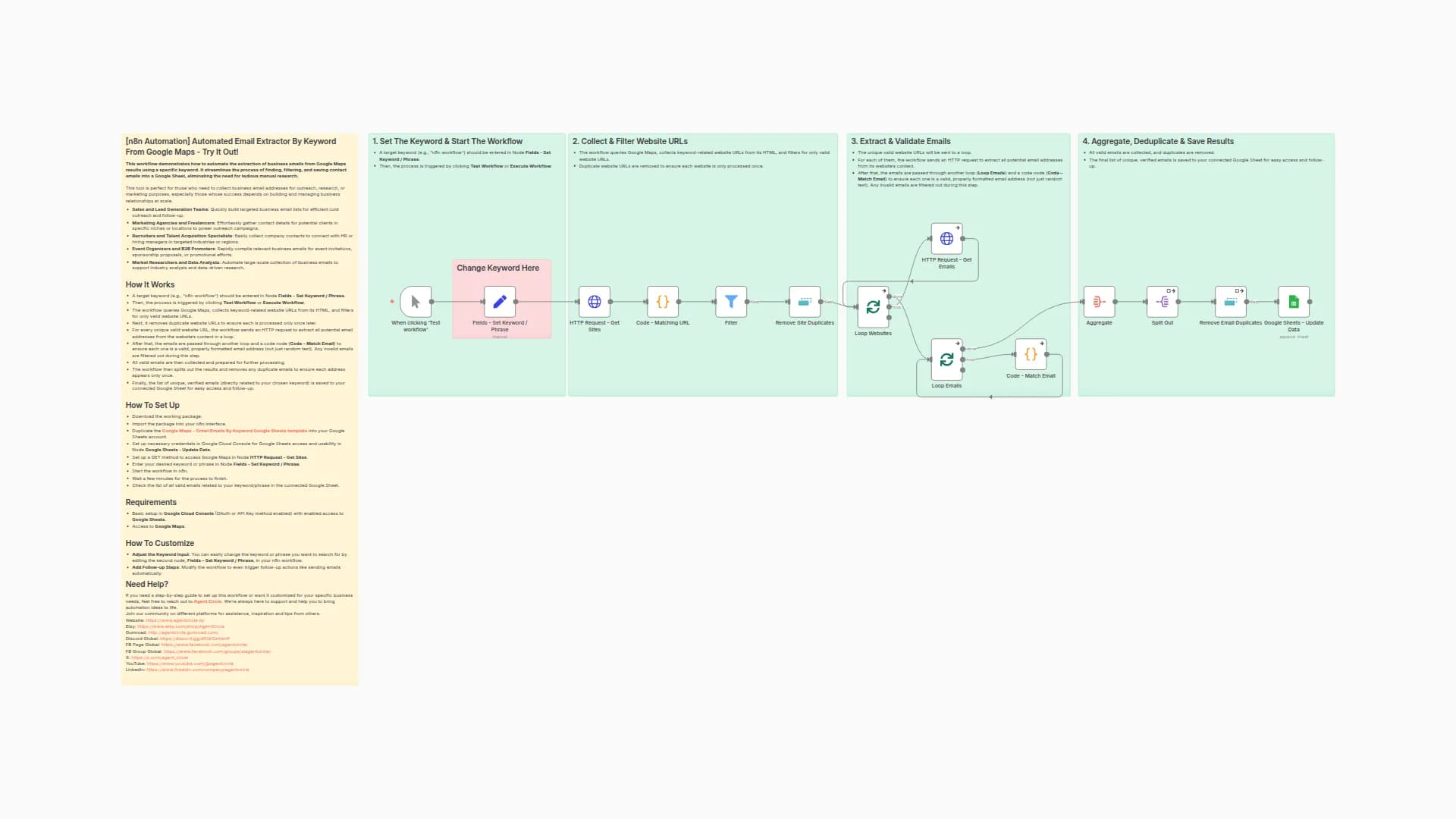
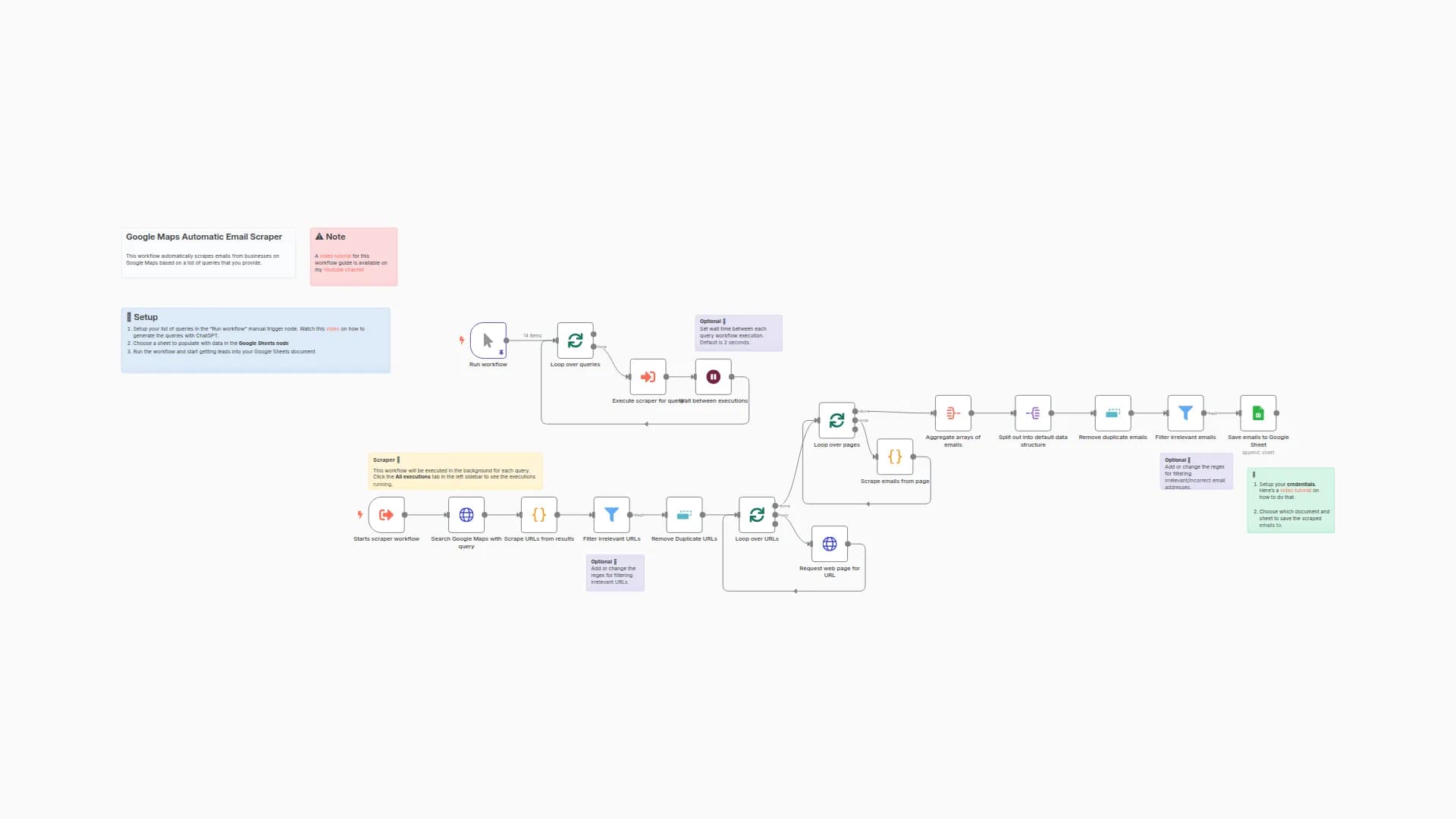
This workflow builds a free lead generation system that scrapes emails from Google Maps listings and exports them directly into Google Sheets. It’s built in n8n using HTTP requests and JavaScript—no paid APIs required.
Here’s what it does at a high level:
- 🔎 Scrapes business listings from Google Maps based on search queries (e.g., “Miami lawyers”)
- 🌐 Extracts real business website URLs using regex filtering
- 📧 Finds and validates email addresses from each website
- 🧹 Cleans data by removing duplicates and invalid entries
- 📊 Exports clean email lists into Google Sheets automatically
Set Up Steps
-
Estimated setup time: 1–2 hours
-
Create a Google Sheet with two tabs:
searches→ add your search queries (e.g., “Calgary dentist”)emails→ results will be stored here automatically
-
Connect Google Sheets credentials in n8n
-
Update your Google Sheet document ID in the workflow nodes
-
Test with small batches first, then scale up
🚀 Get More Resources & Advanced Workflows
For additional resources, advanced automation tutorials, and business strategies that help you generate more leads and grow your agency, check out my website:
You’ll find downloads, guides, and proven systems used by successful marketers and entrepreneurs.
You may also like

New to n8n?
Need help building new n8n workflows? Process automation for you or your company will save you time and money, and it's completely free!


