Generate AI Videos from Scripts with DeepSeek, TTS, and Together.ai


Categories
Created by
laLakindu SiriwardanaLast edited 206 days ago
🔧 Automated Video Generator (n8n Workflow)
🚀 Features
-
End-to-End Video Creation from user idea or transcript
-
AI-Powered Scriptwriting using LLMs (e.g., DeepSeek via OpenRouter)
-
Voiceover Generation with customizable TTS voices
-
Image Scene Generation using generative models like together.ai
-
Clip Creation & Concatenation into a full video
-
Dynamic Caption Generation with styling options
-
Google Drive & Sheets Integration for asset storage and progress tracking
⚙️ How It Works
User Submits Form with:
- Main topic or transcript
- Desired duration
- TTS voice
- Visual style (e.g., Pixar, Lego, Cyberpunk)
- Image generation provider
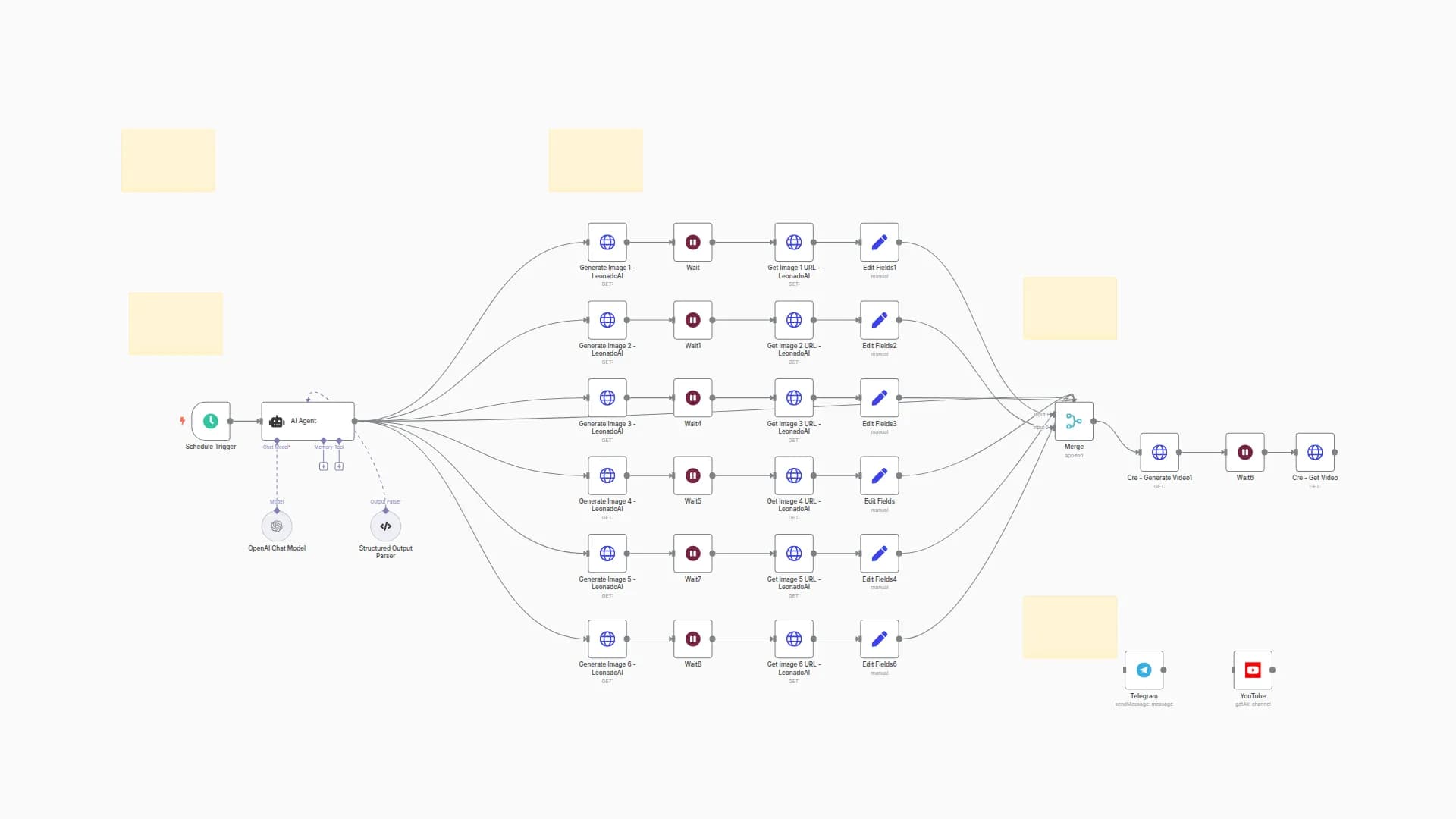
AI generates a script: A catchy title, description, hook, full script, and CTA using a language model.
Text-to-Speech (TTS): The script is turned into audio using the selected voice, with timestamped captions generated.
Scene Segmentation: The script is split into 5–6 second segments for visual storyboarding.
Image Prompt Creation: Each scene is converted into an image prompt in the selected style (e.g., "anime close-up of a racing car").
Image Generation: Prompts are sent to together.ai or fal.ai to generate scenes.
Clip Creation: Each image is turned into a short video clip (Ken Burns-style zoom) based on script timing.
Video Assembly:
- All clips are concatenated into a single video.
- Captions are overlaid using the earlier timestamps.
- Final Output is uploaded to Google Drive, Telegram and links are saved in Google Sheets.
🛠 Inital Setup
🗣️ 1. Set Up TTS Voice (Text-to-Speech)
Run your TTS server locally using Docker.
🧰 2. Set Up NCA-Toolkit
The nca-toolkit appears to be a custom video/image processing backend used via HTTP APIs:
http://host.docker.internal:9090/v1/image/transform/video
http://host.docker.internal:9090/v1/video/concatenate
http://host.docker.internal:9090/v1/ffmpeg/compose
🔧 Steps:
Clone or build the nca-toolkit container (if it's a private tool):
Ensure it exposes port 9090.
It should support endpoints for:
Image to video (zoom effect)
Video concatenation
Audio + video merging
Caption overlay via FFmpeg
Run it locally with Docker:
docker run -d -p 9090:80 your-nca-toolkit-image
🧠 3. Set Up together.ai (Image Generation) (Optional You can use ChatGPT API Instead)
This handles image generation using models like FLUX.1-schnell.
🔧 Steps:
Create an account at: https://www.together.ai
Generate your API key
You may also like

New to n8n?
Need help building new n8n workflows? Process automation for you or your company will save you time and money, and it's completely free!


