Generate and Send Contract Documents with Typeform, Google Docs and Gmail


Last edited 206 days ago
This workflow is designed for teams or freelancers who want to auto-generate and send contracts based on information gathered from a Typeform (e.g., client name, project scope, deadlines). Perfect for HR onboarding, client agreements, or legal operations.
Prerequisites
- To use this workflow, you’ll need:
- A Typeform account and a published form
- Access to Google Docs (or use a local document template)
- Gmail or SMTP email integration in n8n
- n8n Desktop or a hosted n8n instance
How It Works
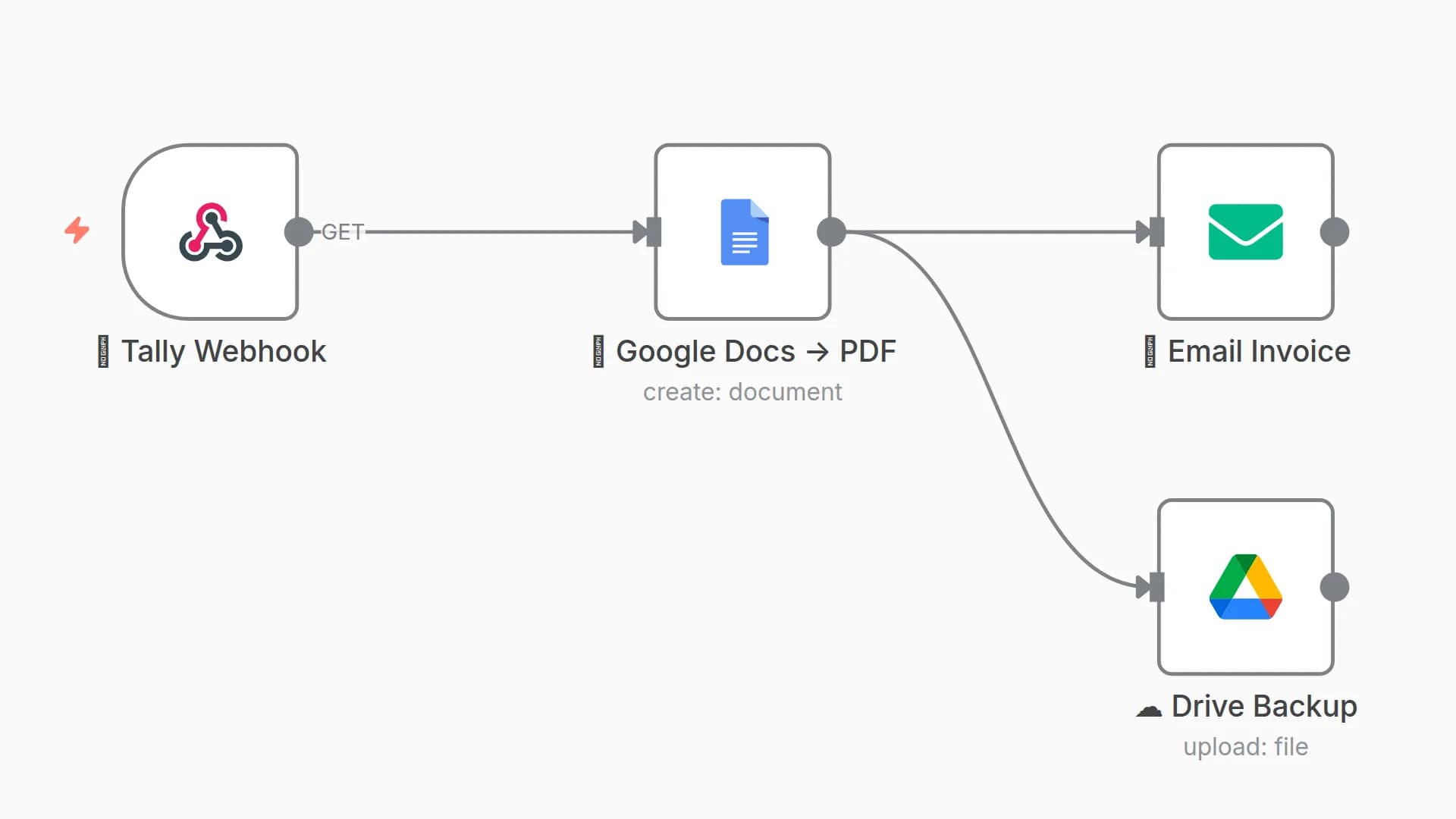
- Trigger: Listens for new Typeform submissions.
- Extract Data: Parses the answers from the form.
- Generate Contract: Fills a contract template using form inputs.
- Create PDF: Exports the filled contract as a PDF.
- Send Email: Sends the PDF to the client’s email address provided in the form.
Nodes Used
- Typeform Trigger – Triggers on form submission.
- Set Node – Maps form answers into variables.
- Google Docs (or HTTP Request) – Uses a template to generate the contract.
- Google Drive / PDF Converter – Converts to PDF (if needed).
- Email (Gmail/SMTP) – Sends the completed contract to the recipient.
Tips
- Replace the Google Docs template ID with your own.
- Ensure the variable placeholders (like {{client_name}}) match your document.
- Use the Cron node instead of Typeform Trigger if you want to poll periodically.
You may also like
New to n8n?
Need help building new n8n workflows? Process automation for you or your company will save you time and money, and it's completely free!


