GitHub Workflow Version Control Dashboard with Commit History and Rollbacks


Last edited 205 days ago
This n8n template provides enterprise-level version control for your workflows using GitHub integration. Stop losing hours to broken workflows and manual exports – get proper commit history, visual diffs, and one-click rollbacks.
This is the first template for n8n that provides real version control with commit-level granularity.
Perfect for power users and tech teams managing multiple complex workflows.
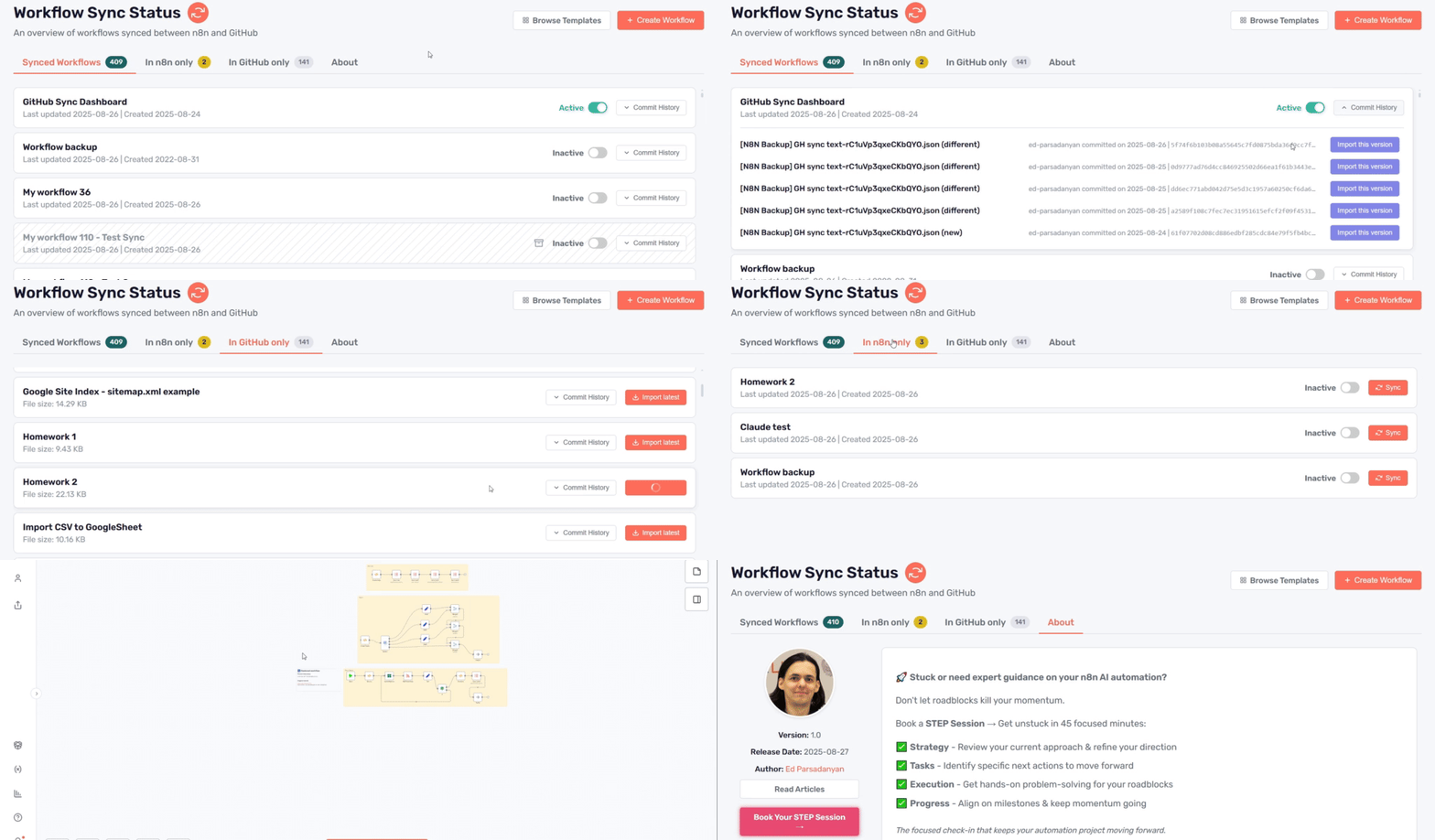
Animation demonstrates early bird version and may differ from the latest one
How it works
- Automated sync: Workflows are automatically synced to GitHub on your preferred schedule
- Smart categorization: Dashboard shows which workflows are synced, n8n-only, or GitHub-only
- Complete commit history: View every change with timestamps, authors, and commit messages
- Flexible import: Import workflows from GitHub as new workflows or replace existing ones
- Individual workflow control: Sync specific workflows with custom commit messages
How to use
- Import the workflow template into your n8n instance
- Generate your n8n API key from your instance settings
- Configure your GitHub credentials and repository settings
- Set up the webhook endpoint for the dashboard interface
- Access the dashboard via the generated webhook URL
- Configure automatic sync schedule or use manual sync options
Requirements
- n8n instance (cloud or self-hosted) with API access
- GitHub account and repository
- Basic understanding of Git workflows
Customizing this workflow
- DIY or available as part of consulting services
- Professional customization for specific deployment workflows and integrations
- Custom sync schedules and commit message formats can be configured during setup
You may also like
New to n8n?
Need help building new n8n workflows? Process automation for you or your company will save you time and money, and it's completely free!


