LinkedIn Profile Scraper & Personalized Outreach using PhantomBuster + GPT-4


Last edited 205 days ago
Description
This plug-and-play n8n workflow template helps you automate LinkedIn profile data extraction and transform it into structured, enriched outputs using PhantomBuster and GPT-4. Perfect for lead generation, recruiting, or growth marketing teams, this pipeline handles scraping, structuring, and messaging—all in one flow.
Requirements
PhantomBuster Setup
- Create a PhantomBuster account.
- Use the LinkedIn Profile Scraper Phantom (or your custom one).
- Get your API Key and Agent ID from PhantomBuster dashboard.
- Configure your LinkedIn Phantom with an active LinkedIn session cookie (available from your browser’s developer tools).
OpenAI or Azure OpenAI
- Provide your GPT-4 / GPT-4o API Key.
- You can use OpenAI or Azure's hosted model.
(Optional) Google Sheets
- Use Sheets for batch profile inputs or output logging.
What This Template Does
Step-by-Step Flow:
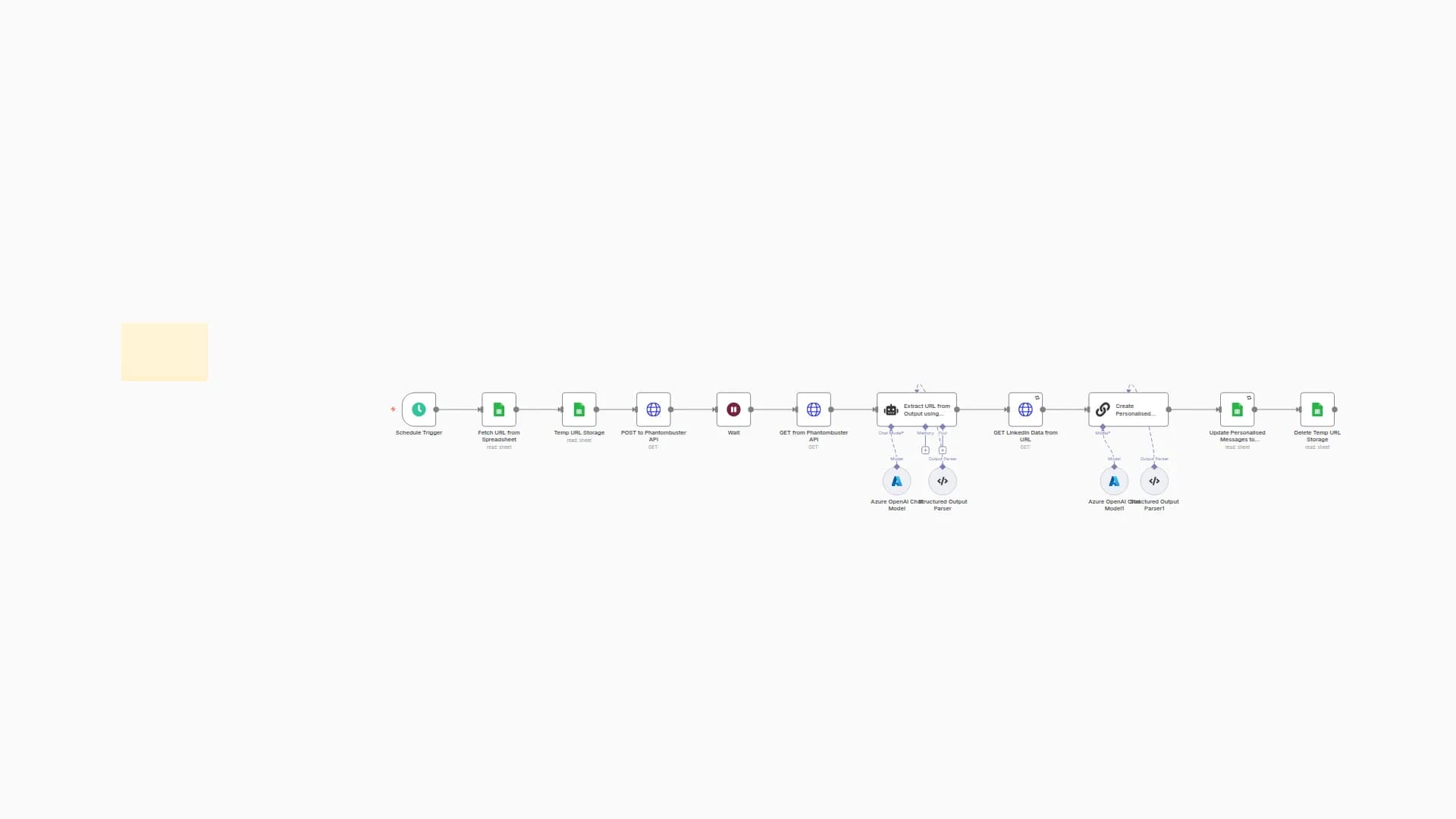
🔁 Manual Trigger / Google Sheets input – Accepts LinkedIn profile URLs.
🚀 Launch PhantomBuster Agent – Starts the scraping job with provided LinkedIn URLs.
⏳ Wait Node (45 sec) – Allows PhantomBuster to finish execution.
📥 Download Scraped Output – Fetches the download URL for JSON/CSV from the container.
📂 Temp File Management – Deletes temp URLs or intermediate data as needed.
AI Parser (GPT-4) – Parses and extracts:
- Name
- Headline
- Company
- Designation
- Industry
- Location
- Recent roles
(Optional) Create personalized outreach messages using structured output.
Output Structured JSON or CSV – Send to CRM, Google Sheets, Airtable, etc.
Best For
📈 Sales/BDRs building high-quality prospect lists
🧑💼 Recruiters extracting enriched candidate info
💼 Founders & Marketers creating targeted lead magnets
🧩 Tool builders building products using LinkedIn profile data
You may also like

New to n8n?
Need help building new n8n workflows? Process automation for you or your company will save you time and money, and it's completely free!


