Live Flight Fare Tracker with Aviation Stack API – Alerts via Gmail & Telegram


Categories
Created by
onOneclick AI SquadLast edited 206 days ago
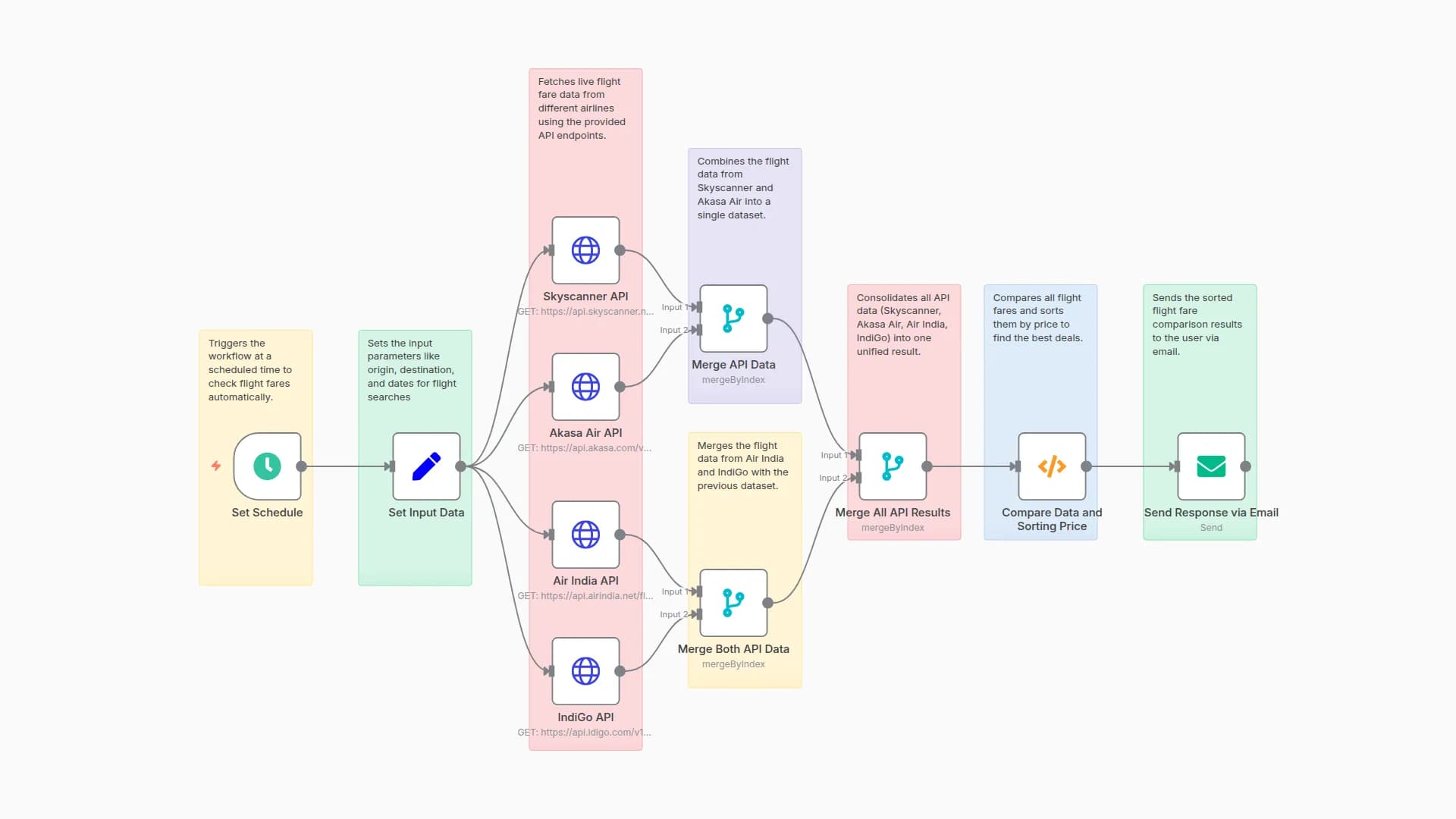
This automated n8n workflow continuously tracks real-time flight fare changes by querying airline APIs (e.g., Amadeus, Skyscanner). It compares new prices with historical fares and sends instant notifications to users when a fare drop is detected. All tracked data is structured and logged for audit and analysis.
Key Insights
- Works post-booking to track price fluctuations for booked routes.
- Supports multiple fare sources for improved accuracy and comparison.
- Users are notified instantly via email, SMS, or Slack for high-value drops.
- Historical pricing data is stored for trend analysis and refund eligibility checks.
- Can be extended to monitor specific routes or apply airline-specific refund rules.
Workflow Process
-
Schedule Trigger
Initiates the fare check every 6 hours. -
Fetch Flight Fare Data
Queries APIs (Amadeus, Skyscanner) for current flight fares. -
Get Tracked Bookings
Retrieves tracked routes from the internal database. -
Compare Fares
Detects price drops compared to original booking fares. -
Update Fare History Table
Logs the new fare and timestamp into thefare_trackingtable. -
Classify Drops
Determines priority based on absolute and percentage savings. -
Notify Users
- Email Alerts: For all medium/high priority drops.
- SMS Alerts: For savings > $100 or >15%.
- Slack Notifications: For internal alerts and rebooking suggestions.
-
Log Activity
Stores all sync actions and notifications infare_alert_logs.
Usage Guide
- Import the workflow into your n8n instance.
- Set up API credentials for Amadeus and Skyscanner.
- Configure email, SMS (Twilio), and Slack credentials.
- Update the booking database with valid records (with route, fare, timestamp).
- Set schedule frequency (e.g., every 6 hours).
- Review logs regularly to monitor fare alert activity and system health.
Prerequisites
-
Valid accounts and credentials for:
- Amadeus API
- Skyscanner API
- SendGrid (or SMTP) for email
- Twilio for SMS
- Slack workspace & bot token
-
PostgreSQL or MySQL database for fare tracking
-
Tracked booking dataset (with routes, fares, and user contacts)
Customization Options
- Adjust alert thresholds in the comparison logic (e.g., trigger only if fare drops > $50 or >10%).
- Add new notification channels (e.g., WhatsApp, Telegram).
- Extend logic to track multi-leg or roundtrip fares.
- Integrate airline refund APIs (where supported) to auto-initiate refund or credit requests.
Excel Output Columns
When exporting or logging fare tracking data to Excel or CSV, use the following structure:
flight_number
airline
departure
arrival
departure_time
arrival_time
current_fare
route
timestamp
AT5049
Royal Air Maroc
John F Kennedy International
Los Angeles International
2025-07-21T06:00:00+00:00
2025-07-21T08:59:00+00:00
235
JFK-LAX
2025-07-21T13:04:14.000Z
BA1905
British Airways
John F Kennedy International
Los Angeles International
2025-07-21T06:00:00+00:00
2025-07-21T08:59:00+00:00
479
JFK-LAX
2025-07-21T13:04:14.000Z
You may also like

New to n8n?
Need help building new n8n workflows? Process automation for you or your company will save you time and money, and it's completely free!


