Manage Google Calendar via WhatsApp with GPT-4 Virtual Assistant


Created by
flFloyd MahouLast edited 205 days ago
How it works
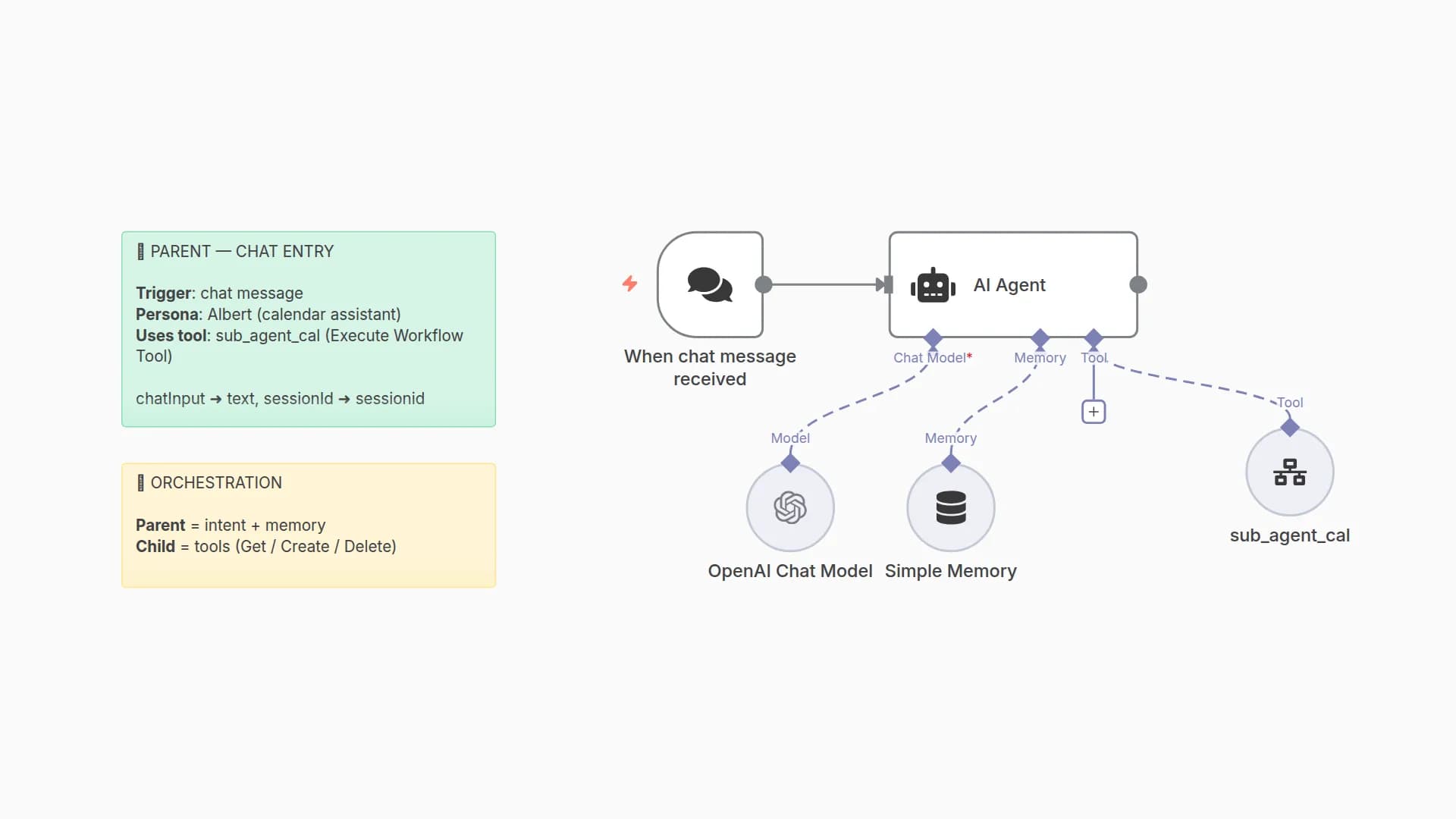
• Allows users to manage their Google Calendar via WhatsApp using natural language
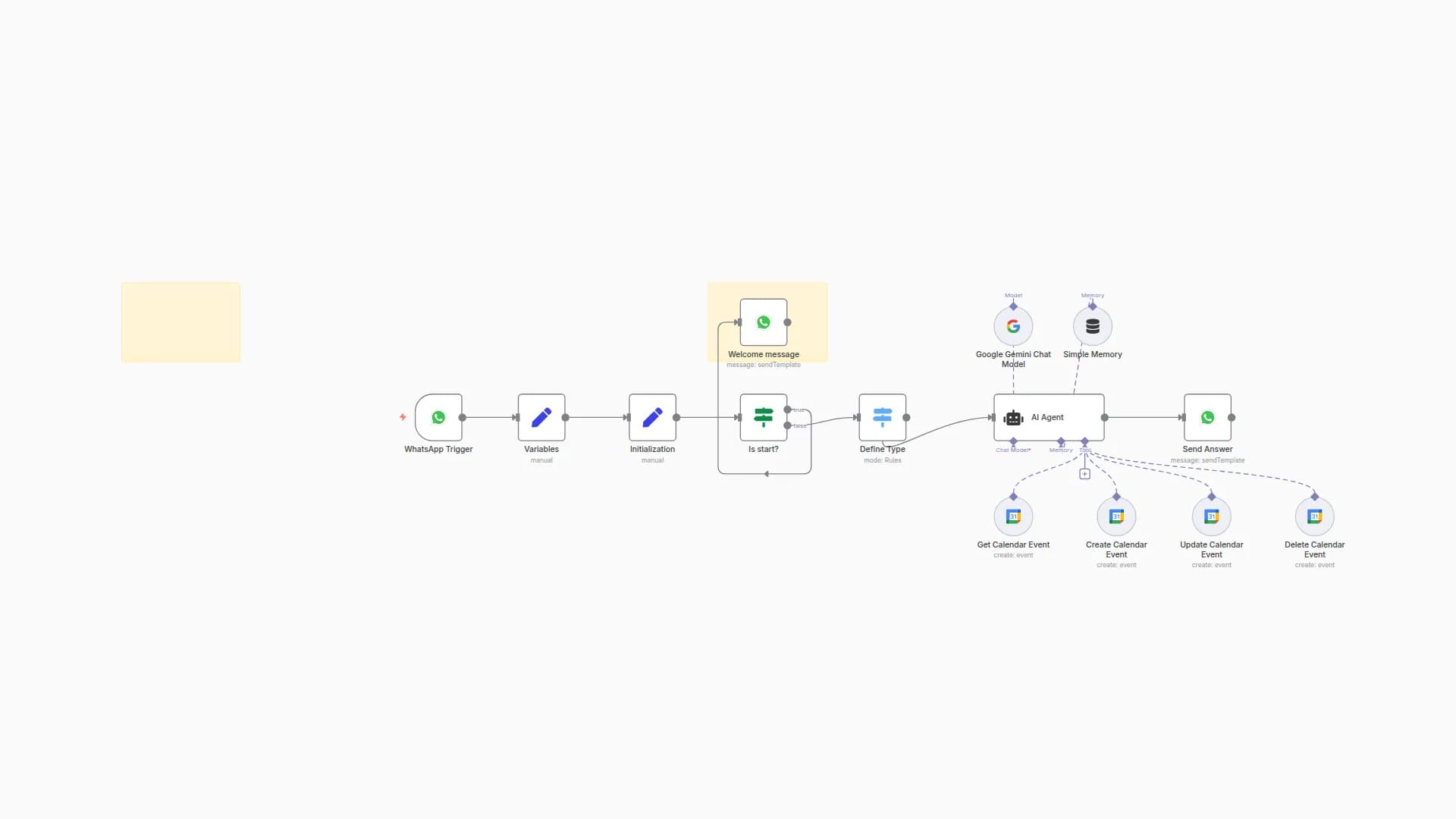
• Handles event creation, updates, deletions, availability checks, and agenda overviews
• AI agent interprets the user’s message and triggers the appropriate calendar action
• Responses are sent back to the user via WhatsApp, with confirmation or schedule info
Set up steps
• Set up a WhatsApp Business Cloud account and configure your webhook
• Connect your Google Calendar using n8n credentials
• Deploy OpenAI API key for natural language understanding
• Link each calendar action (create, update, delete, search) to the TimePilot agent
• Customize confirmation messages and automate reply formatting
Note: More detailed configuration and custom logic are described inside sticky notes within the workflow.
You may also like
New to n8n?
Need help building new n8n workflows? Process automation for you or your company will save you time and money, and it's completely free!


