Monitor & Respond to Shopify Reviews with GPT-4, Slack, Trello & Google Sheets


Last edited 205 days ago
⚙️ How It Works
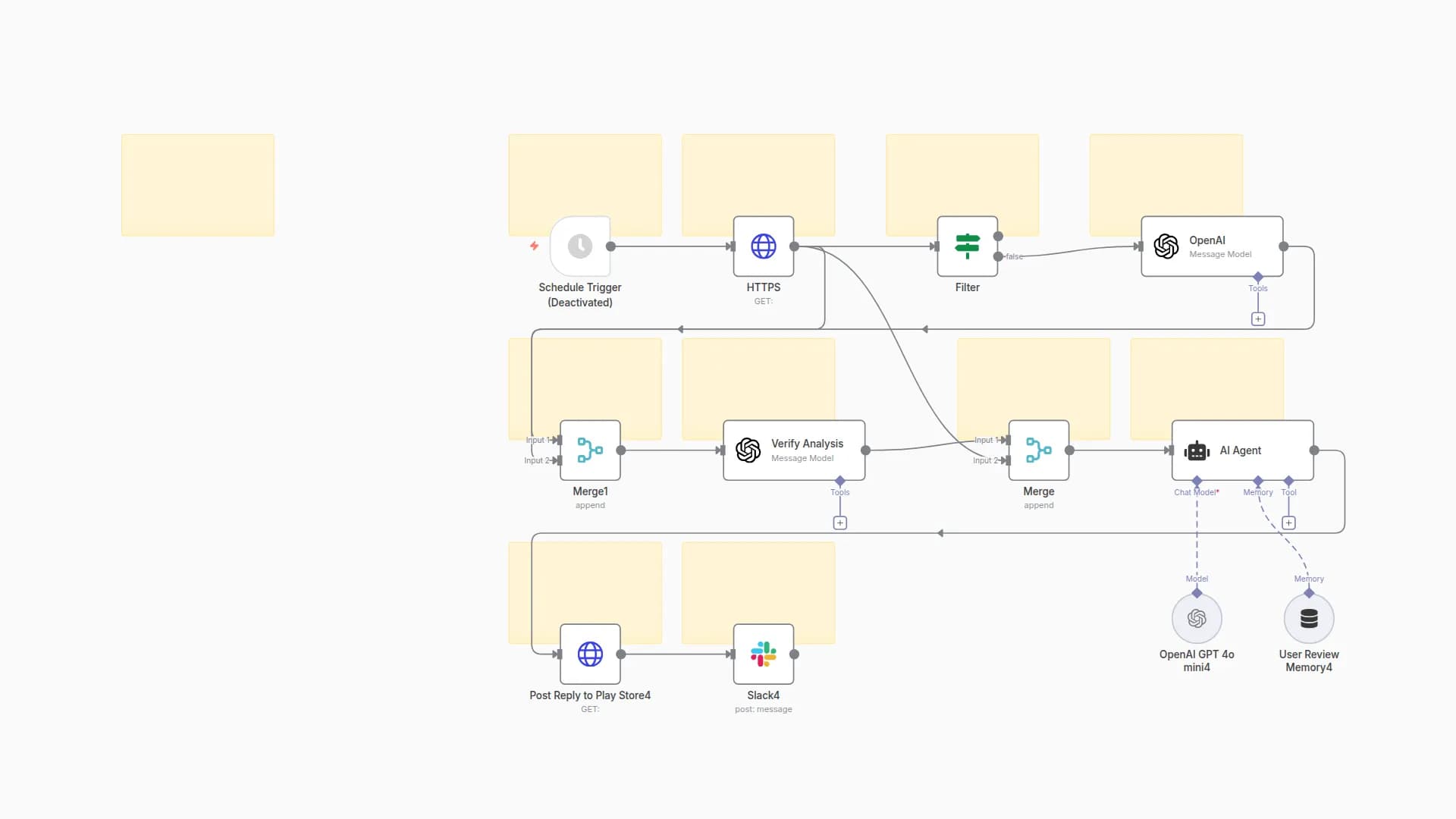
This workflow is a comprehensive, AI-powered system that transforms customer feedback into strategic business intelligence.
It operates in a multi-stage process to ensure every review or mention is handled proactively and intelligently.
🔊 Multi-Channel Listening
- Triggers monitor platforms like Shopify, Twitter, and more for new reviews or mentions.
🧠 AI-Powered Analysis
- When feedback is detected, it's sent to an OpenAI node.
The AI performs:- Sentiment analysis: Positive, Negative, or Neutral
- Scoring & categorization (e.g., Shipping, Product Quality)
- Urgency assessment to prioritize response
🔀 Smart Conditional Logic
- An
Ifnode evaluates sentiment and urgency - The workflow branches into customized response paths
🚨 Automated Escalation
- Negative or high-urgency feedback triggers:
- Slack alerts to the appropriate team channel
- Trello or Asana tasks for rapid issue resolution
📊 Centralized Logging
- All feedback + AI analysis is logged in Google Sheets
- Enables long-term trend analysis and strategic decision-making
💬 Proactive Engagement
- Positive reviews trigger a "Thank You" email
- Strengthens customer loyalty and boosts brand trust
🛠️ How to Set Up
1️⃣ Import the Workflow
- Copy and paste the workflow JSON into your n8n instance
2️⃣ Configure Credentials
Set up access for:
- OpenAI: Add your API Key
- Shopify: Add your store's API credentials
- Slack: Add Bot Token & Channel ID
- Trello: Add API Key, Token, Board ID & List ID
- Google Sheets: Add OAuth2 credentials
3️⃣ Customize Triggers
- Start with the Shopify Trigger node
- Add additional sources (e.g., Twitter, Webhook) and connect to the AI Analysis Node
4️⃣ Adjust AI Prompt
- In Node 2 (AI Analysis), update the prompt for:
- Custom business categories
- Specific analysis instructions
5️⃣ Update Conditional Logic
- In Node 4 (If Is Negative):
- Add conditions like
urgency == "High"for critical issues
- Add conditions like
6️⃣ Replace Placeholders
Replace all placeholder values:
YOUR_SLACK_CHANNEL_IDYOUR_TRELLO_BOARD_IDYOUR_SPREADSHEET_ID
...with your actual credentials
7️⃣ Save & Activate
- ✅ Save your workflow
- 🔁 Click the Inactive toggle in the top-right corner to activate
You may also like

New to n8n?
Need help building new n8n workflows? Process automation for you or your company will save you time and money, and it's completely free!


