Summarize RSS News with Gemini AI and Store in Google Sheets


Categories
Created by
j4Jayesh KaithwasLast edited 205 days ago
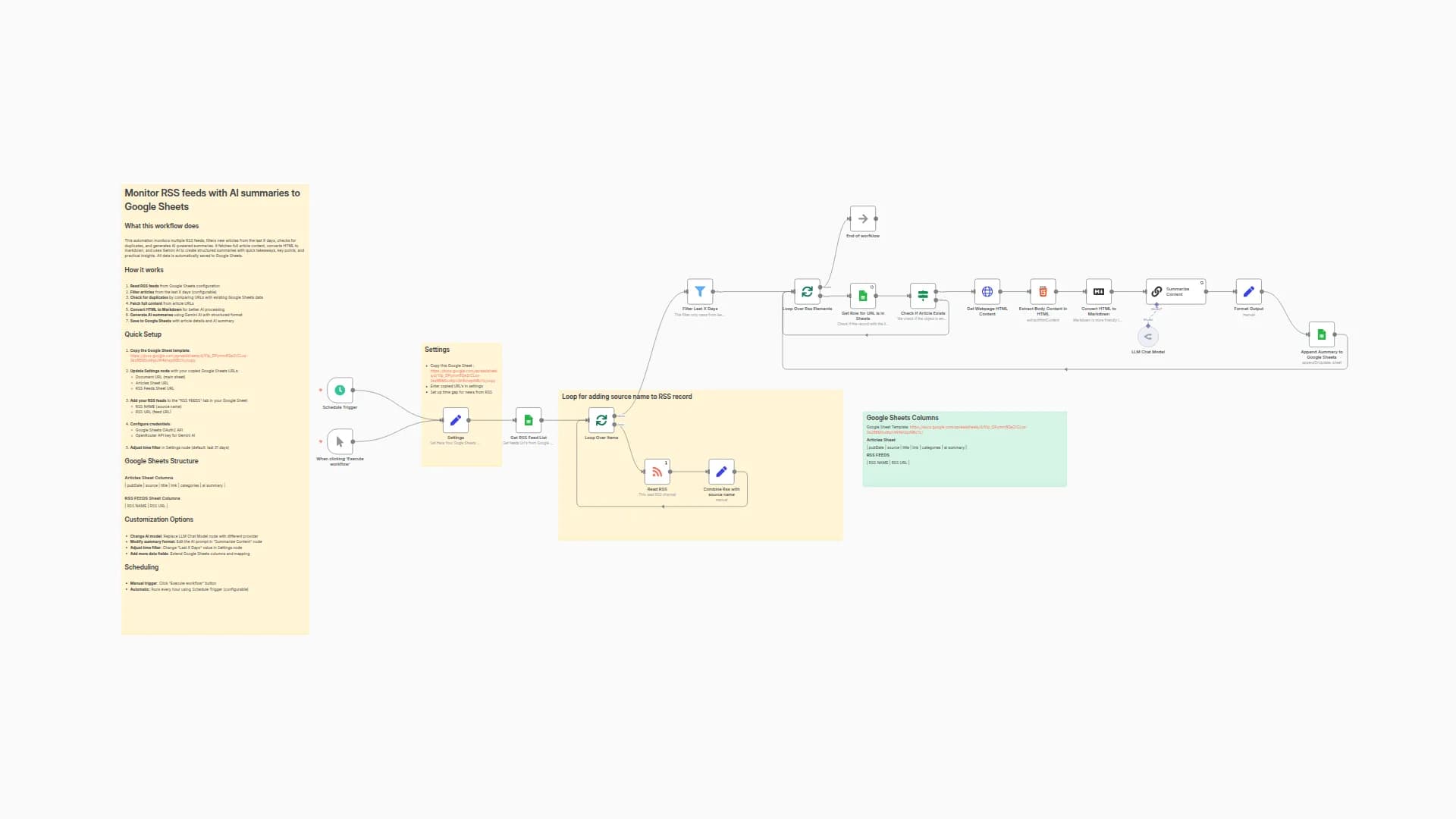
This workflow pulls articles from multiple RSS feeds, filters them by date, fetches the full webpage content, and summarizes each article into a clean, structured Markdown format using Google Gemini (via LangChain). Summaries are automatically saved into Google Sheets for long-term storage and into a daily sheet for fresh news.
👉 Example Google Sheet (pre-configured for this workflow):
News Summaries Sheet
Key Features
- RSS Feeds from Google Sheets – Flexible feed management.
- Date Filtering – Only process articles from the last X days.
- Duplicate Checking – Avoids re-processing links already stored.
- Full Article Parsing – Extracts clean body content, ignoring ads and images.
- AI Summarization – Uses a Gemini LLM to create concise, structured summaries with takeaways and insights.
- Multi-Sheet Output – Saves summaries to both a permanent “Articles” sheet and a “Today” sheet for daily highlights.
- Scheduled or Manual Run – Can run daily at a set time or on demand.
Requirements
- Google Sheets account (for storing feeds, articles, and daily news).
- Google Gemini (PaLM) API credentials.
Possible Use Cases
- Personal daily news digest.
- Team knowledge hub for curated, AI-summarized articles.
- Automated research assistant for niche topics.
You may also like
New to n8n?
Need help building new n8n workflows? Process automation for you or your company will save you time and money, and it's completely free!


