Summarize YouTube Videos with GPT-4o-mini and Apify Transcripts


Last edited 206 days ago
This workflow contains community nodes that are only compatible with the self-hosted version of n8n.
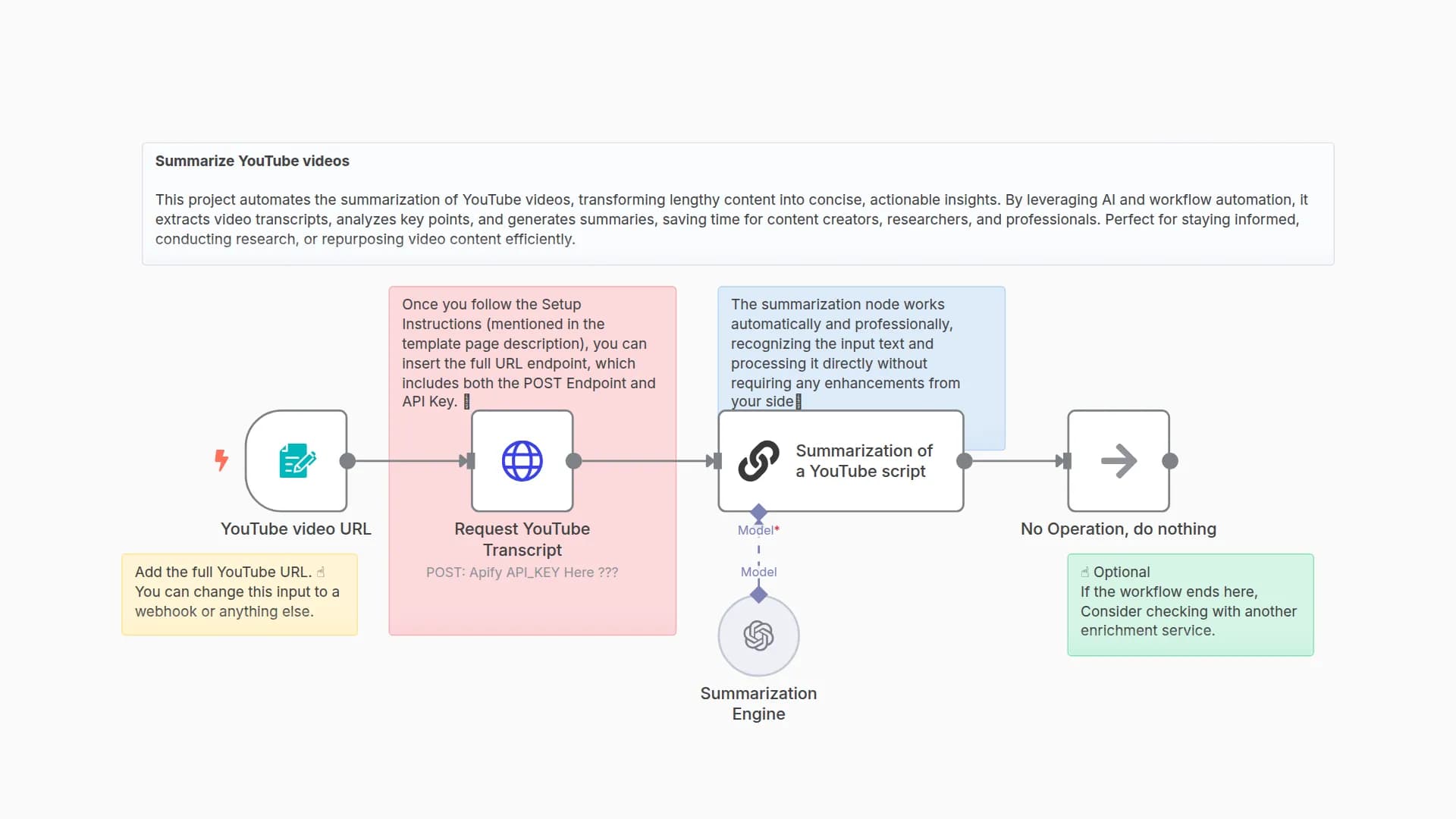
This workflow automates summarizing YouTube videos by accepting a YouTube URL via a form, fetching the video transcript using Apify, and then generating a concise summary with OpenAI GPT.
Setup Instructions
Prerequisites:
- Apify account with access to the YouTube Transcript actor.
- OpenAI API key (for GPT-4o-mini model).
- n8n instance with the Apify and OpenAI credentials configured.
Configuration Steps
Apify Setup:
- Configure Apify API credentials in the Apify node.
- Ensure the YouTube Transcript actor ID (1s7eXiaukVuOr4Ueg) is correct.
OpenAI Setup:
- Add your OpenAI API key in the OpenAI Chat Model node.
- Confirm model selection is set to gpt-4o-mini.
Customization
- Modify form field to accept additional inputs if needed.
- Adjust Apify actor input JSON in the Payload node for extra metadata extraction.
- Customize the summarization options to tweak summary length or style.
- Change OpenAI prompt or model parameters in the OpenAI Chat Model node for different output quality or tone.
Steps
1. On Form Submission
- Node: Form Trigger
- Purpose: Collect the YouTube video URL from the user via a web form.
2. Prepare Payload
- Node: Set
- Purpose: Format the YouTube URL and options into the JSON payload for Apify input.
3. Fetch Transcript
- Node: Apify
- Purpose: Run the YouTube Transcript actor to retrieve video captions and metadata.
4. Extract Captions
- Purpose: Isolate the captions field from the Apify response for processing.
5. Summarize Transcript
- Purpose: Generate a concise summary of the video captions.
You may also like
New to n8n?
Need help building new n8n workflows? Process automation for you or your company will save you time and money, and it's completely free!


