Track Expenses from Telegram to Google Sheets with GPT-4.1 Mini


Last edited 206 days ago
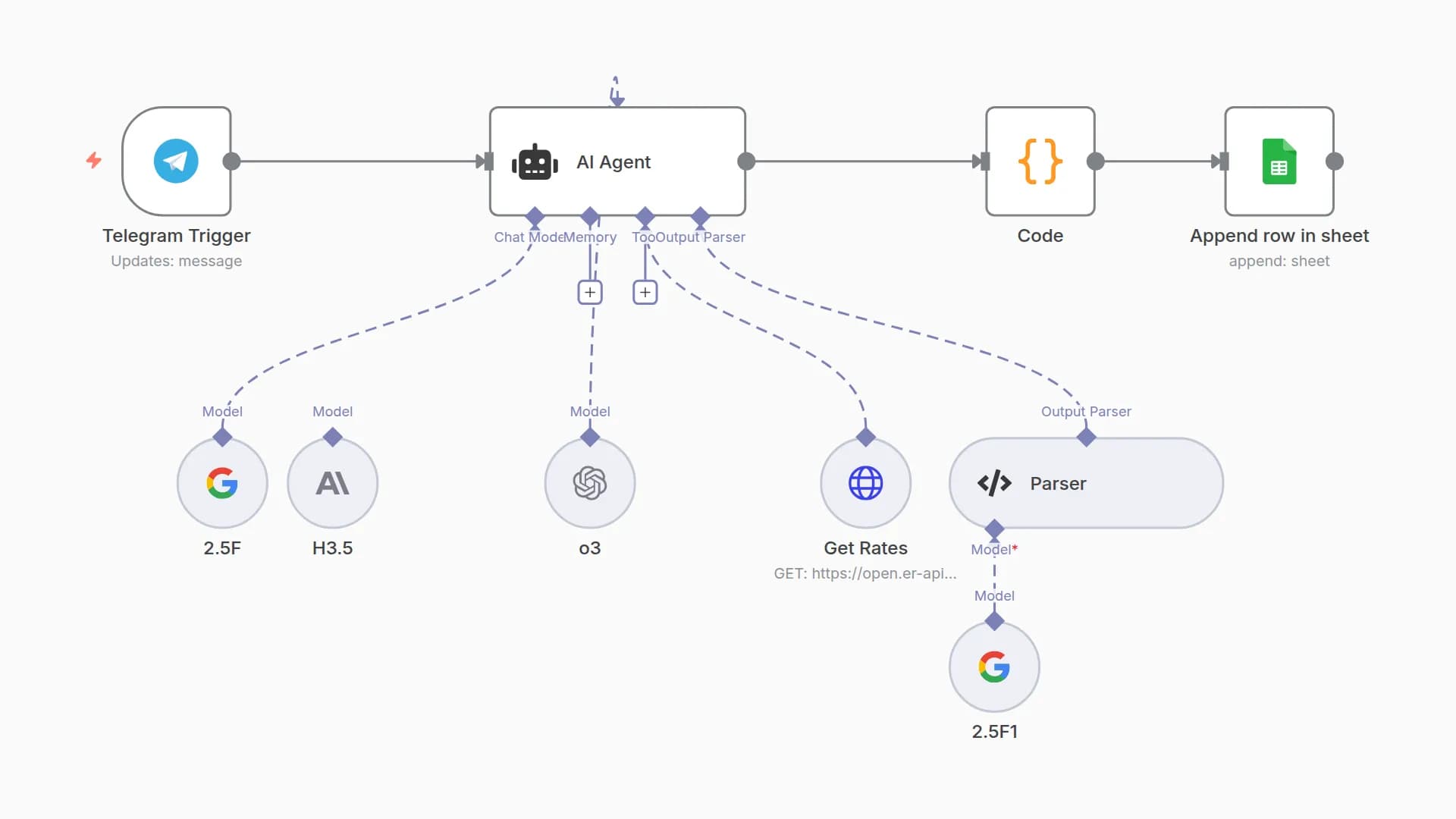
📒 Telegram Expense Tracker to Google Sheets with GPT-4.1
.jpg)
A lightweight automation that lets users log daily expenses via a Telegram bot and instantly saves them into Google Sheets—perfect for anyone looking to manage spending on the go with AI-powered structure and ease.
👤 Who’s it for
This workflow is for anyone who wants to log their daily expenses by simply chatting with a Telegram bot. Ideal for:
- Individuals who want a quick way to track spending
- Freelancers who log receipts and purchases on the go
- Teams or small business owners who want lightweight expense capture
⚙️ How it works / What it does
-
User sends a text message on Telegram describing an expense
(e.g., “Bought coffee for 50k at Highlands”) -
Message format is validated
- If the message is text, it proceeds to GPT-4.1 Mini for processing.
- If it's not text (e.g. image or file), the bot sends a fallback message.
-
OpenAI GPT-4.1 Mini parses the message and returns:
relevant: true/falseexpense_record: structured fields (date, amount, currency, category, description, source)message: a friendly confirmation or fallback
-
If valid:
- The bot replies with a fun acknowledgment
- The data is saved to a connected Google Sheet
-
If invalid:
- A fallback message is sent to encourage proper input
🛠️ How to set up
1. Telegram Bot Setup
- Create a bot using BotFather on Telegram
- Copy the bot token and paste it into the
Telegram Triggernode
2. Google Sheet Setup
-
Create a Google Sheet with these columns:
Date | Amount | Currency | Category | Description | SourceMessage -
Share the sheet with your n8n service account email
3. OpenAI Configuration
- Connect the
OpenAI Chat Modelnode using your OpenAI API key - Use GPT-4.1 Mini as the model
- Apply a system prompt that extracts structured JSON with:
relevant,expense_record, andmessage
4. Add Parser
- Use the
Structured Output Parsernode to safely parse the JSON response
5. Conditional Logic Nodes
Is text message?- Checks if the message is in text format
Supported scenario?- Checks if
relevant = truein the LLM response
- Checks if
6. Final Actions
- If relevant:
- Send confirmation via Telegram
- Append row to Google Sheet
- If not relevant:
- Send fallback message via Telegram
✅ Requirements
- Telegram bot token
- OpenAI GPT-4.1 Mini API access
- n8n instance (self-hosted or cloud)
- Google Sheet with access granted to n8n
- Basic understanding of n8n node configuration
🧩 How to customize the workflow
Feature
How to Customize
Add multi-currency support
Update system prompt to detect and extract different currencies
Add more categories
Modify the list of categories in the system prompt
Track multiple users
Add username or chat ID column to the Google Sheet
Trigger alerts
Add Slack, Email, or Telegram alerts for specific expense types
Weekly summaries
Use a cron node + Google Sheet query + Telegram message
Visual dashboards
Connect the sheet to Looker Studio or Google Data Studio
Built with 💬 Telegram + 🧠 GPT-4.1 Mini + 📊 Google Sheets + ⚡ n8n
You may also like

New to n8n?
Need help building new n8n workflows? Process automation for you or your company will save you time and money, and it's completely free!


