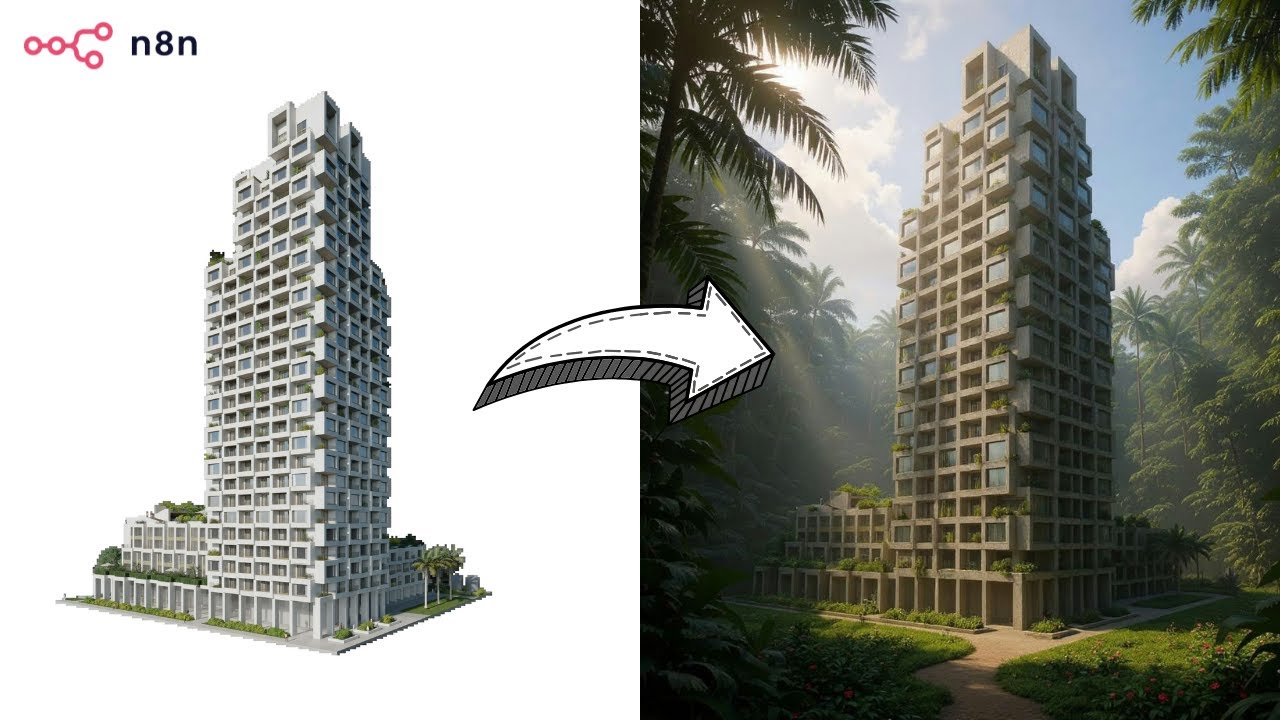
Transform Images with AI Image Editor using FLUX.1 Kontext


Last edited 205 days ago
For Who?
- Content Creators
- Youtube Automation
- Marketing Team
How it works?
1 - Retrieve Base Image, Image Description and Situation from Airtable
2 - Generate Image Prompt
3 - Generate Image via Fal AI
4 - Verify if Image is generated
5 - Upload Image on Airtable
📺 YouTube Video Tutorial:
SETUP
Setup Input : The first part of the workflow can be replaced with anything else. You need as input a Prompt and the Base Image URL (publicly available).
Setup Output : In this Workflow, the output is storing the image on Airtable but you can replace that with anything else but basically you have two options :
- Store the Generated Image somewhere : Keep everything like this and replace the last Airtable node with the Third Party you want to use.
- Use the Image directly in n8n : In HTTP Request "Generate Image" switch sync_mode to "true", remove all the following nodes and add "Extract form File" node (convert to Base64 String)
APIs : For the following third-party integrations, replace ==[YOUR_API_TOKEN]== with your API Token or connect your account via Client ID / Secret to your n8n instance:
You may also like
New to n8n?
Need help building new n8n workflows? Process automation for you or your company will save you time and money, and it's completely free!


