Update Dialogflow Intent Responses via Telegram Bot Commands


Last edited 206 days ago
Update a Dialogflow Intent's Response via Telegram
This template allows you to easily update the response of a Dialogflow intent by simply typing a keyword in Telegram. Ideal for those who need to edit responses without accessing the Dialogflow console.
🔧 What does this flow do?
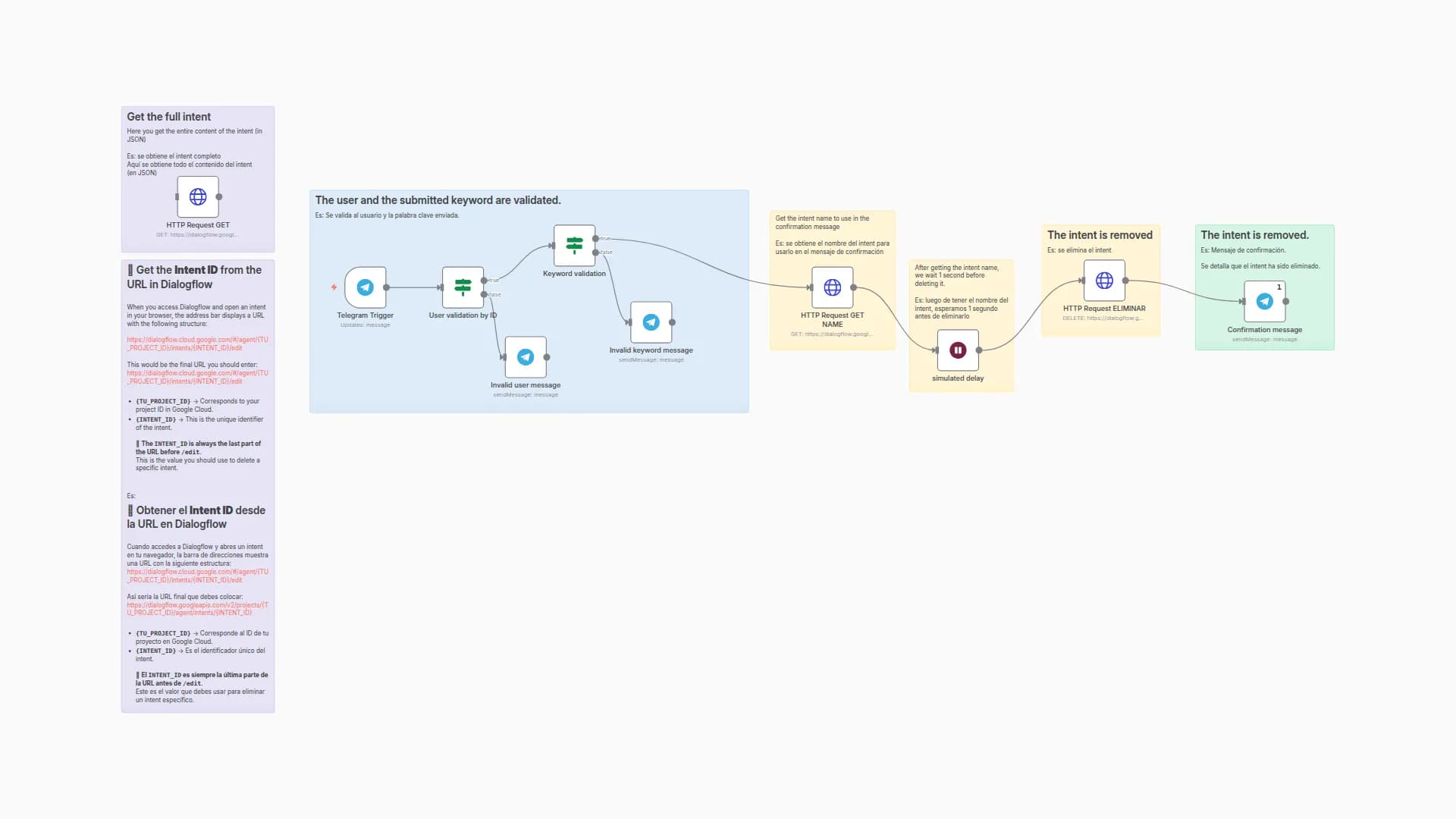
- Listens for incoming messages from a Telegram bot using the
Telegram Triggernode. - Validates the user by ID through the
User validation by IDnode to ensure only authorized people can execute the action. - Checks if the message contains the keyword
updateusing theKeyword validationnode. - If both conditions are met:
- Executes an HTTP GET request using the
HTTP Request GETnode to fetch the full intent in JSON format from the Dialogflow API. - The user copies that JSON, edits the response content, and pastes it into the
HTTP Request UPDATEnode (PATCH). - Finally, the flow sends a confirmation message via Telegram using the
Mensaje de confirmaciónnode.
- Executes an HTTP GET request using the
- If the user or keyword is invalid, the bot replies with an error message using the
Invalid user messageorInvalid keyword messagenodes.
📌 Requirements
- A configured Google API credential (Service Account).
- Obtain the
PROJECT_IDandINTENT_IDfrom the intent's URL in Dialogflow. - Edit the
jsonBodycontent in theHTTP Request UPDATEnode, removing the outer curly braces{}.
✅ Use Cases
- Quickly modify responses in production without accessing Dialogflow.
- Allow non-technical users to update intents from Telegram.
- Foundation for more advanced flows that dynamically manage multiple intents.
You may also like
New to n8n?
Need help building new n8n workflows? Process automation for you or your company will save you time and money, and it's completely free!


