AI-Powered Zendesk Support Responses with RAG, OpenAI, and Supabase Knowledge Base


Last edited 206 days ago
⚡ How it works
This workflow automates first responses to new Zendesk tickets with the help of AI and your internal knowledge base.
Webhook trigger fires whenever a new ticket is created in Zendesk.
Ticket details (subject, description, requester info) are extracted.
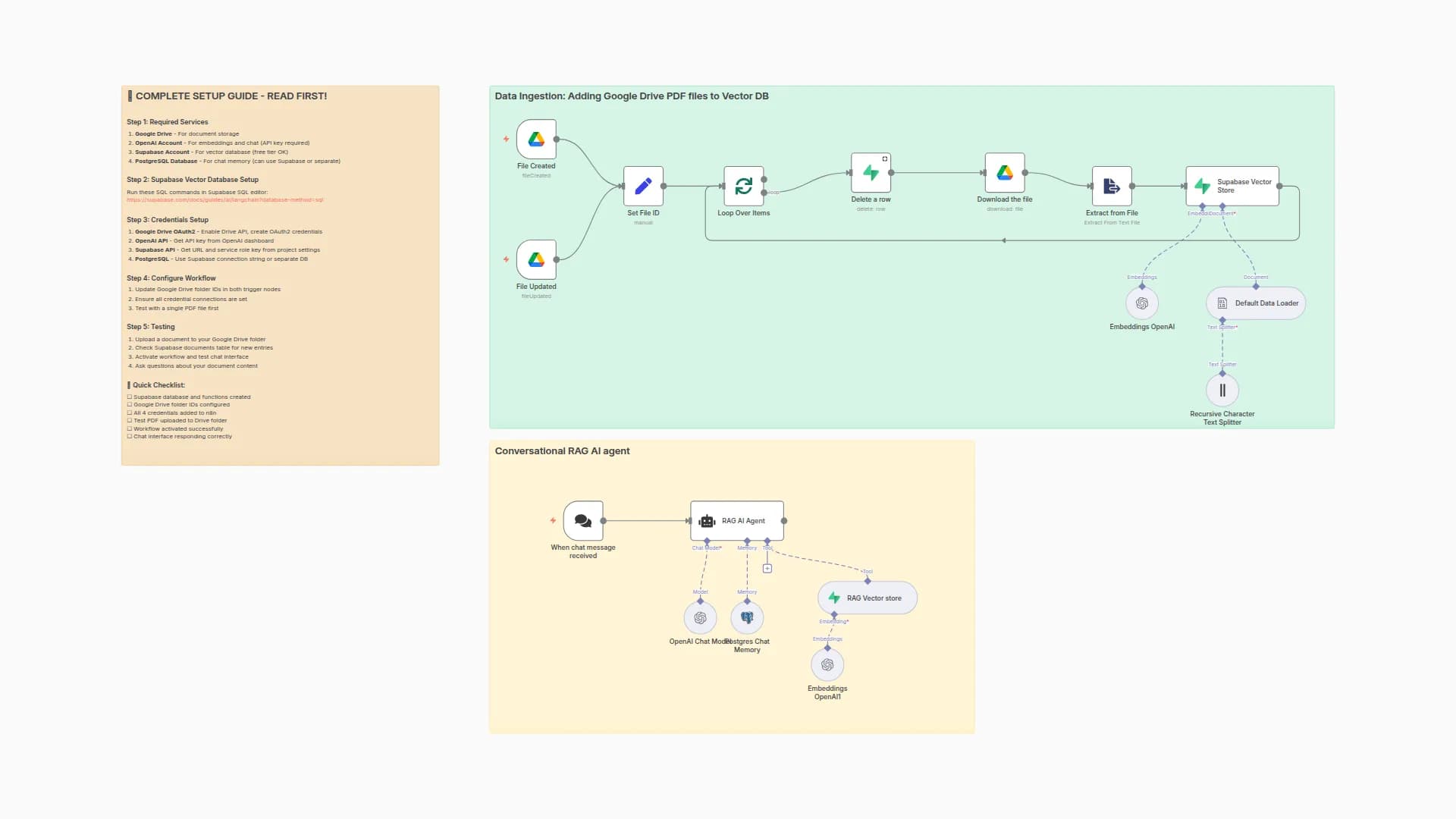
Knowledge base retrieval – the workflow searches a Supabase vector store (with OpenAI embeddings) for the most relevant KB articles.
AI assistant (RAG agent) drafts a professional reply using the retrieved KB and conversation memory stored in Postgres.
Decision logic:
If no relevant KB info is found (or if it’s a sensitive query like KYC, refunds, or account deletion), the workflow sends a fallback response and tags the ticket for human review.
Otherwise, it posts the AI-generated reply and tags the ticket with ai_reply.
Logging & context memory ensure future ticket updates are aware of past interactions.
🔧 Set up steps
This workflow takes about 15–30 minutes to set up.
Connect credentials for Zendesk, OpenAI, Supabase, and Postgres.
Prepare your knowledge base: store support content in Supabase (documents table) and embed it using the provided Embeddings node.
Set up Postgres memory table (zendesk_ticket_histories) to store conversation history.
Update your Zendesk domain in the HTTP Request nodes (<YOUR_ZENDESK_DOMAIN>).
Deploy the webhook URL in Zendesk triggers so new tickets flow into n8n.
Test by creating a sample ticket and verifying:
AI replies appear in Zendesk
Correct tags (ai_reply or human_requested) are applied
Logs are written to Postgres
You may also like

New to n8n?
Need help building new n8n workflows? Process automation for you or your company will save you time and money, and it's completely free!


