Auto-Renew AWS Certificates with Slack Approval Workflow

Last edited 206 days ago
AWS Certificate Manager (ACM) Auto-Renew with Slack notify & approval
Who’s it for
- SRE/DevOps teams managing many ACM certs.
- Cloud ops who want hands-off renewals with an approval step in Slack.
- MSPs that need auditable reminders and renewals on schedule.
How it works / What it does
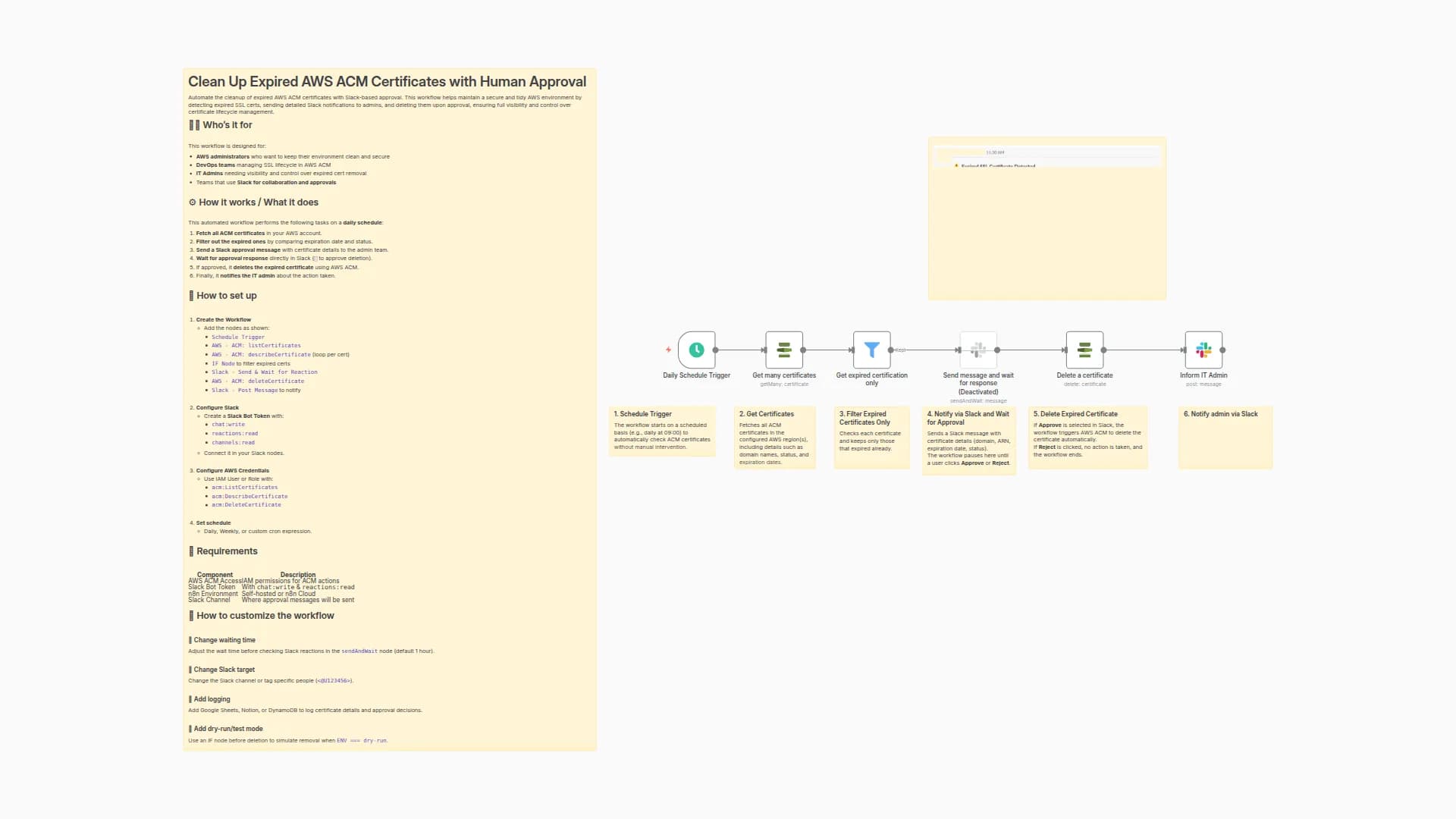
- Schedule Trigger – runs daily (or your cadence).
- Get many certificates – fetches ACM certs (paginate if needed).
- Filter: expiring in next 7 days – keeps items where:
NotAfterbeforetoday + 7dNotBeforebeforetoday(already valid)
- Send message and wait for response (Slack) – posts a certificate summary and pauses until Approve/Reject.
- Renew a certificate – on Approve, calls the renew action for the item.
How to set up
- Credentials
- AWS in n8n with permissions to list/read/renew certs.
- Slack OAuth (bot in the target channel).
- Schedule Trigger
- Set to run once per day (e.g.,
09:00local).
- Set to run once per day (e.g.,
- Get many certificates
- Region: your ACM region(s).
- If you have several regions, loop regions or run multiple branches.
- Filter (IF / Filter node)
- Add these two conditions (AND):
{{ $json.NotAfter.toDateTime('s') }}is before{{ $today.plus(7,'days') }}{{ $json.NotBefore.toDateTime('s') }}is before{{ $today }}
- Add these two conditions (AND):
- Slack → Send & Wait
-
Message (text input):
:warning: *ACM Certificate Expiry Alert* :warning: *Domain:* {{ $json.DomainName }} *SANs:* {{ $json.SubjectAlternativeNameSummaries }} *ARN:* {{ $json.CertificateArn }} *Algo:* {{ $json.KeyAlgorithm }} *Status:* {{ $json.Status }} *Issued:* {{ $json.IssuedAt | toDate | formatDate("YYYY-MM-DD HH:mm") }} *Expires:* {{ $json.NotAfter | toDate | formatDate("YYYY-MM-DD HH:mm") }} Approve to start renewal. -
Add two buttons: Approve / Reject (the node will output which was clicked).
-
- Renew a certificate
- Map the CertificateArn from the Slack Approved branch.
Requirements
- n8n (current version with Slack Send & Wait).
- AWS IAM permissions (read + renew ACM), e.g.:
acm:ListCertificates,acm:DescribeCertificate,acm:RenewCertificate(plus region access).
- Slack bot with permission to post & use interactivity in the target channel.
How to customize the workflow
- Window size: change
7to14or30days in the filter. - Catch expired: add an OR path
{{ $json.NotAfter.toDateTime('s') }} is before {{ $today }}→ send a red Slack alert. - Auto-renew w/o approval: bypass Slack and renew directly for low-risk domains.
- Multiple regions/accounts: iterate over a list of regions or assume roles per account.
- Logging: add a Google Sheet/DB append after Slack click with
user,time,result. - Escalation: if no Slack response after N hours, ping
@oncallor open a ticket.
Notes
- The Slack node pauses execution until a button is clicked—perfect for change control.
- Time conversions above assume
NotAfter/IssuedAtare Unix seconds ('s'). Adjust if your data differs.
You may also like
New to n8n?
Need help building new n8n workflows? Process automation for you or your company will save you time and money, and it's completely free!


