Automated Meeting Recording & AI Summaries with Google Calendar, Vexa & Llama 3.2


Last edited 205 days ago
Transform your meetings into actionable insights automatically! This workflow captures meeting audio, transcribes conversations, generates AI summaries, and emails the results to participants—all without manual intervention.
What's the Goal?
- Auto-record meetings when they start and stop when they end
- Transcribe audio to text using Vexa Bot integration
- Generate intelligent summaries with AI-powered analysis
- Email summaries to meeting participants automatically
- Eliminate manual note-taking and post-meeting admin work
- Never miss important discussions or action items again
Why Does It Matter?
- Save 90% of Post-Meeting Time: No more manual transcription or summary writing
- Never Lose Key Information: Automatic capture ensures nothing falls through cracks
- Improve Team Productivity: Focus on discussions, not note-taking
- Perfect Meeting Records: Searchable transcripts and summaries for future reference
- Instant Distribution: Summaries reach all participants immediately after meetings
How It Works
Step 1: Meeting Detection & Recording
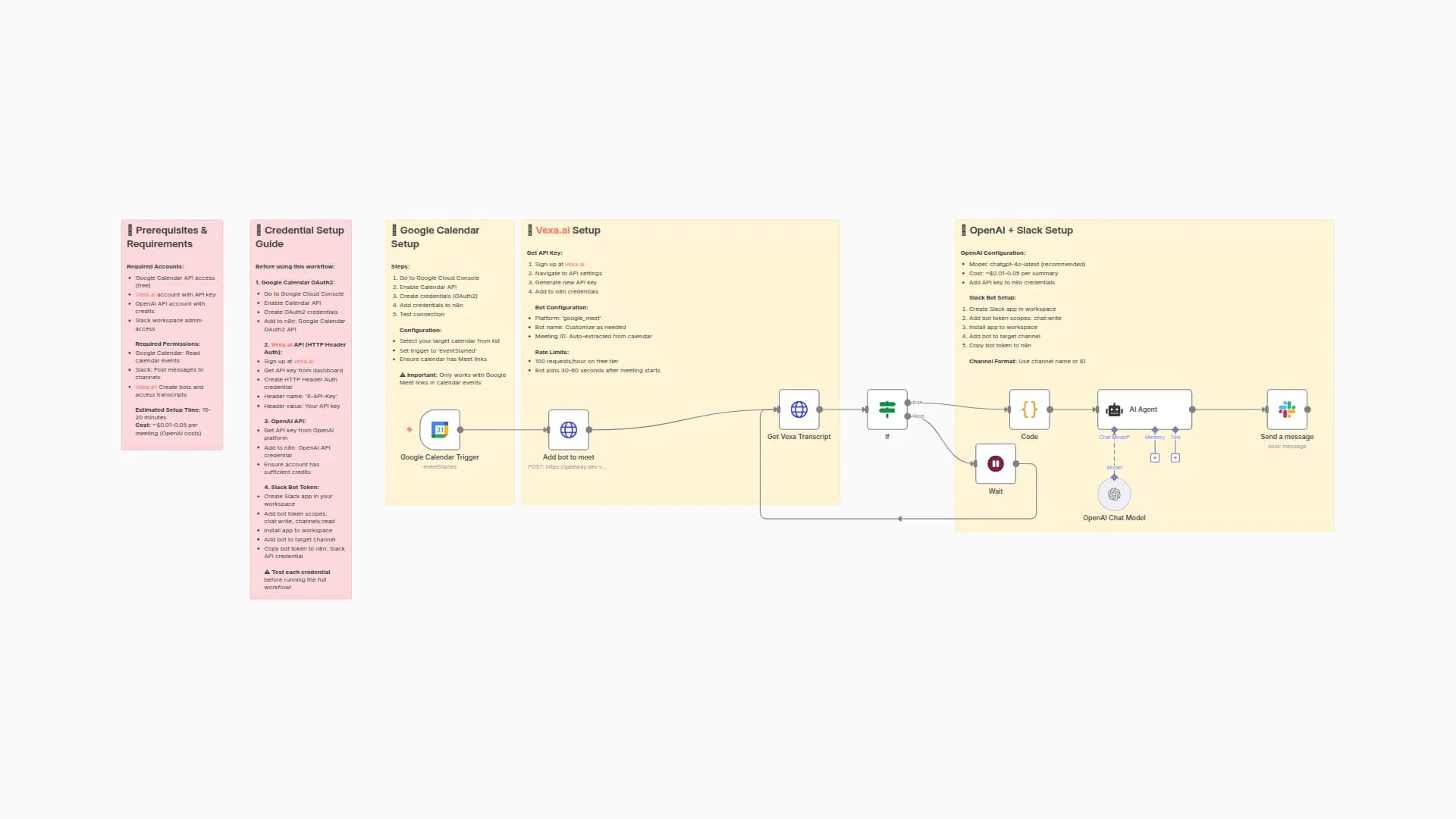
- Start Meeting Trigger: Detects when meeting begins via Google Meet webhook
- Launch Vexa Bot: Automatically joins meeting and starts recording
- End Meeting Trigger: Detects meeting end and stops recording
Step 2: Audio Processing & Transcription
- Stop Vexa Bot: Ends recording and retrieves audio file
- Fetch Meeting Audio: Downloads recorded audio from Vexa Bot
- Transcribe Audio: Converts speech to text using AI transcription
Step 3: AI Summary Generation
- Prepare Transcript: Formats transcribed text for AI processing
- Generate Summary: AI model creates concise meeting summary with:
- Key discussion points
- Decisions made
- Action items assigned
- Next steps identified
Step 4: Distribution
- Send Email: Automatically emails summary to all meeting participants
Setup Requirements
Google Meet Integration:
- Configure Google Meet webhook and API credentials
- Set up meeting detection triggers
- Test with sample meeting
Vexa Bot Configuration:
- Add Vexa Bot API credentials for recording
- Configure audio file retrieval settings
- Set recording quality and format preferences
AI Model Setup:
- Configure AI transcription service (e.g., OpenAI Whisper, Google Speech-to-Text)
- Set up AI summary generation with custom prompts
- Define summary format and length preferences
Email Configuration:
- Set up SMTP credentials for email distribution
- Create email templates for meeting summaries
- Configure participant list extraction from meeting metadata
Import Instructions
- Get Workflow JSON: Copy the workflow JSON code
- Open n8n Editor: Navigate to your n8n dashboard
- Import Workflow: Click menu (⋯) → "Import from Clipboard" → Paste JSON → Import
- Configure Credentials: Add API keys for Google Meet, Vexa Bot, AI services, and SMTP
- Test Workflow: Run a test meeting to verify end-to-end functionality
Your meetings will now automatically transform into actionable summaries delivered to your inbox!
You may also like

New to n8n?
Need help building new n8n workflows? Process automation for you or your company will save you time and money, and it's completely free!


