Automatically Add Gmail Sender Contacts to MySQL Database


Last edited 206 days ago
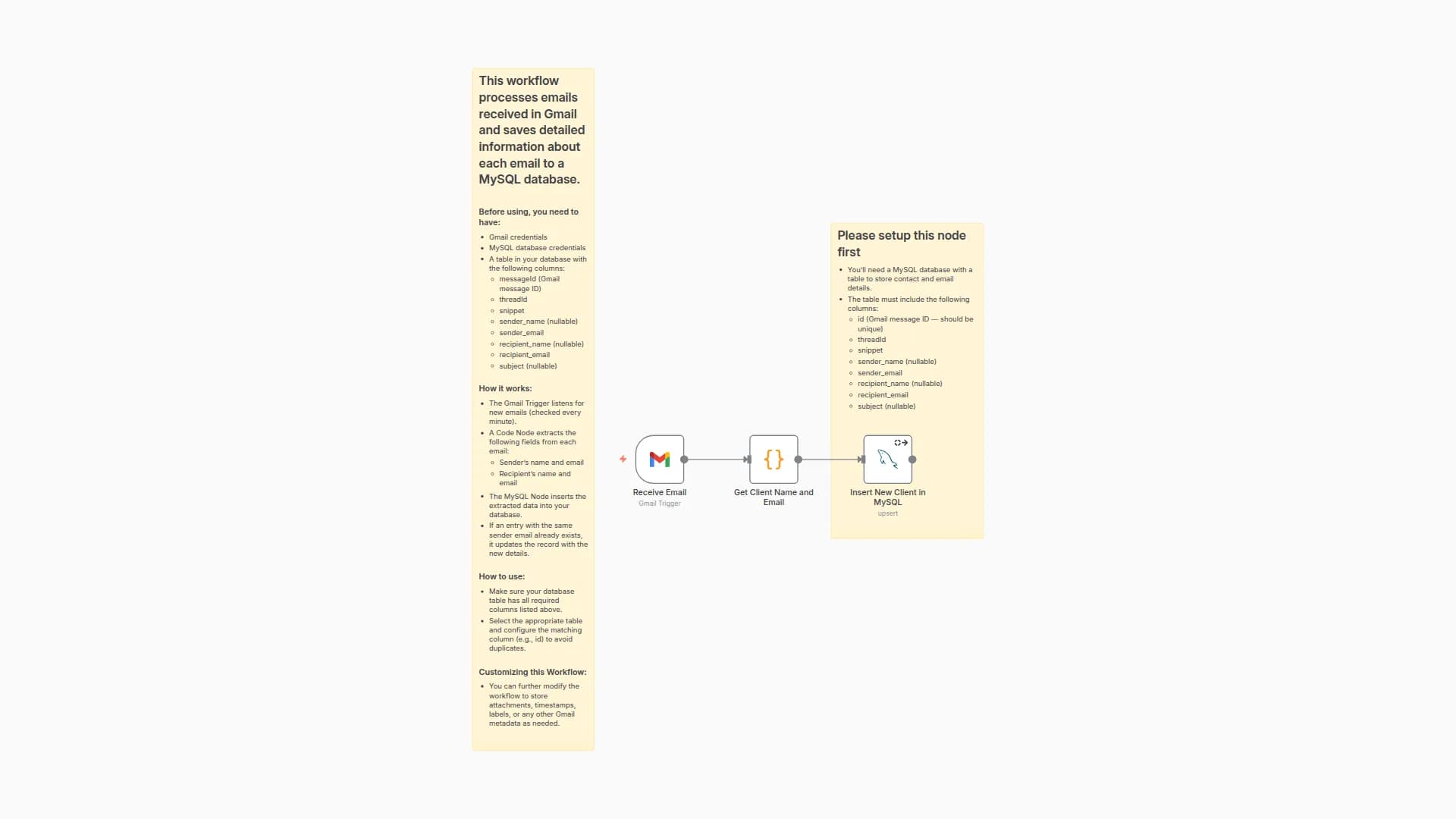
This workflow processes emails received in Gmail and adds the sender's name and email address to a MySQL database.
Use Cases:
- A sales or marketing agency can use this to automatically save client contact info to a database to build a list of leads
- Companies can use this to automatically save contacts to a database in case of Gmail data loss / losing access to their Gmail account
- Companies can build mailing lists to automatically send promotions to all of the clients who have contacted them in a given time period
Before using, you need to have:
- Gmail credential
- MySQL database credential
- A Table in the MySQL database to store your contacts
- The table should have a "name" column, which allows NULL values
- The table should have an "email" column, which should be UNIQUE
How it works:
- The Gmail Trigger will listen for a new email every minute
- For each email, the code node will extract the name and email address of the sender. If there is no name, it will return null
- The MySQL node will insert the new contact into a table in your database
- If the contact email already exists in your database, the MySQL node will update the contact name
How to use:
- Please set up the MySQL node by selecting the correct table to store contacts in
- Please choose your "email" column to match on
- Please choose your "name" column to store names
Customizing this Workflow:
- You can customize this workflow to save more data to MySQL. Here are some examples:
- In the MySQL node, click "Add Value", and choose one of the fields from the Gmail node to save in your database column. You can try saving the following items:
- Subject line
- MessageID
- ThreadID
- Snippet
- Recipient Info
You may also like
New to n8n?
Need help building new n8n workflows? Process automation for you or your company will save you time and money, and it's completely free!


