Store Gmail Email Details in MySQL Database


Last edited 206 days ago
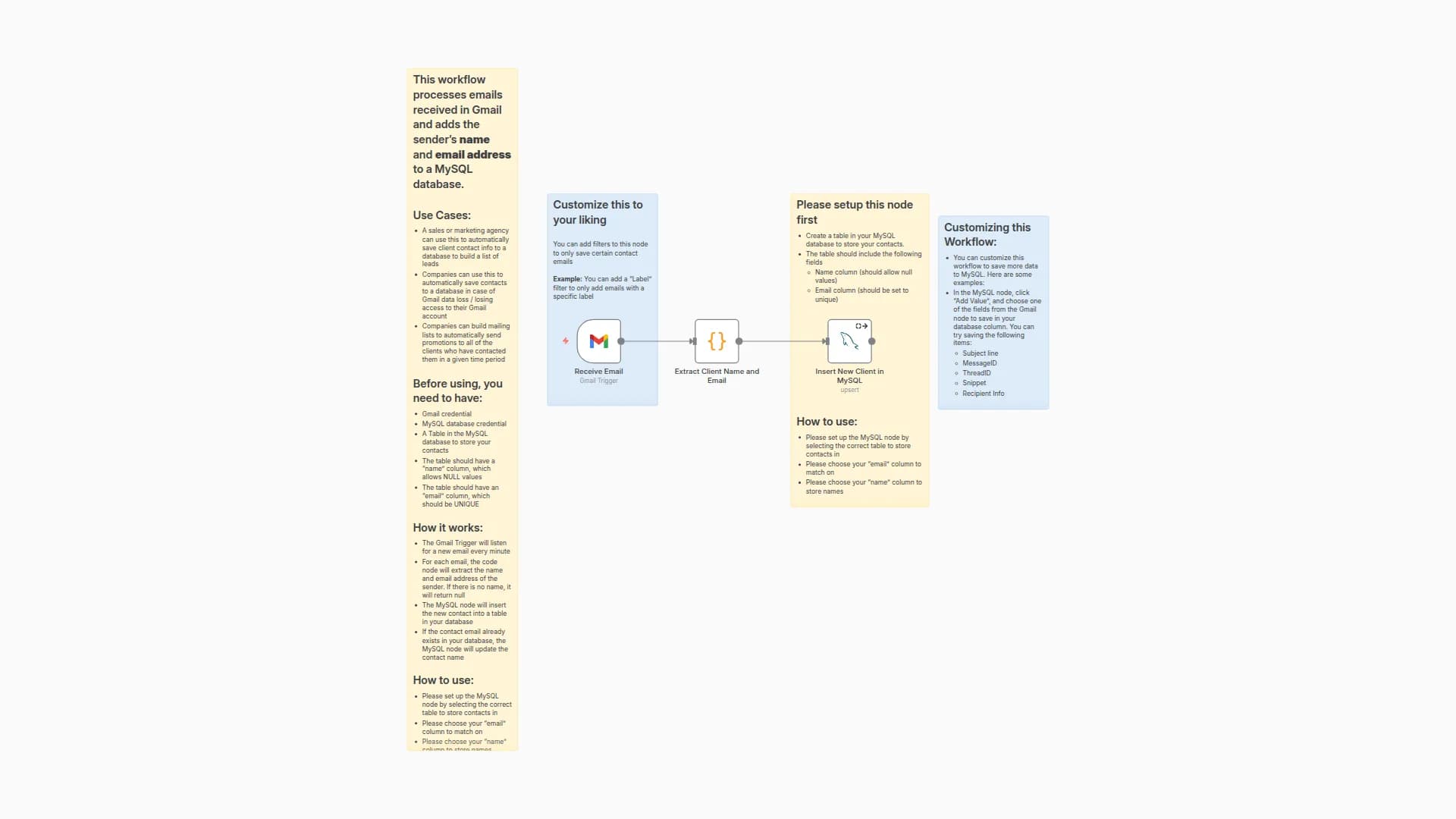
This workflow processes emails received in Gmail and saves detailed information about each email to a MySQL database.
Before using, you need to have:
- Gmail credentials
- MySQL database credentials
- A table in your database with the following columns:
- messageId (Gmail message ID)
- threadId
- snippet
- sender_name (nullable)
- sender_email
- recipient_name (nullable)
- recipient_email
- subject (nullable)
How it works:
- The Gmail Trigger listens for new emails (checked every minute).
- A Code Node extracts the following fields from each email:
- Sender's name and email
- Recipient's name and email
- The MySQL Node inserts the extracted data into your database.
- If an entry with the same sender email already exists, it updates the record with the new details.
How to use:
- Make sure your database table has all required columns listed above.
- Select the appropriate table and configure the matching column (e.g., id) to avoid duplicates.
Customizing this Workflow:
- You can further modify the workflow to store attachments, timestamps, labels, or any other Gmail metadata as needed.
You may also like
New to n8n?
Need help building new n8n workflows? Process automation for you or your company will save you time and money, and it's completely free!


