Bulk Resume Screening & JD Matching with GPT-4 for HR Teams


Categories
Created by
trTrung TranLast edited 206 days ago
TalentFlow AI – Bulk Resume Screening with JD Matching
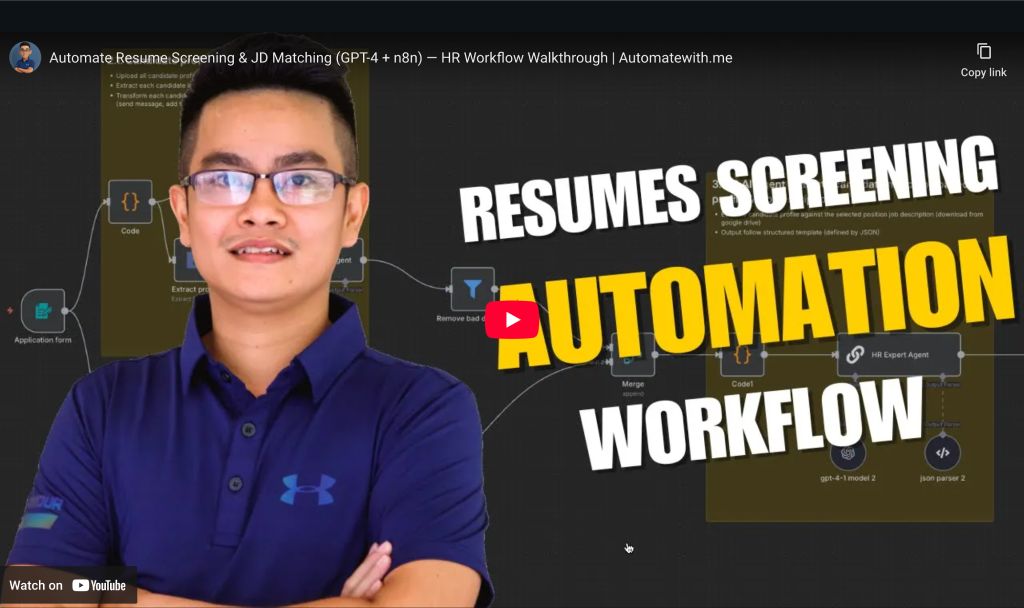
Automatically extract, evaluate, and shortlist multiple resumes against a selected job description using GPT-4. This smart, scalable n8n workflow helps HR/TA teams streamline hiring decisions while keeping results structured, auditable, and easy to share.
👤 Who’s it for
This workflow is designed for:
- HR or Talent Acquisition (TA) teams handling multiple candidates per role
- Recruiters who want AI-assisted resume screening to save time and reduce bias
- Organizations that want to automatically log evaluations and keep stakeholders updated in real-time via Slack or Sheets
⚙️ How it works / What it does
- HR/TA uploads multiple candidate resumes and selects a job role
- Each resume is:
- Uploaded to Google Drive
- Parsed with GPT-4 to extract structured profile data
- The job description for the selected role is:
- Retrieved from Google Sheets
- Downloaded from Drive and parsed
- The profile + JD are sent to an AI agent to generate:
- Fit score
- Strengths & gaps
- Final recommendation
- Results are:
- Appended to the evaluation tracking sheet
- Optionally shared with the hiring team on Slack
- Used to trigger emails to qualified or unqualified candidates
🛠️ How to set up
- Clone or import the workflow into your n8n instance
- Connect your integrations:
- Google Sheets (positions & evaluation form)
- Google Drive (CV & JD folders)
- OpenAI API (GPT-4)
- Slack (for notifications)
- (Optional) SendGrid or SMTP for email notifications
- Update Google Sheets structure:
Positionssheet: maps Job Role → JD file linkEvaluation form: stores evaluation results
- Prepare Drive folders:
/cvfolder for uploaded resumes/jdfolder for job description PDFs
📋 Requirements
- ✅ n8n (hosted or self-hosted)
- ✅ OpenAI GPT-4 account (used in Profile & JD evaluator agents)
- ✅ Google Drive + Google Sheets access
- ✅ Slack workspace + bot token
- (Optional) SendGrid or email credentials for candidate follow-up
🎨 How to customize the workflow
- Change the fit score threshold in the
Candidate qualified?node - Edit Slack message content/formatting to match your company tone
- Add additional candidate metadata to Sheets or Slack messages
- Use a webhook trigger to integrate with your ATS or job board
- Swap GPT-4 with Claude or Gemini if you prefer other AI services
- Expand to include multi-position batch screening logic
Happy Hiring! 🚀
Automated with love using n8n
You may also like
New to n8n?
Need help building new n8n workflows? Process automation for you or your company will save you time and money, and it's completely free!


