Create Automatic Pivot Tables in Google Sheets with n8n


Last edited 206 days ago
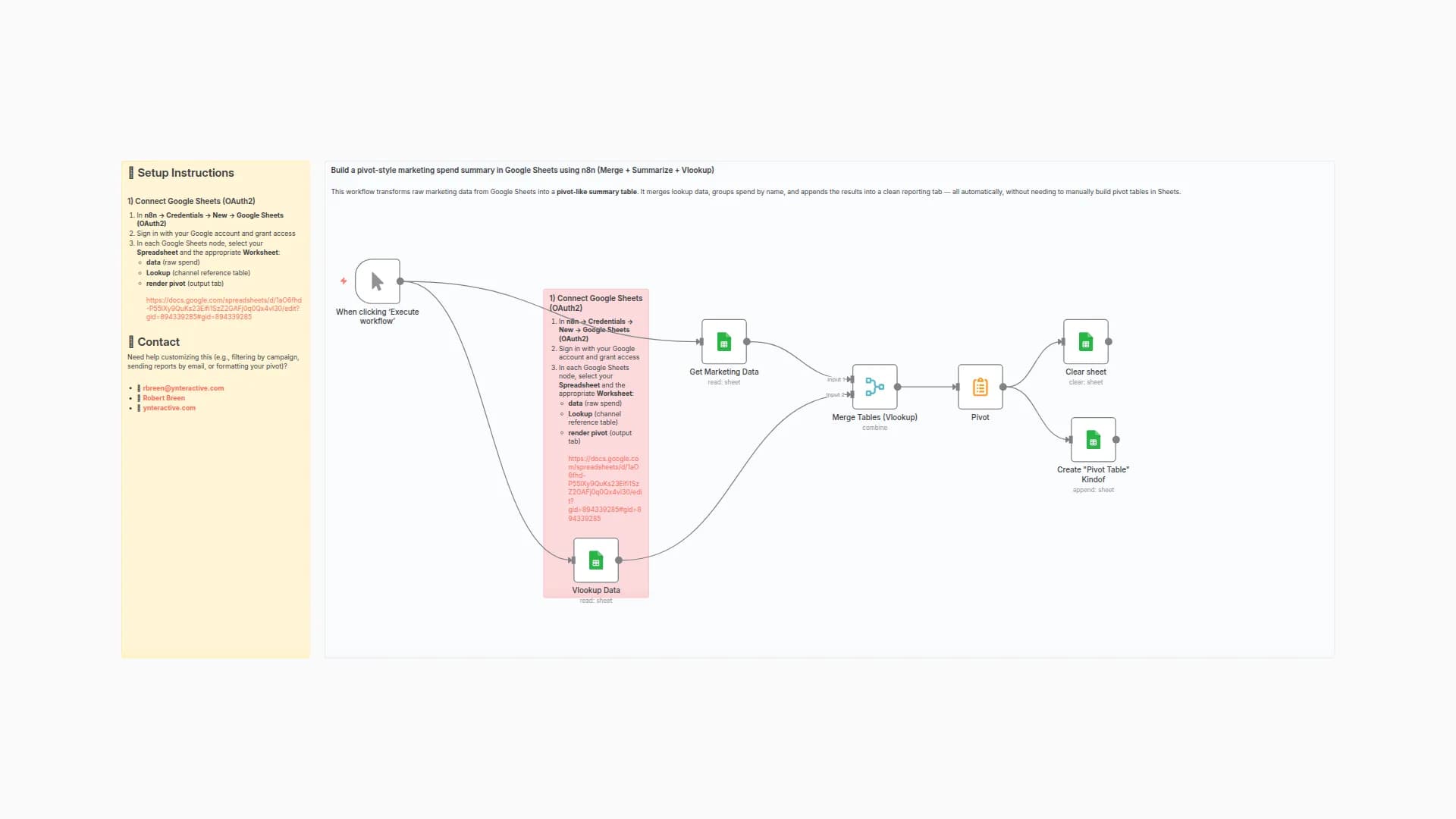
This n8n workflow pulls campaign data from Google Sheets and creates two pivot tables automatically each time it runs.
✅ Step 1: Connect Google Sheets
- In n8n, go to Credentials → click New Credential
- Select Google Sheets OAuth2 API
- Log in with your Google account and authorize access
- Use this sheet: 📄 Campaign Data Sheet
- Make sure the sheet includes:
- A Data tab (row 1 = headers, rows 2+ = campaign data)
- A tab for each pivot view (e.g. by Channel, by Campaign)
📬 Need Help?
Feel free to reach out:
You may also like
New to n8n?
Need help building new n8n workflows? Process automation for you or your company will save you time and money, and it's completely free!


