Generate AI Meeting Notes from Zoom with GPT-4, Google Docs & Slack


Created by
daDavid OlusolaLast edited 207 days ago
📝 Auto-Generate Meeting Notes & Summaries (Zoom → Google Docs + Slack)
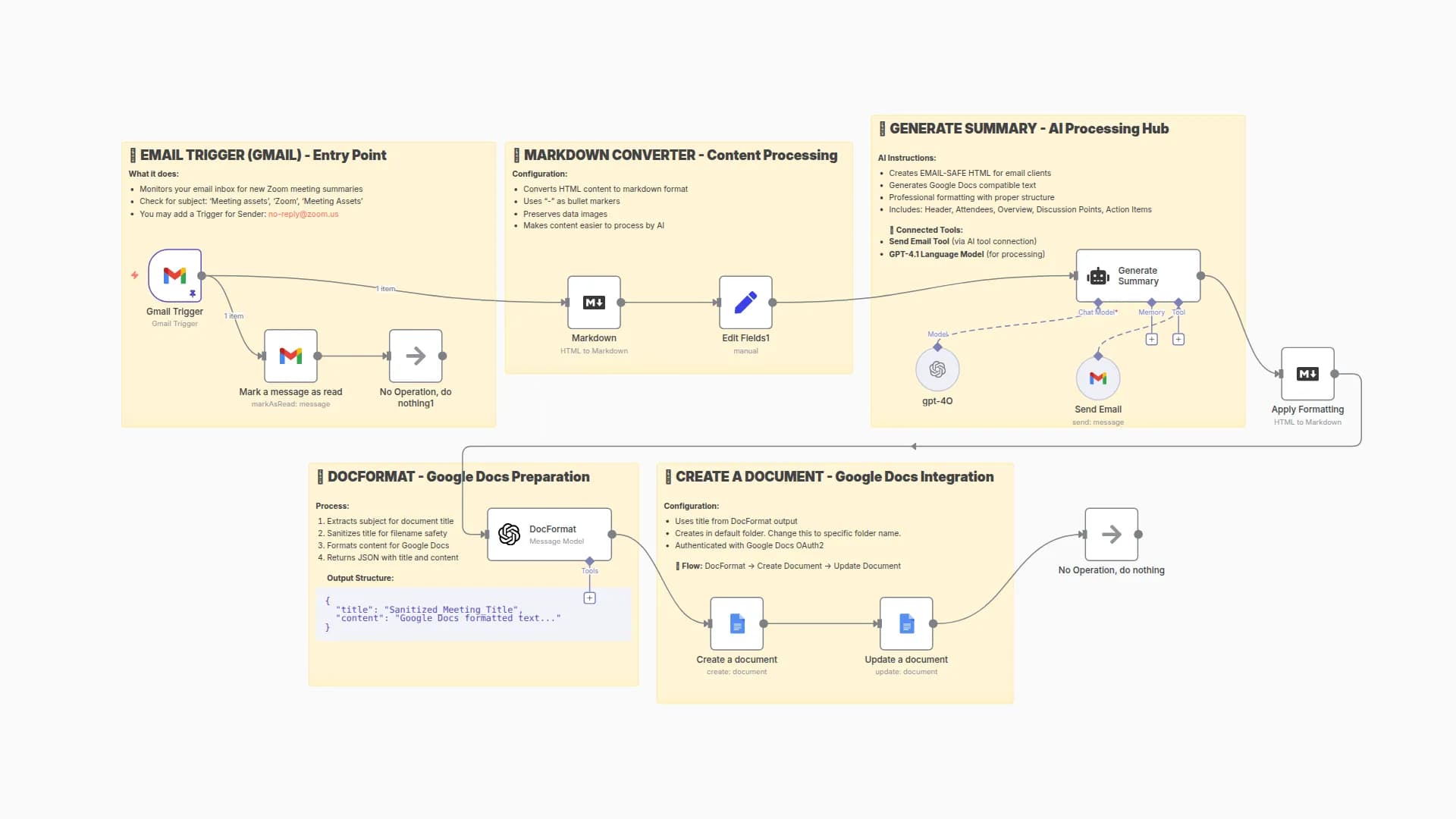
This workflow automatically captures Zoom meeting data when a meeting ends, generates AI-powered notes, saves them to Google Docs, and instantly posts a summary with a link in Slack.
⚙️ How It Works
- Zoom Webhook → Triggers on
meeting.endedorrecording.completed. - Normalize Data → Extracts meeting details (topic, host, duration, transcript).
- AI Notes (GPT-4) → Summarizes transcript into key decisions, action items, and next steps.
- Google Docs → Saves formatted meeting notes + transcript archive.
- Slack Post → Shares summary + link to notes in
#team-meetings.
🛠️ Setup Steps
1. Zoom App
- Go to Zoom Developer Console → create App.
- Enable event
meeting.ended. - Paste workflow webhook URL.
2. Google Docs
- Connect Google OAuth in n8n.
- Docs auto-saved in your Google Drive.
3. Slack
- Connect Slack OAuth.
- Replace channel
#team-meetings.
4. OpenAI
- Add your OpenAI API key.
- Uses GPT-4 for accurate summaries.
📊 Example Output
Slack Message:
📝 Auto-Generate Meeting Notes & Summaries (Zoom → Google Docs + Slack)
This workflow automatically captures Zoom meeting data when a meeting ends, generates AI-powered notes, saves them to Google Docs, and instantly posts a summary with a link in Slack.
⚙️ How It Works
- Zoom Webhook → Triggers on
meeting.endedorrecording.completed. - Normalize Data → Extracts meeting details (topic, host, duration, transcript).
- AI Notes (GPT-4) → Summarizes transcript into key decisions, action items, and next steps.
- Google Docs → Saves formatted meeting notes + transcript archive.
- Slack Post → Shares summary + link to notes in
#team-meetings.
🛠️ Setup Steps
1. Zoom App
- Go to Zoom Developer Console → create App.
- Enable event
meeting.ended. - Paste workflow webhook URL.
2. Google Docs
- Connect Google OAuth in n8n.
- Docs auto-saved in your Google Drive.
3. Slack
- Connect Slack OAuth.
- Replace channel
#team-meetings.
4. OpenAI
- Add your OpenAI API key.
- Uses GPT-4 for accurate summaries.
📊 Example Output
Slack Message:
📝 New Meeting Notes Available
Topic: Marketing Sync
Host: [email protected]
Duration: 45 mins
👉 Read full notes here: https://docs.google.com/document/d/xxxx
Google Doc:
- Executive Summary
- Key Decisions
- Action Items w/ Owners
- Next Steps
- Full Transcript
⚡ With this workflow, your team never scrambles for meeting notes again.
You may also like

New to n8n?
Need help building new n8n workflows? Process automation for you or your company will save you time and money, and it's completely free!


