Screen Resumes & Send Follow-ups with OpenAI GPT-4o, Google Sheets & Gmail


Categories
Created by
abAbdulazizLast edited 223 days ago
This workflow contains community nodes that are only compatible with the self-hosted version of n8n.
🧠 How It Works
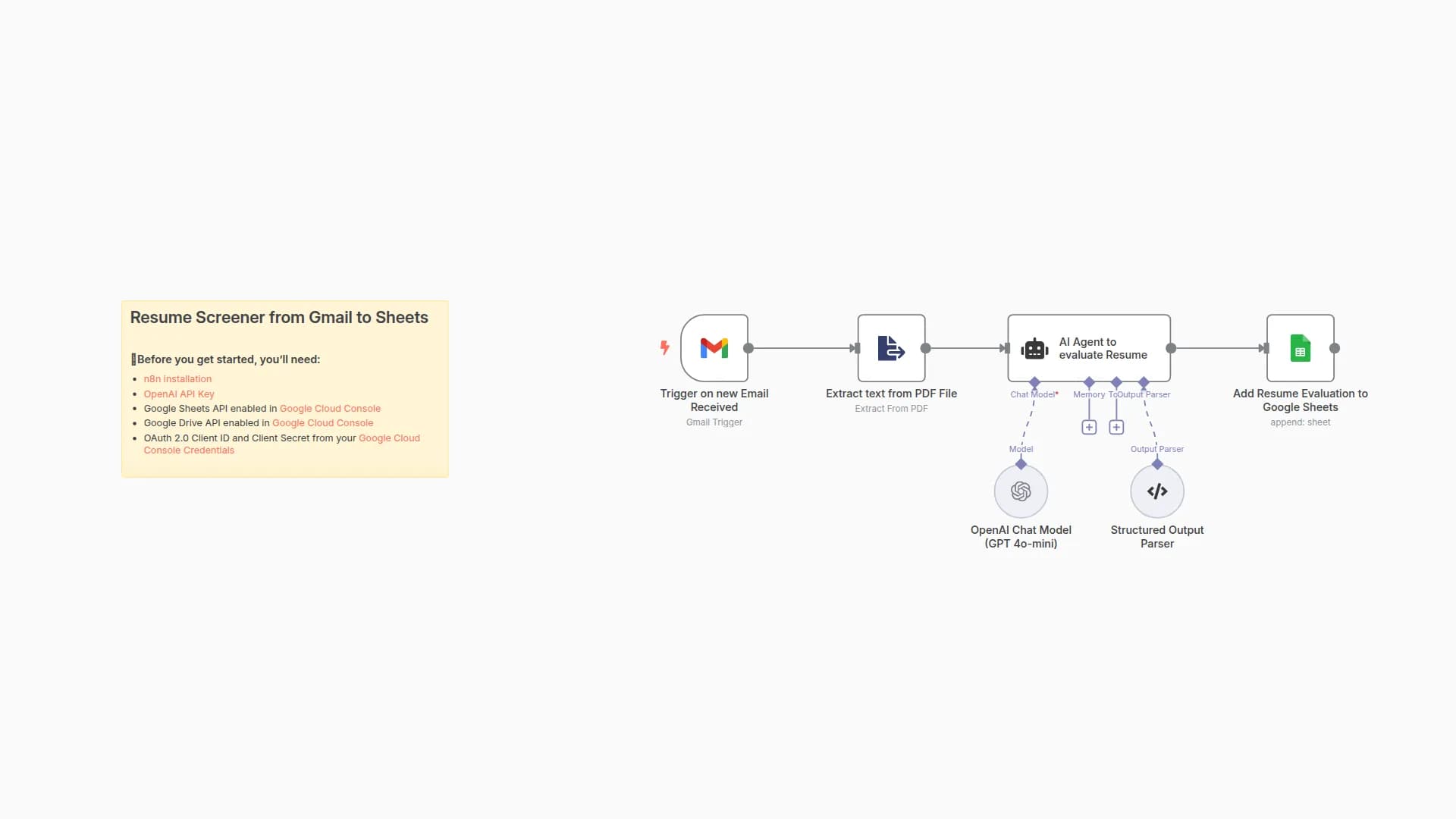
This workflow automates the process of screening resumes using AI, logging results to Google Sheets, and sending follow-up emails via Gmail.
- User uploads their resume via a form (PDF only).
- Resume content is extracted and sent to OpenAI for evaluation.
- AI scores the resume based on:
- Role-specific must-have qualifications
- Soft skills / strategic fit questions
- Based on the score threshold, the candidate is classified as:
- ✅ Accepted → Saved to Accepted sheet + Gmail invite
- ❌ Rejected → Logged to Rejected sheet + Gmail rejection message
- Output is stored in Google Sheets with detailed justification.
⚙️ Set Up Steps
- 🔑 Connect your OpenAI and Google Sheets credentials.
- Replace the placeholder tags in the AI prompt:
COMPANY_NAMEROLE_NAMEROLE_DESCRIPTIONCRITERIA_1toCRITERIA_5Q1toQ5THRESHOLD(score to pass)
- Customize Gmail messages (optional).
- ✅ Make sure your sheet has two tabs:
AcceptedandRejected.
📌 Notes
Sticky Notes included in the flow explain:
- What each node does
- Where to replace variables
- Tips for improving match scoring
You may also like
New to n8n?
Need help building new n8n workflows? Process automation for you or your company will save you time and money, and it's completely free!


