Securely Call Private Google Cloud Run APIs with JWT Authentication (Simplified)


Last edited 223 days ago
Who it’s for?
Anyone who wants a dead-simple, free-tier friendly way to run custom API logic on Google Cloud Run and call it securely from n8n—no public exposure, no local hosting.
What it does
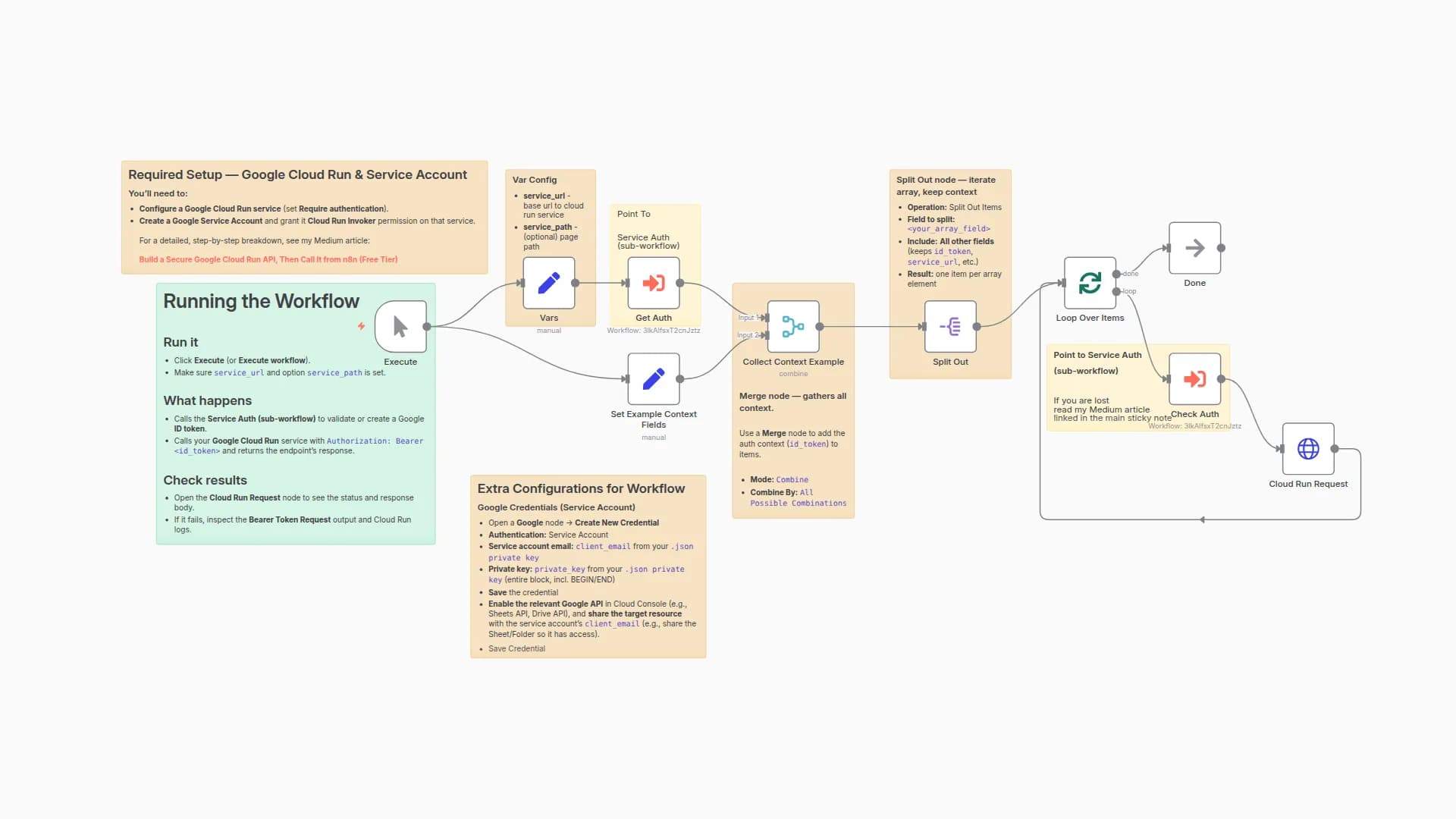
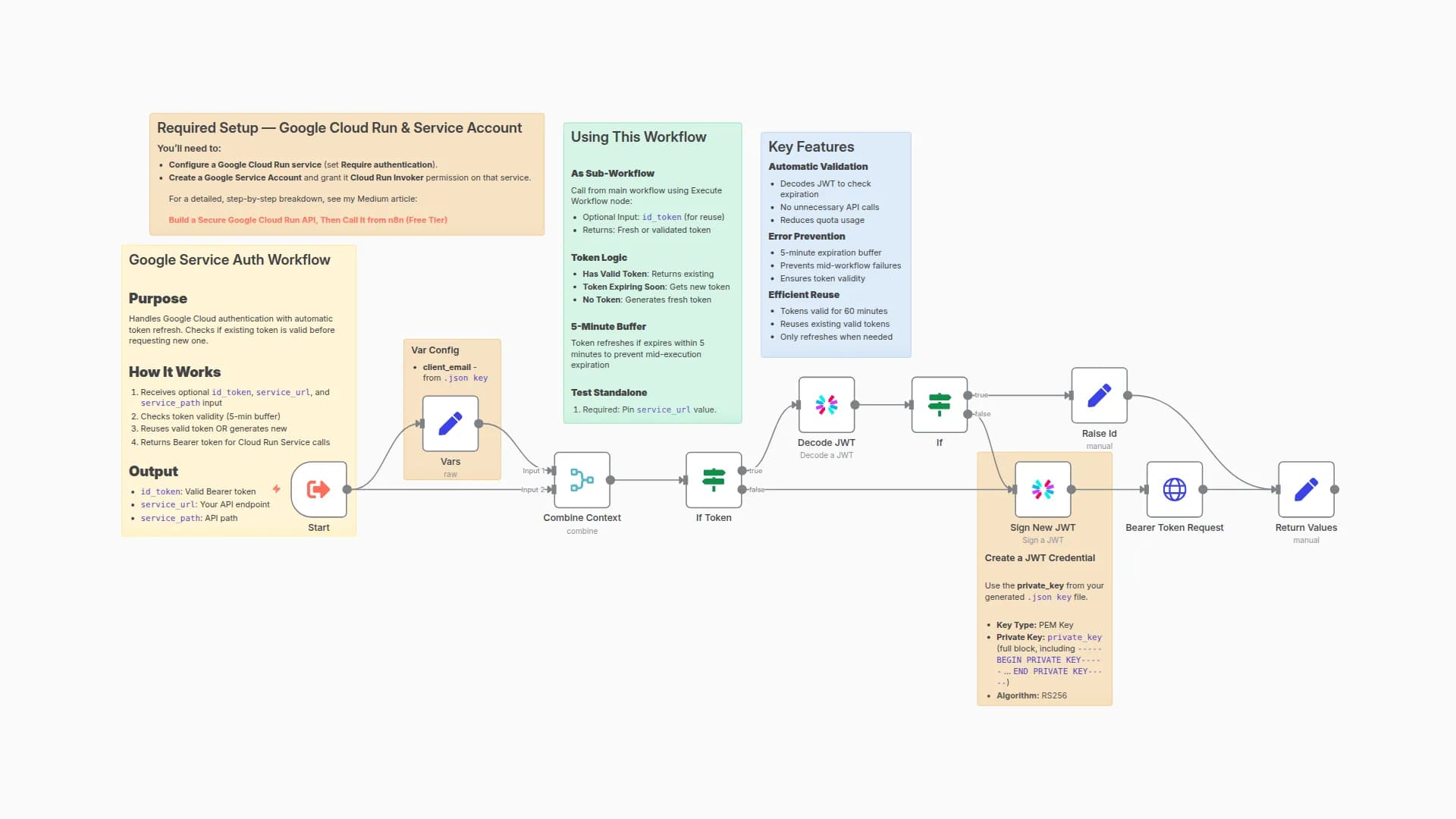
Minimal flow: Set → JWT (sign) → HTTP (token exchange) → HTTP (call Cloud Run with Authorization: Bearer <id_token> ). No caching, no extras—just enough to authenticate and hit your endpoint.
How to set up
General instructions below—see my detailed guide for more info:
Build a Secure Google Cloud Run API, Then Call It from n8n (Free Tier)
Setup:
- Create a Cloud Run service and enable Require authentication (Cloud IAM).
- Create a Google Service Account with Cloud Run Invoker on that service.
- In n8n, set
service_url,client_email,token_uri(https://oauth2.googleapis.com/token) in Set. - Create a JWT (PEM) credential from your service account key (paste the full BEGIN/END block).
- Run the workflow; the second HTTP node calls your Cloud Run URL with the ID token.
Requirements
- Cloud Run service URL (auth required)
- Google Service Account with Cloud Run Invoker
- Private key JSON fields downloaded from Service Account | needed to generate JWT credentials
More details
Full write-up (minimal + modular versions):
Build a Secure Google Cloud Run API, Then Call It from n8n (Free Tier)
You may also like
New to n8n?
Need help building new n8n workflows? Process automation for you or your company will save you time and money, and it's completely free!


