Text-to-Image Generation with Flux AI, Google Drive Storage & Sheets Logging


Last edited 206 days ago
🎨 AI Image Generator with Flux AI
Generate realistic, high-quality images from text prompts using the Flux AI Text-to-Image Generator API via RapidAPI, and seamlessly store the results in Google Drive and log them in Google Sheets — all automated using n8n.
🧠 What This Workflow Does
This no-code automation enables you to:
- 🖋️ Enter a custom text prompt using a web form.
- 🖼️ Generate a photorealistic image using Flux AI’s Text-to-Image Generator via RapidAPI.
- ☁️ Upload the image to Google Drive.
- 📊 Log the prompt and result in a Google Sheet.
- ⚠️ Capture and log errors in a fallback sheet.
💡 Use Case
Ideal for:
- Digital artists and marketers
- Social media managers
- Brand mockup creators
- Rapid concept prototyping
All without writing a single line of code.
✅ Benefits
- No-code automation for AI-generated images
- Cloud storage and structured logging
- Error handling built-in
- Fast content creation for design, branding, or concept testing
- Powered by the Flux AI Text-to-Image Generator API via RapidAPI
🧩 Node-by-Node Breakdown
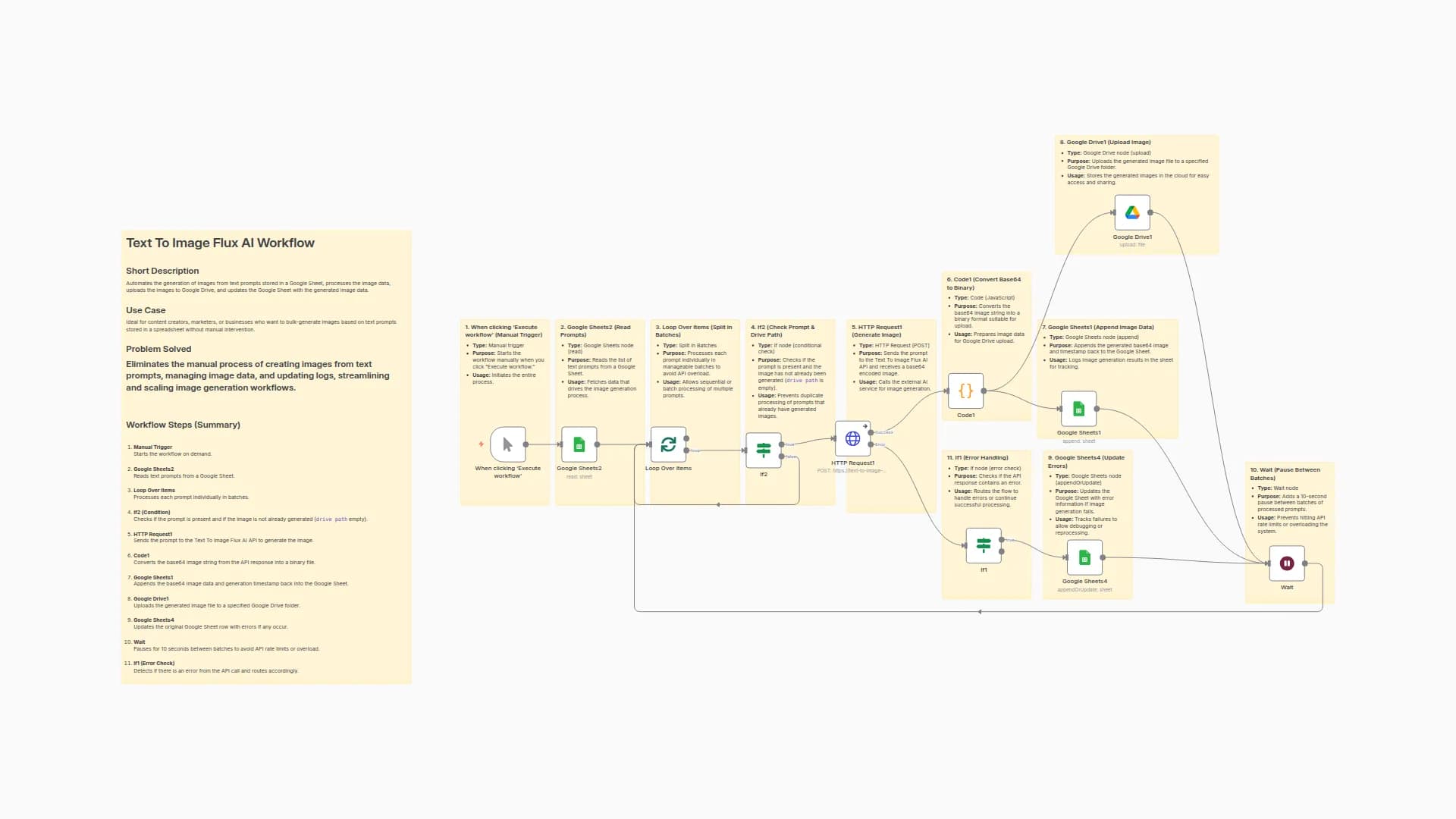
1. 📝 On Form Submission
- Accepts user input for a creative text prompt.
- 🔍 Example: “A silver can with vapor and blue lightning background.”
- 💡 Benefit: No technical knowledge needed.
2. 🌐 HTTP Request — Flux AI API
- Sends the prompt to the Flux AI Text-to-Image Generator API via RapidAPI.
- 📦 Returns an image encoded in base64.
- 💡 Benefit: Seamless integration with cutting-edge image generation.
3. 🧪 Code Node — Base64 Decoder
- Converts the base64 image to a binary
.jpgfile. - 💡 Benefit: Readies the image for upload/download/sharing.
4. 📁 Google Drive
- Uploads the generated image to your Google Drive folder.
- 💡 Benefit: Secure, sharable cloud storage.
5. 📊 Google Sheets — Success Log
- Appends a row with the original prompt, filename, and generation date.
- 💡 Benefit: Tracks history of all generated images.
6. ⚠️ IF Node — Error Detection
- Checks if the image generation failed.
- 💡 Benefit: Prevents workflow from halting and routes to error logging.
7. 📉 Google Sheets — Error Log
- Logs failed prompts and error messages.
- 💡 Benefit: Helps identify what went wrong (e.g. malformed prompt).
🛠️ Challenges Solved
Problem
How This Workflow Fixes It
Manual prompt-based image generation is slow
Fully automated with Flux AI
No storage pipeline for generated images
Integrated with Google Drive
No audit trail for prompts/images
Logged into Google Sheets
Errors go unnoticed in image generation
Built-in error check and logging
Users lack API access or dev experience
Friendly web form UI
🔗 API Spotlight
This workflow is powered by the Flux AI Text-to-Image Generator API — available exclusively on RapidAPI.
Why use this API?
- Ultra-fast text-to-image rendering
- High-resolution results
- Developer-friendly and cost-effective
- Great for branding, mockups, and visuals
We’ve integrated this API to make advanced image generation accessible with just a prompt — no AI or dev experience required.
You may also like
New to n8n?
Need help building new n8n workflows? Process automation for you or your company will save you time and money, and it's completely free!


