Personalized AI Assistant with Voice Support, Email/Calendar & Web Tools Integration


Created by
aiCarl FungLast edited 206 days ago
✨ Intro
This workflow shows how to go beyond a “plain” AI chatbot by:
🧠 Adding a Personality Layer — Link an extra LLM to inject a custom tone and style. Here, it’s Nova, a sassy, high-fashion assistant. You can swap in any personality without changing the main logic.
🎨 Custom Styling with CSS — Easily restyle the chatbot to match your brand or project theme.
Together, these make your bot smart, stylish, and uniquely yours.
⚙️ How it Works
📥 Route Input
Chat trigger sends messages to a Switch.
If a Telegram video note exists → runs the audio path.
Otherwise → runs the text path.
🎤 Audio Path
Telegram Get a File → OpenAI Speech-to-Text → pass transcript to the agent.
💬 Text Path
Chat text is normalized and sent to the agent.
🛠 Agent Brain
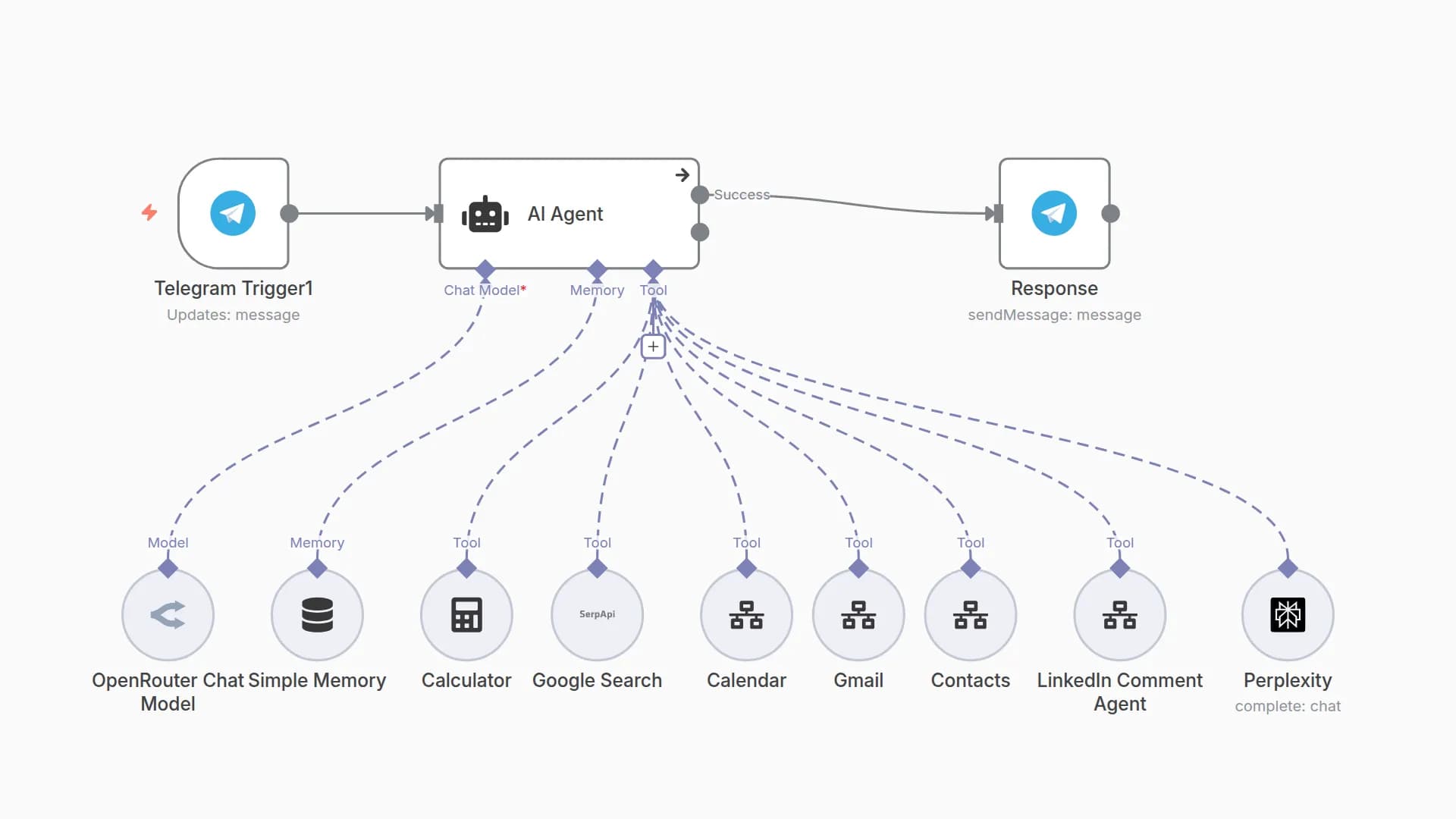
Uses tools like Gmail 📧, Google Calendar 📅, Google Drive 📂, Airtable 📋, SerpAPI 🌐, Wikipedia 📚, Hacker News 📰, and Calculator ➗.
🧾 Memory
Keeps the last 20 messages for context-aware replies.
💅 Optional Personality Polish
An LLM Chain adds witty or cheeky tone on top of the agent’s response.
🛠 Setup Steps
⏱ Time Required
~10–15 minutes (+5 minutes for each Google/Airtable connection).
🔑 Connect Credentials
OpenAI (and/or Anthropic)
Telegram Bot
Gmail, Google Calendar, Google Drive
Airtable
SerpAPI
📌 Configure IDs
Set Airtable base/table.
Set Calendar email.
Adjust Drive search query defaults if needed.
🎙 Voice Optional
Disable Telegram + Transcribe nodes if you only want text chat.
🎭 Choose Tone
Edit Chat Trigger’s welcome text/CSS for custom look.
Or disable persona chain for neutral voice.
🚀 Publish
Activate workflow and share the chat URL.
💡 Detailed behavior notes are available as sticky notes inside the workflow.
You may also like

New to n8n?
Need help building new n8n workflows? Process automation for you or your company will save you time and money, and it's completely free!


